15
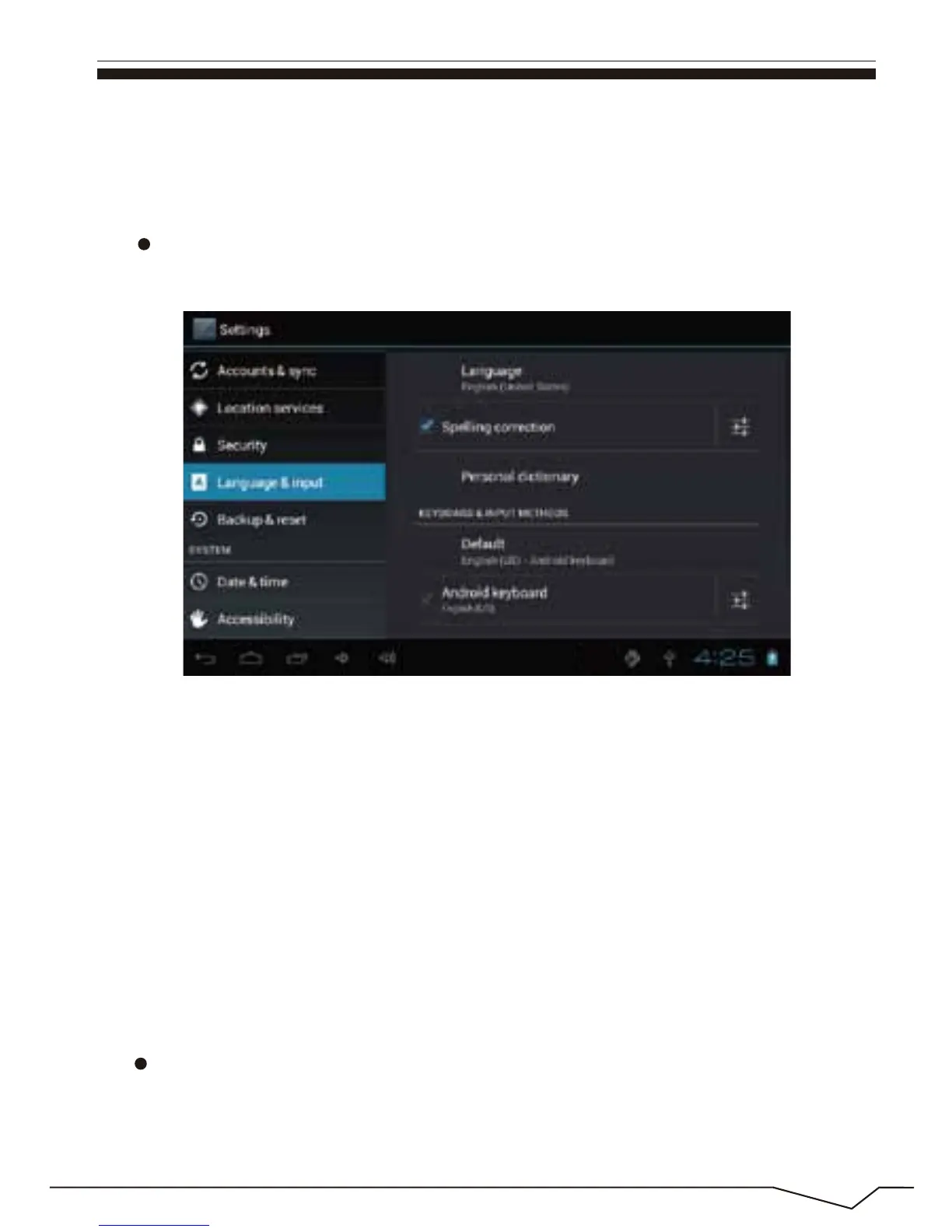
Language & keyboard
Setting: (Language), text input and automatic error correction options;
【Remark】: pls touch option”delete SD card”, so that can safety to romeve
SD card.
File Manager
Copy the APK software program that will be installed to Micro SD card or
NAND FLASH. Select" App installer"icon in the main menu.
Select Language: 54 kind of national languages are available.
Auto-complete: Specebar and punctuation automatically insert highlig.
Remark: Android system can support 54 kind of language, now manu
interface just suport 14 language.
Android keyboard: Android keyboard setting
Sound on Key-press
Auto-capitalisation
Show suggestions: Display suggested words while typing

 To Next Page
 Loading...
