8-2.3 Operation under the LIVE monitoring.
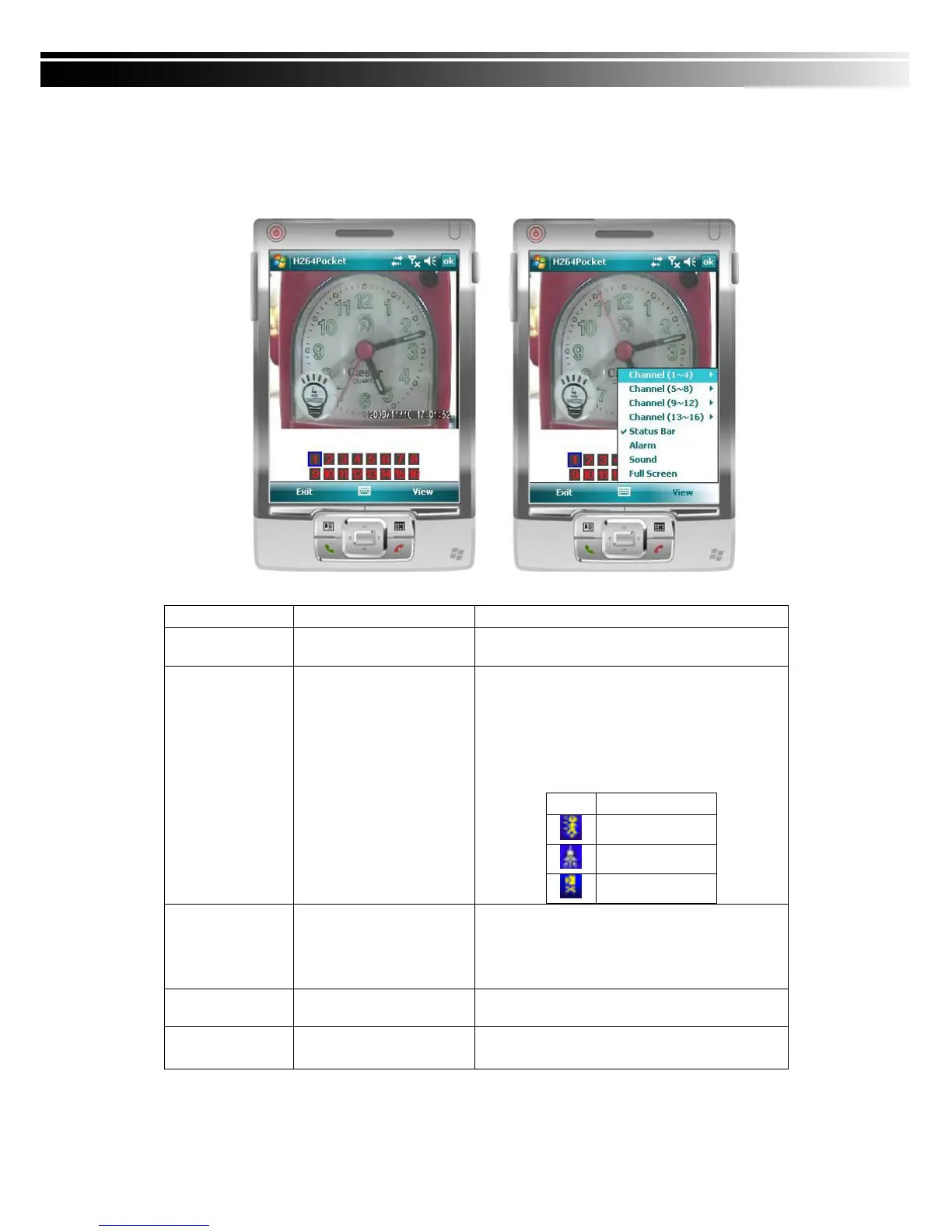
After successful logon the DVR, press “View” to bring up operation menu. You can
choose the channel, resize the image, choose the quality, and turn on/off the status bar,
alarm, full screen display….etc
Choose from CH1~16 to display.
(Show only supports a single partition)
Graphical icons indicated below will be shown
on the status bar if there is event such as
motion detected, sensor triggered and video
loss to be detected on any channel. You can
also uncheck the “Status Bar” to inactivate
this function.
Alarm through your mobile device can be
triggered if there is event to be detected. You
can also uncheck the “Alarm” under the
“View” to inactivate this function.
If the channel video with sound input, turn this
option to hear the real sound.
You can choose one channel to display in full
screen by check this function.


 To Next Page