APPENDIX I I-DVR.NET REGISTRATION
DDNS Registration on I-DVR.NET
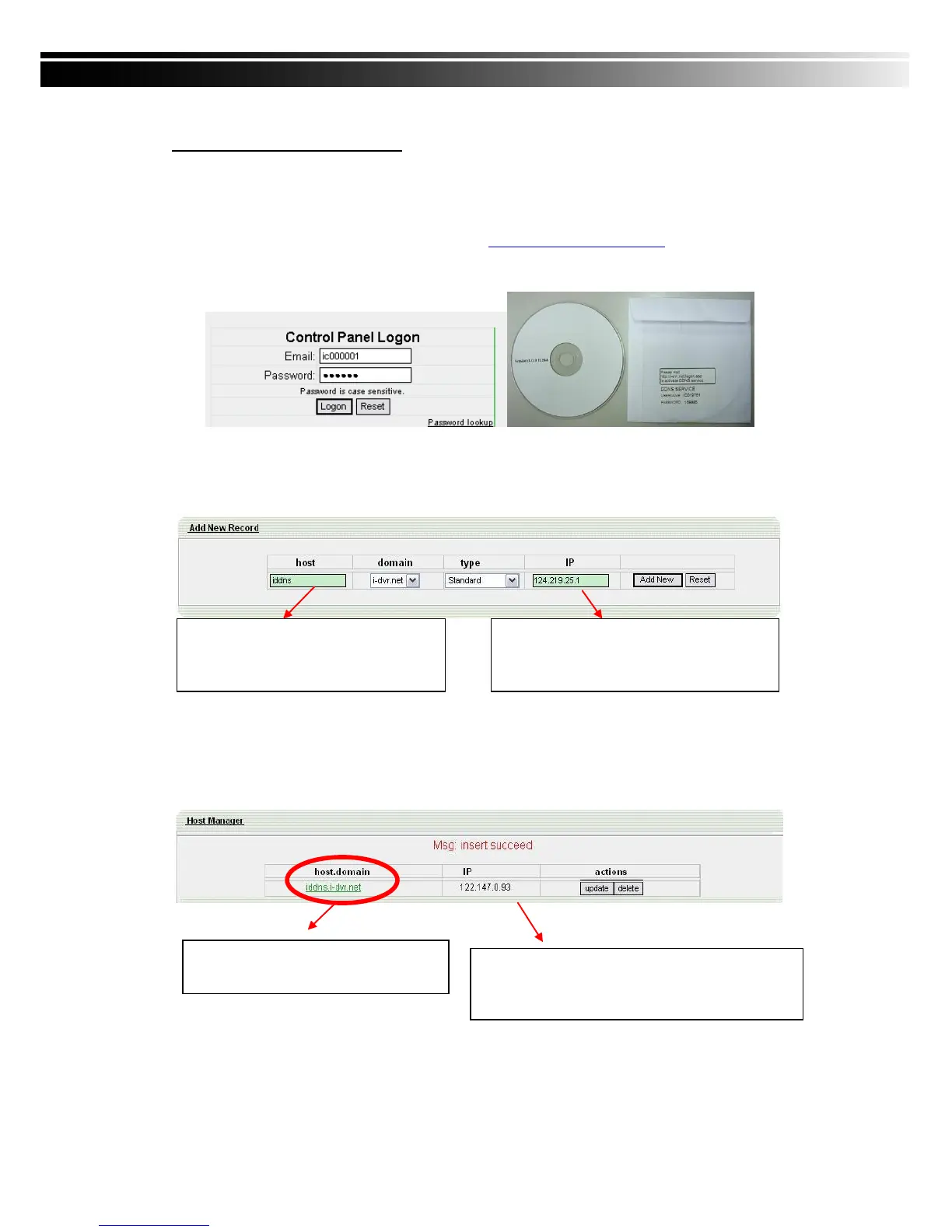
In the package of each DVR, you will find a sticker shows account information including
username and password that allows users to login I-DVR.NET for registration.
To register DDNS on I-DVR.NET, please follow the steps as shown.
Step 1. Please open IE browser and then enter “ http://i-DVR.NET/logon.asp ” in IE browser bar.
Next, “Control Panel Logo” dialog will appear. Enter the username and password
provided by the sticker and then press, “Logon.”
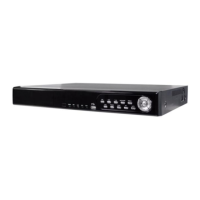
Step 2. After login successfully, enter name at “host” in “Add New Record” dialog. For example,
“iddns” is the host name, and then the address will be “iddns.i-dvr.net.” Select
“Standard” type and enter an IP address of the DVR. Input known IP address if any, or
press the “Add New” button if none.
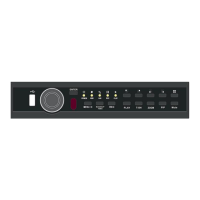
Step 3. The “Host Manager” dialog will show “Your new host record was created” when user
setup successfully. The “host.domain” column will show up the setup just entered.
If DDNS set up at DVR side successfully, the website will update the IP information in
one minute. The IP column will be renewed to the corresponding IP address by
pressing “F5: refresh” button.
Please enter any name by your choice at
Column, “host.” For example, “iddns”
Therefore, IE address will be
“iddns.i-dvr.net”
System will automatically show the current c
omputer IP. If the DVR IP is known, you can
type it in the column. If not, you can press
“Add new” button.
If DVR IP has any changes, there are updates
Here at the same time. Press, “F5: Refresh”
And then IP column will update automatically to it’s real
IP Address.


 To Next Page