19
5. Operation and Configuration
5.1 Introduction to the operation
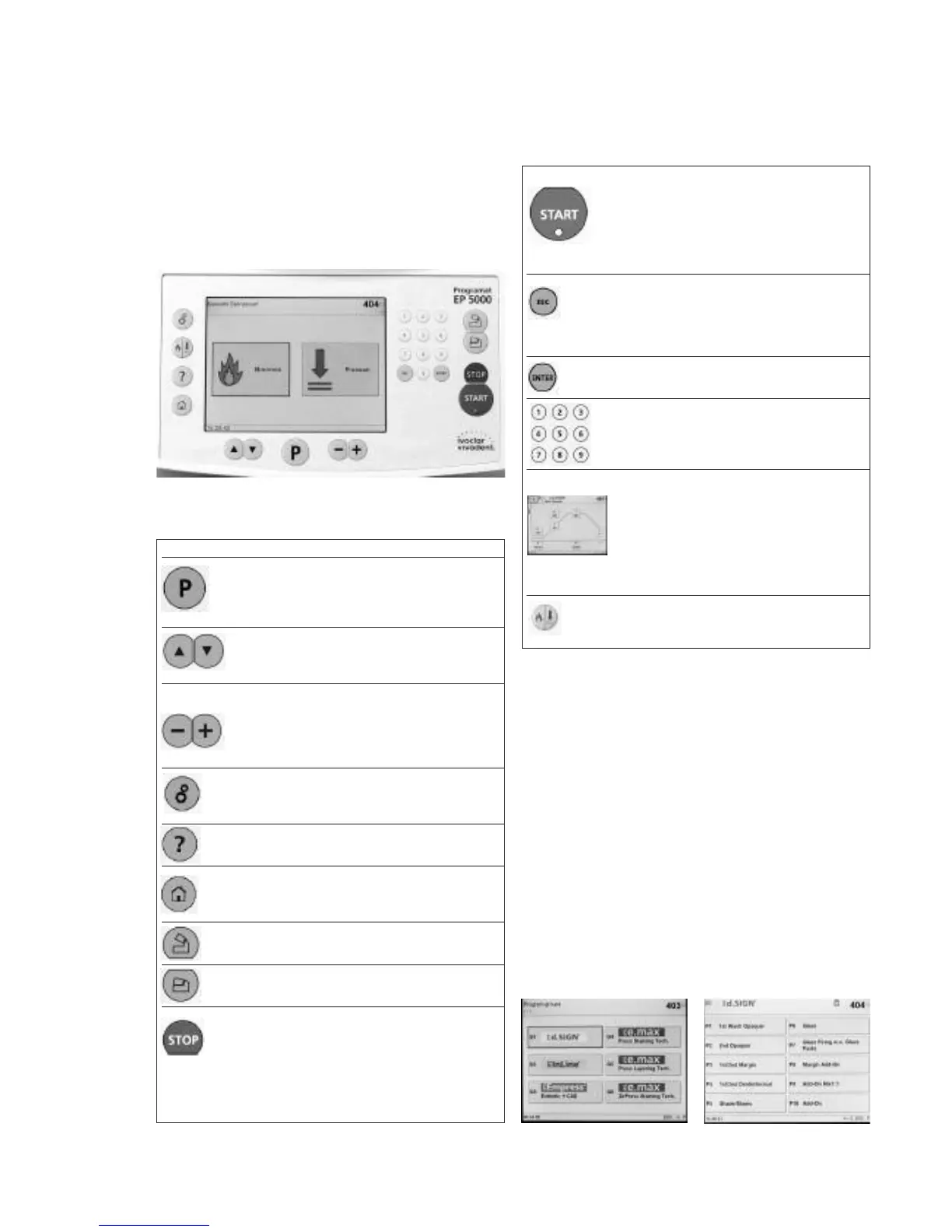
The Programat EP 5000 is equipped with a graphical display with
backlighting. The furnace can be operated by means of the keypad
or touch screen.
The numeric and command keys can be used to program and
control the furnace.
5.2 Explanation of the key functions
START (Start LED)
Starts the selected program. The fact that a
program is running is indicated by the green LED.
If the program is interrupted (1 x STOP), the Start
LED flashes until renewed pressing of START
results in the program being resumed.
ESC
Ends an entry without accepting the value.
Return from the current to the previous menu.
Confirmation of error messages.
Enter
Confirmation of entered value.
Numeric keypad, 1–9 and 0
Used to enter numeric values.
Touch Screen
The display is touch-sensitive. Slightly tapping it
with the fingertip will result in the desired button
being marked with a thick, black frame. After
that, the corresponding function is immediately
executed (e.g. the display changes) or the touch
button is now ready for an entry by means of the
numeric keypad or the +/- keys.
Pressing or firing
Choice between the firing and press mode
Key Function
Program key
Shows the currently selected program. Pressing
the key several times: graphical representation of
the program and table-type view with details
Up, down
In the parameter list (pressing P two times), these
keys can be used to move the cursor.
Minus, Plus, or Settings
These keys can be used to change the numeric
values.
Changing between different pages if a view
consists of several pages.
Settings (selection)
Go to the settings menu for: settings, information,
special programs, and calibration.
Help
Go to the help feature for the current screen.
Home
Return to "Program Group Indication"
(main menu)
Open furnace head
Opening of the furnace head in 5 seconds.
Close furnace head
Closing of the furnace head in 5 seconds.
STOP
A program in progress can be interrupted by
pressing STOP once. Pressing STOP twice will
abort the program.
Movement of the furnace head can be stopped
at any time by pressing STOP.
The beeper can be confirmed by pressing STOP.
5.3 Program structure
The furnace is equipped with more than 200 firing programs.
All the programs are equivalent and, therefore, full-fledged
programs. In each program, all the parameters can be adjusted.
a. Standard programs for Ivoclar Vivadent materials
b. Free programs
c. Auxiliary programs
The corresponding program group is selected and displayed by
tapping the touch button. After that, another touch button is used to
select the desired program.















 To Next Page