6
3. Turn on your computer and let computer load completely.
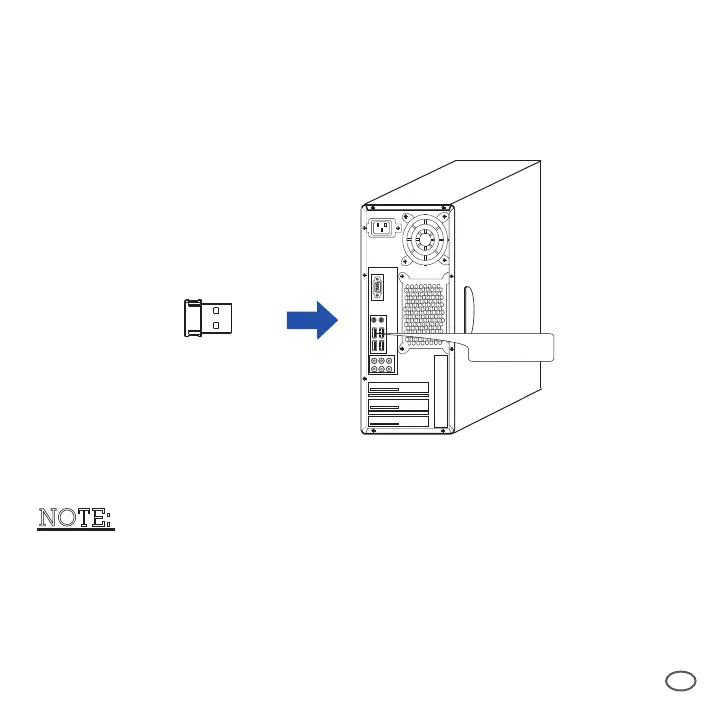
4. Plug the USB wireless receiver into a USB port of your computer.
USB Wireless
Receiver
USB Port
5. Receiver will automatically connect with wireless keyboard and mouse.
Now, they are ready to be used.
NOTE:
* Computer will detect the keyboard, mouse and receiver automatically.
No drivers are required.
* When devices can not connect efficiently, please press"CONNECT"
button on the bottom of the device and re-pair.
Refer to TROUBLESHOOTING Point 3.



 To Next Page