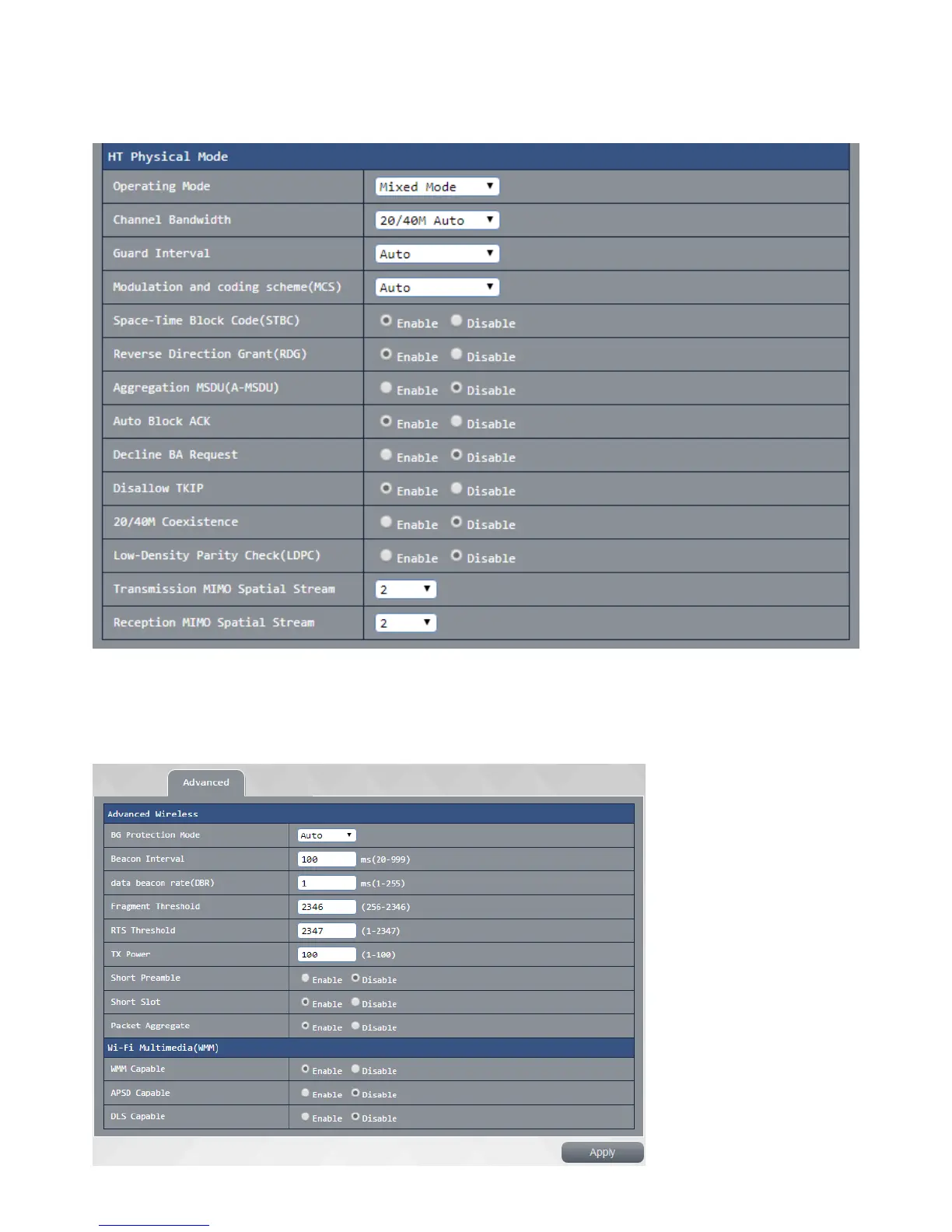
High-volume transmission entity mode:
This page is a set 802.11n settings, you can customize the network settings of the router 802.11n value, if
no special requirement recommend this setting to keep the system defaults press Apply after setting is
completed , after waiting for the system to complete the setting is completed or reopened.
Advanced Settings:
This setting a 2.4G advanced setting, you can customize 2.4g BG protection mode, the transmission rate set
individually, if no special requirement recommend this setting to keep the system defaults to press after
setting is completed apply, wait for the system to complete the set to reopen after completion.



 To Next Page