ULTRA STATION USER MANUAL
11
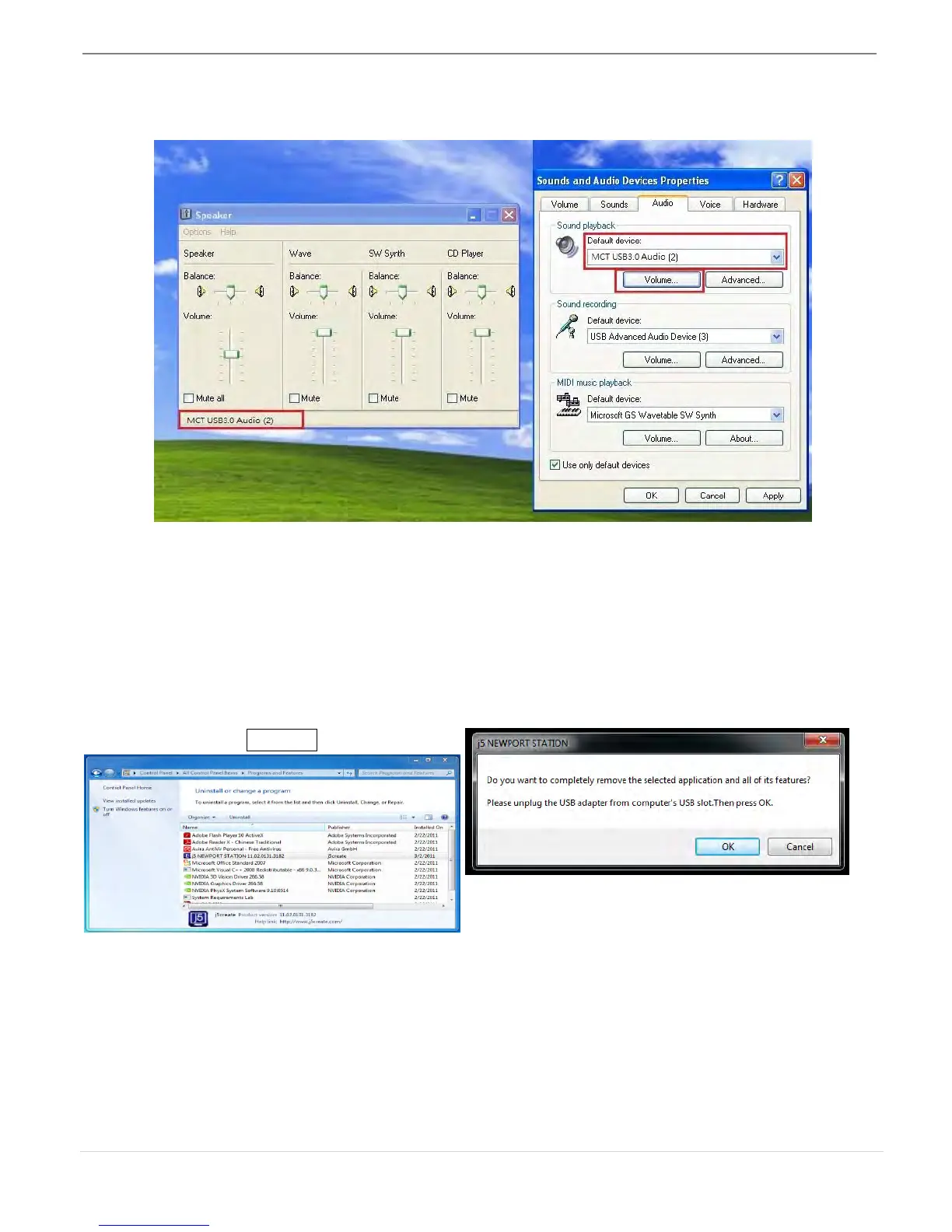
3. Select “the Default device” you want, and click “apply”. then click “ Volume” to choose
which speaker you want to use as your default.
Device Driver Un-installation
※ Unplug the USB Cable of the ULTRA STATION before uninstalling the driver
1. Click “Start”→ Control Panel →
Programs and Features→ Uninstall or
change a program Select j5 ULTRA
STATION... Click Uninstall
2. A message will appear confirming that you
want to un-install the application. Click ‘ok’ to
continue.



 To Next Page