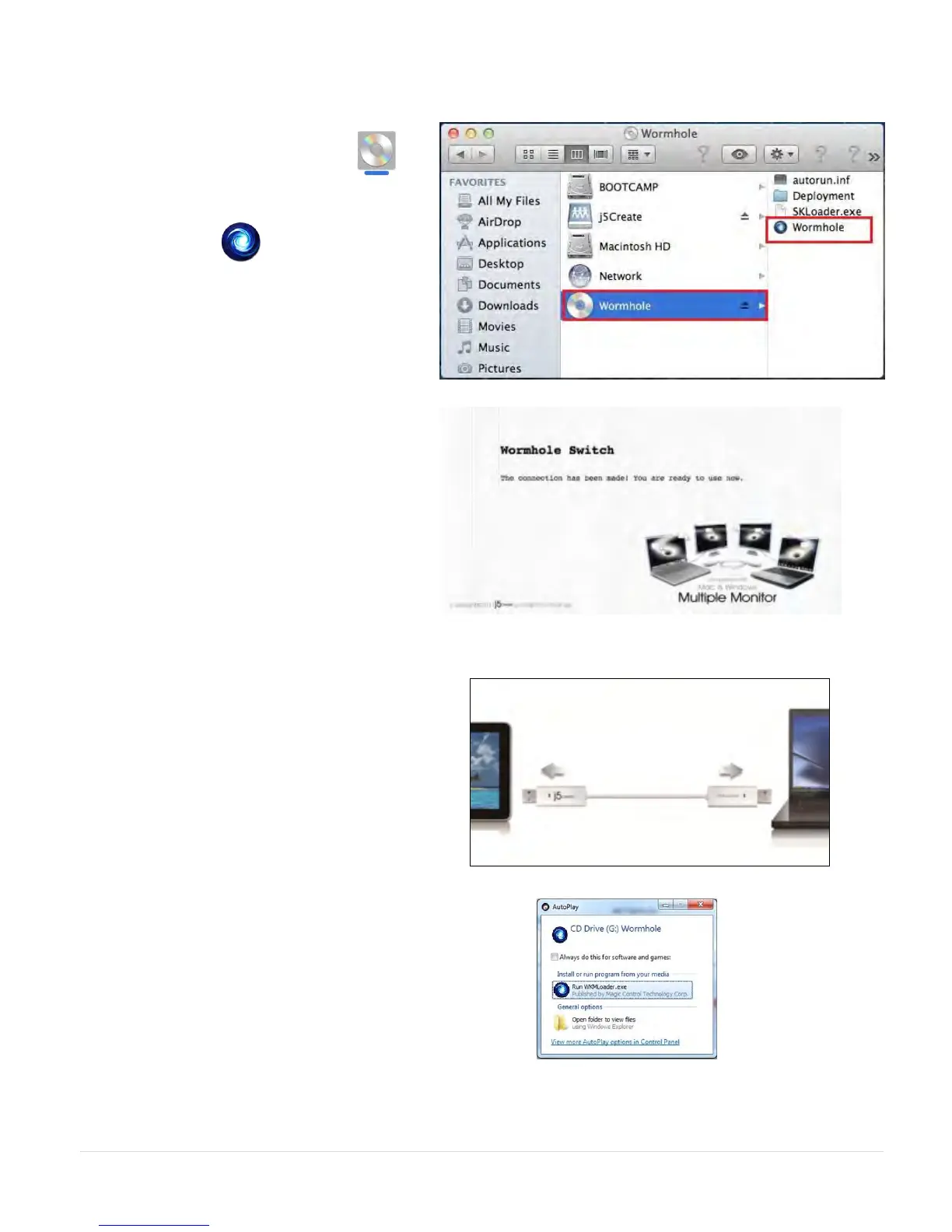
3. 3. After the Wormhole Switch is plugged
in the “Wormhole” CDROM icon
will appear either on the desktop or on
the “Macintosh HD”. Double click on
the “Wormhole” icon.
4. When the Wormhole Switch is
connected properly the wormhole
launch page will be shown.
GETTING STARTED-Windows
1. Connect one end of the Wormhole
Switch to a standard USB port on one of
the two computers. And connect the
other end of the Wormhole Switch to a
USB port on the second computer.
2. The device will automatically start the
Wormhole Switch software installation
on both computers.
3. An “AutoPlay” option window may
appear. Please click on the option
“Run WKMLoader.exe”



 To Next Page