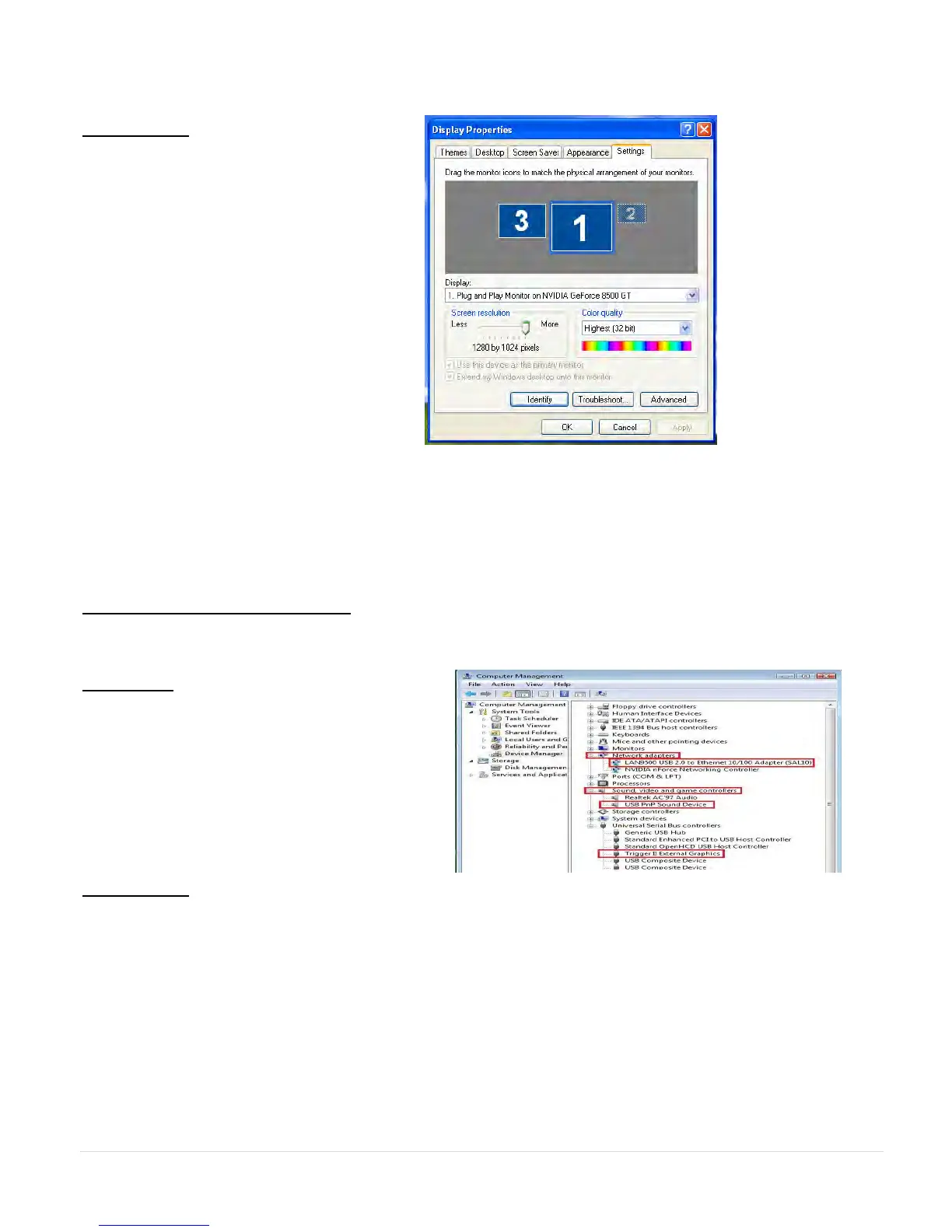
Windows XP:
You can modify the corresponsive
position of each extend display via
display settings.
Go to “START” → “Control Panel” →
“Display Properties” →“Settings”
When Display Properties windows
appears, each monitor‟s number can
be identified by clicking “ “ identify”
Drag the monitor to the location you
want.
Note:
If your internal graphics card is Dual Display Ports…..
When using one ULTRA STATION
The display device which connected to the 2
nd
VGA port will be numbered 3
rd
monitor, the
display device which connected to the ULTRA STATION will be numbered 2
nd
monitor.
Verify Device Driver Installation
The following procedure is for verifying the driver installation status of the ULTRA STATION
Windows 7:
Right Click “My Computer” “Manager”
“Device Manager” click “+” sign of
“Network adapter” & “Sound, video and
game control” & “Universal Serial Bus
controllers”
Windows XP:
Right Click “My Computer”, “Manager” → “Device Manager” click “+” sign of “Display
Adapter” & “Network adapter” & “Sound, video and game controllers” &“Universal Serial Bus
controllers”



 To Next Page