ULTRA STATION USER MANUAL
19
Troubleshooting:
If auto-run is not launched, please follow the steps:
A. Insure both computers are properly connected to
the USB cable.
B. Go to My Computer and double-click the j5
Wormhole Switch icon ( ) to start the application.
4. If the “User Account Control” window
appears on the screen,
Click “Yes” to continue.
5. When the Wormhole Switch is connected properly
the wormhole launch page will be shown.
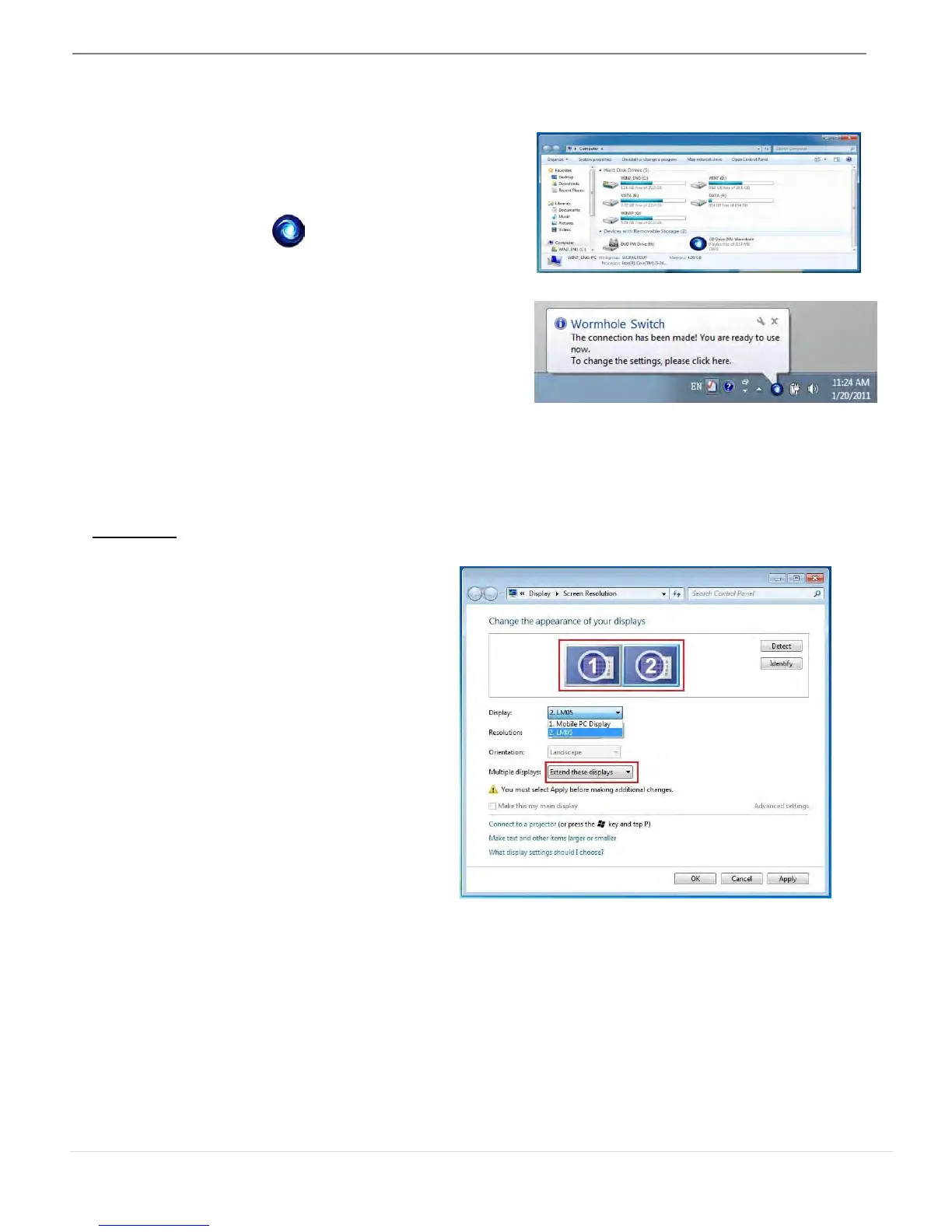
FUNCTIONS INSTRUCTIONS: WINDOWS 7
Display ID
Smart Display Device ID Detection
Window 7 OS supports VESA defined
DDC/EDID. It will be shown as the Display
device ID whenever it is attached to the
ULTRA STATION.



 To Next Page