16
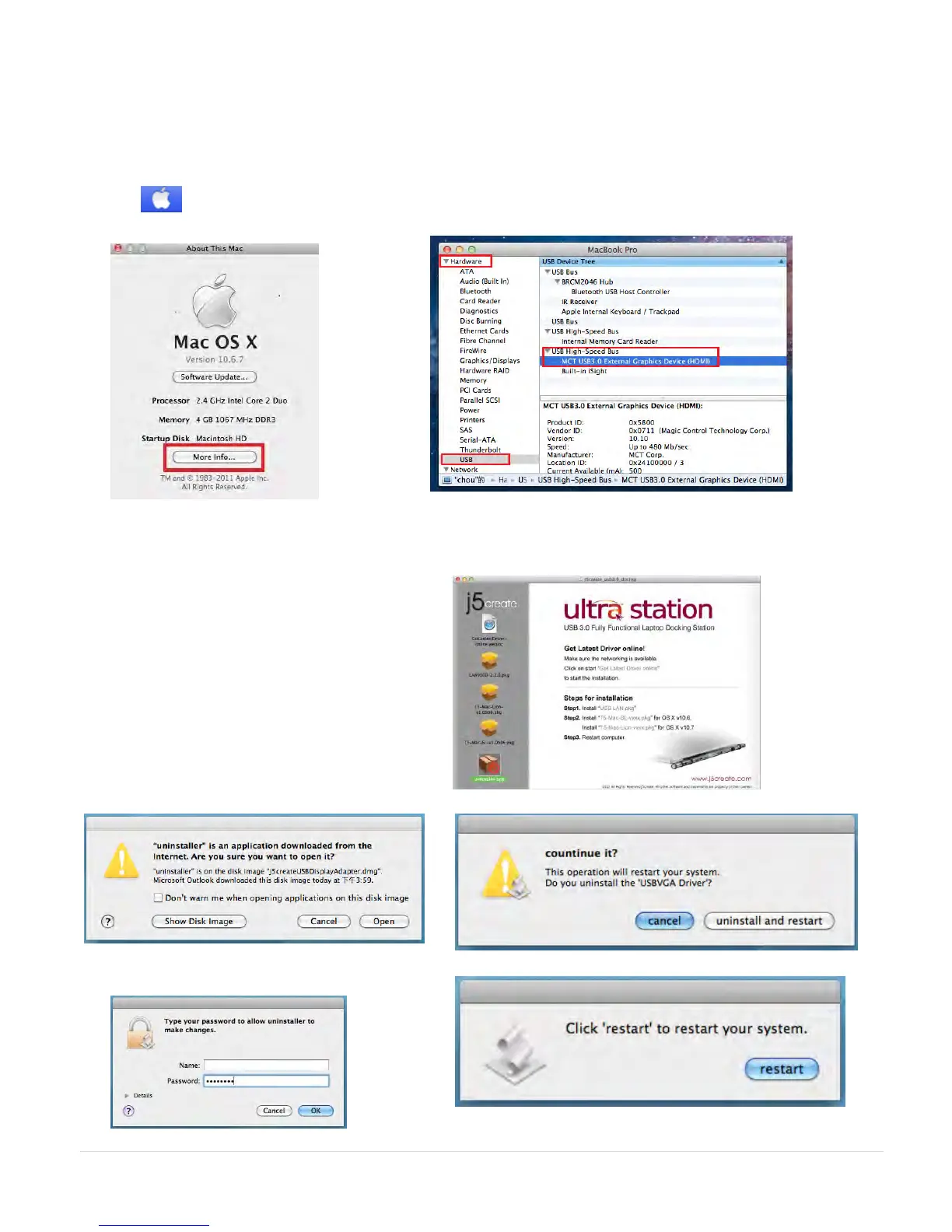
Verify Device Driver Installation
The following procedure helps you to verify the driver installation status of USB 3.0 Display
Adapter
1. GO , select “About This Mac”
and select “ More Info…”
2. The picture shows the installation process for the
Ultra Station
Device Driver Un-installation
1. Unplug the USB Cable of ULTRA
STATION from the USB port
2. To un-installation , please press the
“Uninstall Driver” icon
3. Click “Open” to proceed
4. Click “Uninstall and restart” to proceed
5. Type in your password to allow un-
installation and click “OK” to proceed



 To Next Page