ULTRA STATION USER MANUAL
27
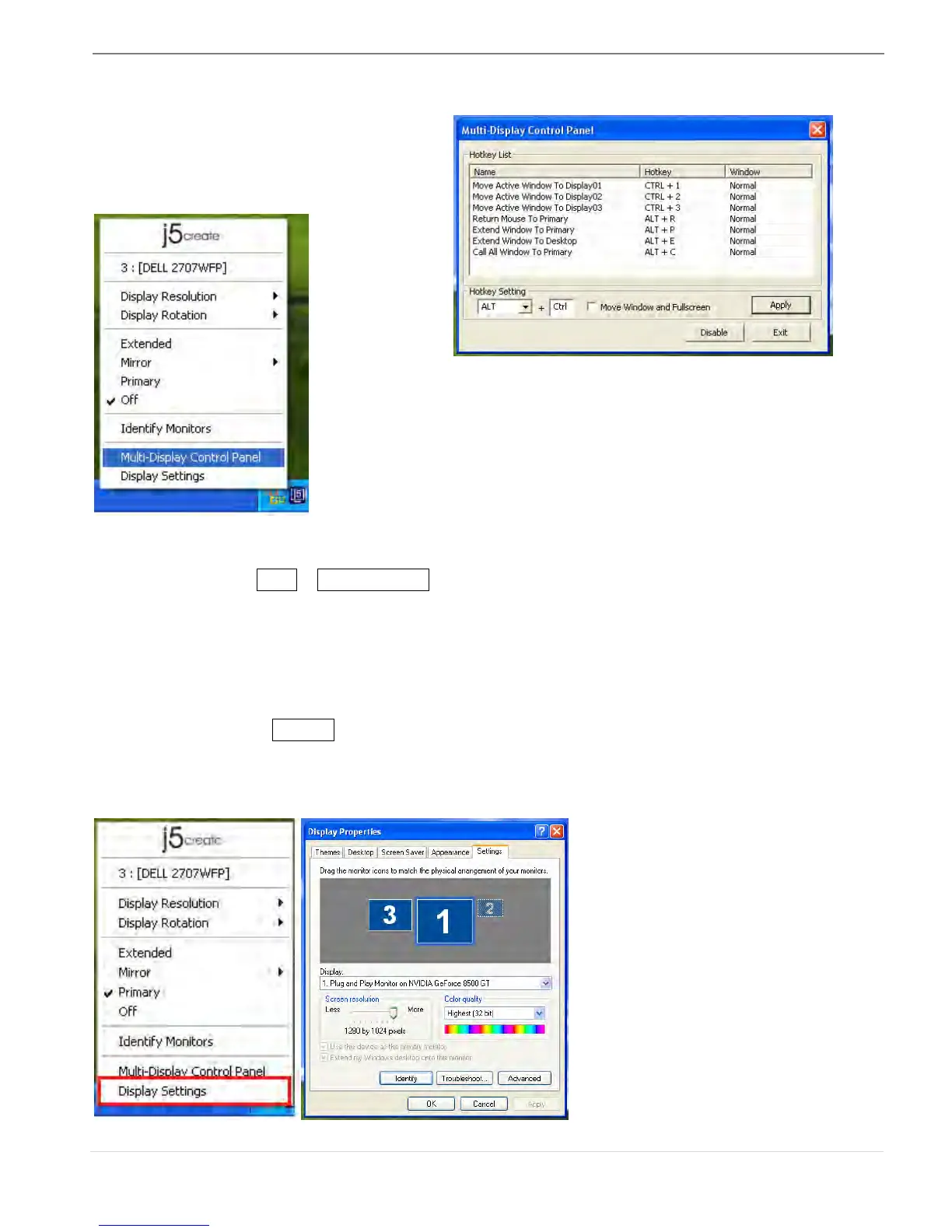
Multi-Display Control Panel
When Multi-Display Control Panel is
selected, the Multi-Display Control Panel
window will pop-up to enable the
modification of the Hotkeys.
※ Using Hotkey
Default setting is Ctrl + Display No.
Click the window you want to move on task bar to become active, and then press
Hotkey.
※ Setting Hotkey
For example: Move window to Display03, and automatically enlarge it to full screen.
Choose “Move Active Window to Display03”, check “Move Window and Full
screen”, and click Apply to make it active.
Display Setting
Fast access to the system “Display Settings”



 To Next Page