30
07610-003-62-15-Q
SERVICE PROCEDURES
SERVICE
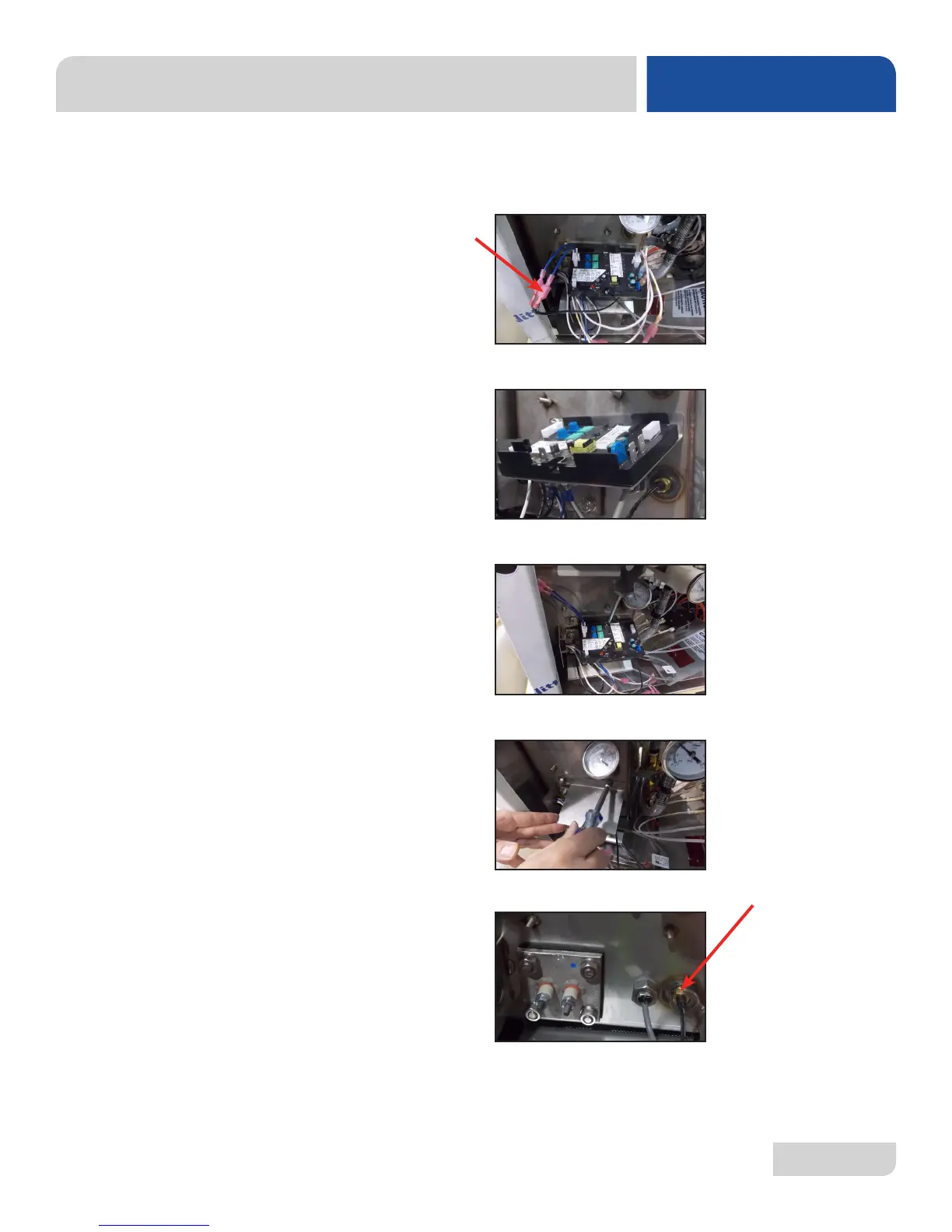
3. Using the pair of needle-nose pliers (if necessary), disconnect the terminals
from the thermostat probe. Be careful not to damage the terminals or the
wires or they will have to be replaced.
4. Unplug all of the terminals/wires connected to the ELAN thermostat.
5. Remove the ELAN thermostat using a phillips screwdriver.
6. Remove the thermostat bracket with the 3/8” nutdriver.
7. Use the 7/16” wrench to loosen and remove the imperial brass fitting.
THERMOSTAT
REPLACEMENT





 To Next Page