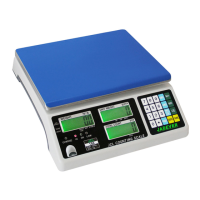
JCL 3
· Low battery and charging status indication
· Accumulation of weight and quantity (max 99 pieces)
· Single point and linear calibration available
· Auto shut off for power saving
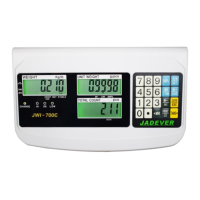
4-2 Front Panel
4-2-1 Display
1)
Low battery indication
2) Tare or Preset Tare indication
3) Center of Zero indication, The zeroing range is ±2﹪of weighing capacity.
4) Charge Lamp
5) Leveler
6) HI Lamp (ON) Indicating parameter item
sounds. (See 5. Function Setting, setting buzz sounds)
OK Lamp (ON) -- Indicating parameter item or is selected when setting buzz
sounds.
LOW Lamp (ON)—Indicating parameter item is selected when setting buzz sounds.
7) “PRESET TARE” Symbol “ ” points at “PRESET TARE” when Tare value entered via
numeric keys.
8) “NET” Net weight--Gross weight minus Tare. Symbol “ ” points at “NET” when TARE or
PRESET TARE action is done.
9) “STABLE” Stable indication, Symbol “
” appears at the top of “STABLE” when scale
is in stable condition.
10) “ACAI” Symbol “ ” points at “ACAI” when the average unit weight is calculated or


 To Next Page