EasyManua.ls Logo

Janome Craft 6600P - User Manual

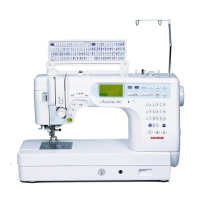
Janome Craft 6600P
93 pages
Print Icon
To Next Page IconTo Next Page
Loading...
www.toews.com
Janome Memory
Craft 6600P
Instruction Manual
Janome 6600 Instruction Manual
Janome Sewing Machine
www.toews.com
MC6600P Owners Manual/ User Guide

Table of Contents

Questions and Answers

  • J
    Julie GarciaAug 18, 2025
    What to do if my Janome Craft 6600P is skipping stitches?
    • J
      Jonathan PetersenAug 18, 2025
      Skipped stitches can occur in your Janome Sewing Machine because: * The needle is incorrectly inserted, bent, or blunt. * The needle and/or threads are not suitable for the work being sewn. * The Blue Tip needle is not being used for sewing stretch, very fine fabrics, and synthetics. * The needle thread is not threaded properly. * A poor quality needle is used. In this case, change the needle.
  • U
    ugarciaAug 20, 2025
    What should I do if my Janome Craft 6600P does not work?
    • M
      michael64Aug 20, 2025
      Your Janome Sewing Machine may not work if: * The machine is not plugged in or the foot control is not connected. * Thread has been caught in the hook race. * The presser foot is not lowered.
  • J
    John BrownAug 23, 2025
    Why is my Janome Craft 6600P so noisy?
    • K
      Kathryn BlevinsAug 23, 2025
      Your Janome Sewing Machine may be noisy because: * Thread has been caught in the hook race. * Lint has built up in the hook race or bobbin holder.
  • H
    hyorkAug 26, 2025
    Why does the needle thread keep breaking on my Janome Craft 6600P?
    • D
      Dustin GarciaAug 26, 2025
      The needle thread may break for several reasons: * The needle thread is not threaded properly. * The needle thread tension is too tight. * The needle is bent or blunt. * The needle is incorrectly inserted. * The needle thread and the bobbin thread are not set under the presser foot when start sewing. * The threads were not drawn to the rear after sewing. * The thread is too heavy or too fine for the needle. * The thread is tangled around a spool.
  • O
    Omar BrownAug 28, 2025
    Why is my Janome Craft 6600P Sewing Machine not feeding the cloth smoothly?
    • R
      Robert SimmonsAug 28, 2025
      The cloth may not feed smoothly due to: * The feed dog being packed with lint. * The stitches being too fine, so make stitch longer. * The feed dog not being raised after ”drop feed” sewing.
  • C
    Charles WaltonAug 30, 2025
    Why is the bobbin thread breaking on my Janome Sewing Machine?
    • L
      Lisa DanielsAug 30, 2025
      The bobbin thread may break because: * The bobbin thread is not threaded properly in the bobbin holder. * Lint has collected in the bobbin holder. * The bobbin is damaged and does not turn smoothly, in this case, change the bobbin.
  • R
    Ronald CarlsonSep 2, 2025
    What to do if the needle breaks on my Janome Craft 6600P?
    • J
      John AndradeSep 2, 2025
      A needle can break on your Janome Sewing Machine due to several reasons: * The needle is incorrectly inserted. * The needle clamp screw is loose. * The threads were not drawn to the rear after sewing. * The needle is too fine for the fabric being used. * A wrong presser foot is used. In this case, use the correct foot.
  • P
    Patricia MitchellSep 4, 2025
    Why does my Janome Sewing Machine keep puckering the seam?
    • J
      Jerry SmithSep 4, 2025
      Seam puckering can occur on your Janome Sewing Machine if: * The needle thread tension is too tight. * The needle thread is not threaded properly. * The needle is too heavy for the fabric being sewn. * The stitch length is too long for the fabric, so make stitch shorter. * The foot pressure is not adjusted properly. * A stabilizer is not used when sewing very fine fabrics, so apply a stabilizer.
  • L
    Leslie ThompsonSep 7, 2025
    What causes loops on the seams of my Janome Sewing Machine?
    • C
      Christopher HowardSep 7, 2025
      Loops on the seams may be caused by: * The needle thread tension being too loose. * The needle being too thick or too fine for the fabric.
  • J
    John McdonaldSep 9, 2025
    Why is the buttonhole sewing not sewn properly on my Janome Craft 6600P?
    • K
      Kathleen RobertsSep 9, 2025
      Buttonhole sewing may not be sewn properly if: * The stitch density is not suitable for the fabric being sewn. * The interfacing has not been used for the stretch or synthetic fabric, so apply an interfacing. * The buttonhole lever is not lowered.

Summary

Important Safety Instructions

DANGER: Electric Shock Precautions

Instructions to reduce the risk of electric shock when using the sewing machine.

WARNING: General Safety Precautions

Warnings to reduce the risk of burns, fire, electric shock, or injury to persons.

Getting Ready to Sew

Controlling Sewing Speed

Speed Control Slider Usage

How to adjust sewing speed using the speed control slider on the machine.

Foot Control Operation

How to control sewing speed using the foot pedal.

Machine Function Buttons

Start;Stop and Reverse Buttons

Operation of the start/stop and reverse stitch buttons for controlling the machine.

Machine Control Panel Functions

Mode and Pattern Selection Buttons

Buttons for selecting sewing modes, stitch patterns, and stitch adjustments.

Pattern Selection and Programming Buttons

Presser Foot Operations

Setting for Dual Feed Sewing

Dual Feed Device Operations

Winding the Bobbin

Bobbin Winding Procedure

Inserting the Bobbin

Threading the Machine

Threading the Machine (Continued)

Automatic Needle Threader

Drawing Up the Bobbin Thread

Changing Needles

Balancing Thread Tension

Adjusting Thread Tension

Guide to adjusting needle thread tension for optimal stitch balance.

Troubleshooting Tension Issues

Identifying and correcting too tight or too loose needle thread tension.

Foot Pressure and Feed Dog Adjustment

Adjusting Foot Pressure

How to set the foot pressure for different fabric types and sewing needs.

Selecting the Sewing Mode

Help and Pattern Selection

Customizing Machine Settings

Resumption and Sound Settings

Customizing machine behavior like resumption setting and buzzer sound.

Machine Settings Customization

Language Selection

Choosing from multiple languages for the machine's screen display.

Adjusting Stitch Parameters

Needle Drop Position Adjustment

Modifying the needle's left or right drop position using the stitch width button.

Stitch Length Adjustment

Altering the stitch length using the dedicated adjustment button.

Customizing Preset Stitch Values

Zipper Sewing

Attaching Zipper Foot and Fabric Preparation

Steps for attaching the zipper foot and preparing fabric for zipper insertion.

Zipper Sewing Procedure

Quilting (Mode 2)

Quilting Techniques

Free Motion Quilting

Instructions for free motion quilting, including dropping the feed dog.

Utility and Decorative Stitches (Mode 3)

Buttonholes

Overview of various buttonhole types available in Mode 3.

Buttonhole Types

Sewing Buttonholes

Square Buttonhole Sewing Procedure

Step-by-step guide for sewing square buttonholes using the automatic buttonhole foot.

Sewing Sensor Buttonholes

Sensor Buttonhole Operation

How to sew sensor buttonholes, including test sewing and adjustments.

Sensor Buttonhole Sewing Steps

Automatic Buttonhole Sewing

Adjusting Buttonhole Settings

Automatic Buttonhole Function

Automatic Buttonhole Sewing Procedure

Auto-Lock Stitch Sewing

Pattern Combination Programming

Elongation Sewing

Mirror Image Pattern Programming

Pattern Combination Playback Control

Monogramming

Selecting Letter Styles for Monograms

Choosing between block and script letter styles for monogram creation.

Programming a Monogram

Programming and Sewing Monograms

Editing Monogram and Patterns (Part 1)

Editing Monogram and Patterns (Part 2)

Editing and Stitch Adjustment (Part 2)

Custom Stitch Adjustment

Storing and Recalling Stitch Pattern Combinations

Storing Pattern Combinations

Saving programmed stitch pattern combinations for future use.

Managing Stored Stitch Combinations

Twin Needle Sewing

Twin Needle Setup and Threading

Preparing the machine and threading for twin needle sewing.

Twin Needle Sewing Procedures

Sewing with a Twin Needle

Instructions for selecting patterns and sewing with a twin needle.

Correcting Distorted Stitch Patterns

Using the Feed Balancing Dial

Adjusting stitch patterns, letters, and buttonholes using the feed balancing dial.

Care and Maintenance

Cleaning Key Machine Components

How to clean the hook race, feed dog, and thread cutter mechanism.

Replacing the Light Bulb

Problems and Warning Signals

Troubleshooting Warning Signs and Errors

Troubleshooting Common Issues

Troubleshooting Specific Conditions

Janome Craft 6600P Specifications

General IconGeneral
BrandJanome
ModelCraft 6600P
CategorySewing Machine
LanguageEnglish

Related product manuals