Page 39
7.1.5 Use of digital torch or spool torch (optional)
In addition to the common push torch, these inverter welders also support digital MIG torch
and spool torch. The parameters are adjusted through the keys on the digital torch or the
adjustment knob on the spool torch.
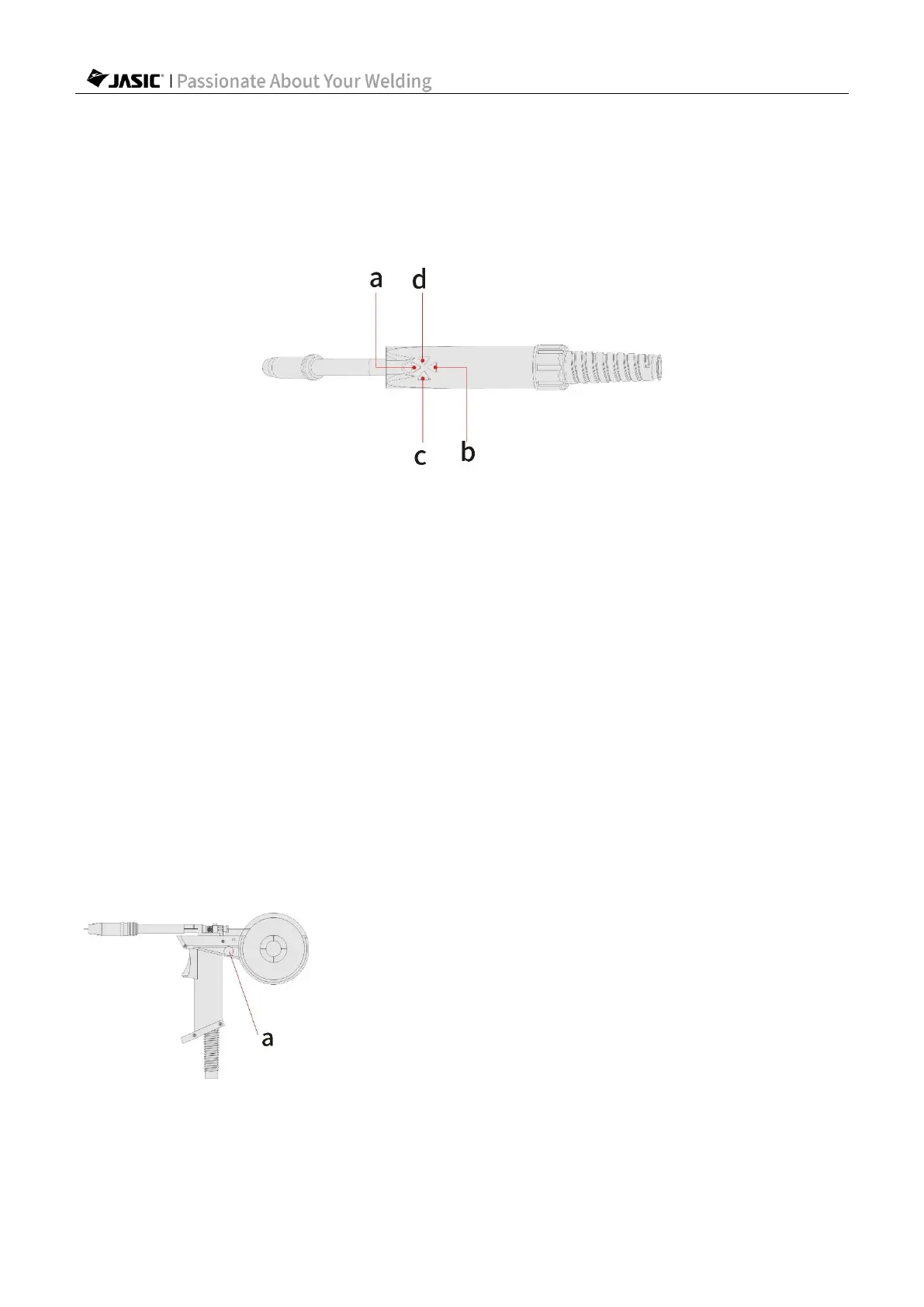
1)Digital torch
a. Increase the "Wire Feed Speed"/"Welding Current".
b. Decrease the "Wire Feed Speed"/"Welding Current".
The "Wire Feed Speed"/"Welding Current" adjustment key adjusts "Wire Feed Speed" when
the "Synergic" is disabled, and "Welding Current" when it is enabled.
c. Increase the "Welding Voltage".
d. Decrease the "Welding Voltage".
1) After connecting the digital torch with the welder, select "Push Torch" of the welding torch
type.
2) Enable the remote control function.
3) Use the keys on the digital torch to adjust the "Wire Feed Speed"/"Welding Current" and
"Welding Voltage". For details about panel operations, see sections 7.12-7.14.
Note! If the digital torch is used, select the welding torch type of "Push torch". The
parameters can be adjusted by both the adjustment knobs on the operation panel and
adjustment keys on the digital torch.
Note! Some models do not support spool torch function. Please confirm with the
seller whether the machine supports this function before purchasing.
2)Spool torch
a. "Wire Feed Speed "adjustment potentiometer: Rotate the potentiometer clockwise to
increase the "Wire Feed Speed", and counterclockwise to decrease the speed.



 To Next Page