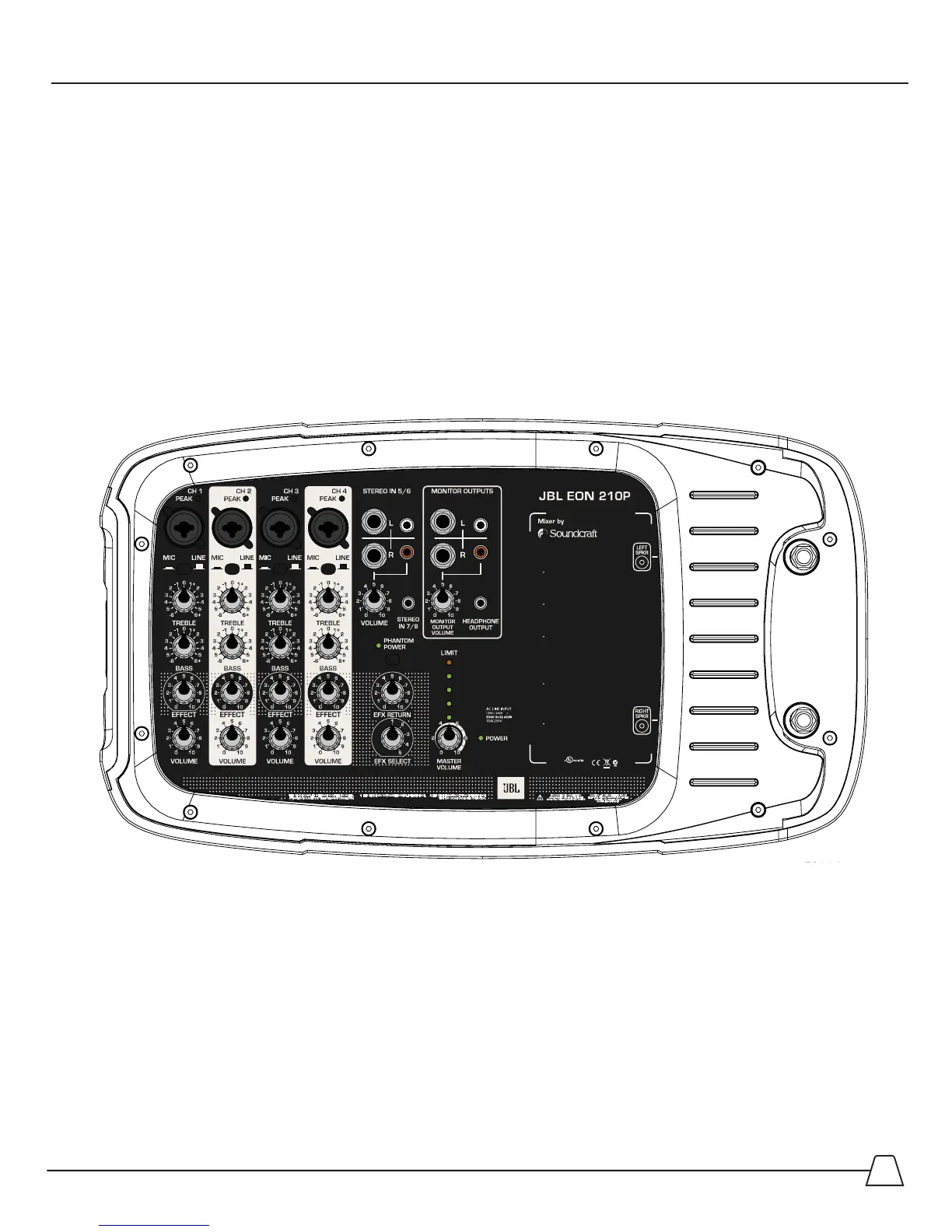
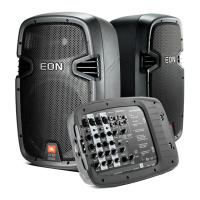
Getting Acquainted with the EON 210P Powered Mixer
7KLVSDUWRIWKH(213V\VWHPKRXVHVWKHPL[LQJERDUGDQGSRZHUDPSOL¿HU<RXZLOOFRQQHFWDOORIWKH
PLFURSKRQHVPXVLFDOLQVWUXPHQWVH[WHUQDOVRXQGVRXUFHVOLNH03RU&'SOD\HUVKHDGSKRQHVLQDGGLWLRQWR
any recording devices or additional speakers like a personal monitor, subwoofer or “Front of House” feed.
The Basics
While it looks complicated, the mixing board is actually a very simple device. A “mixing board” brings audio
VRXUFHV³LQ´WKURXJKWKHLQSXWVDQGURXWHVWKHVLJQDOWRWKHRXWSXWV0$67(592/80(63($.(52873876
RU021,72528738767KHPL[HUFRQWUROVHQDEOHWKHXVHUWRDIIHFWWKHWRQHDQGRUYROXPHLQDGGLWLRQWR
routing the signal and adding effects to individual input sources. The abundance of knobs is simply due to the
repetitive nature of the design.
/HW¶VORRNDWWKH³LQSXWV´¿UVW
AUDIO INPUTS
The EON 210P has 8 inputs: 4 mono inputs and 2 stereo inputs.
All of the inputs will route to the speakers and to the MONITOR OUTPUT SECTION.
MONO MIC/LINE INPUTS
0RYLQJIURPOHIWWRULJKWWKHUHDUHLGHQWLFDOLQSXWVWULSVFRPSULVHGRIIURPWRSWRERWWRPD³SHDN/('´
a combination input connector, MIC/LINE selector, Treble and Bass controls, a Reverb send and a channel
volume control.
Rev F
E300993 37TY
October 5th, 2010
1 Effect Bypass: This turns all
effects off
2 Plate Reverb: Use with Vocals
and Acoustic Instruments
3 Room Reverb: Use with
Vocals, Acoustic and Electric
Instruments, Percussion,
Piano and General Applications
4 Slapback: Short Echo with
Repeats. For Lead Vocal,
Karaoke, Rockabilly
5 Large Hall Reverb: Use with
Lead Vocals, Brass or
Strings
EFFECT MENU


 To Next Page