4 - 12
Travel Levers
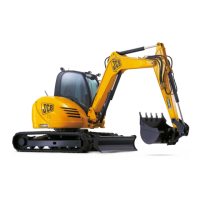
Travel is controlled by the two levers/foot pedals A and B at
the front of the cab. Each lever controls the track on the
same side, i.e. the left lever controls the left track, when the
cab is facing forwards, that is towards the dozer blade.
Before operating the travel lever, confirm whether the
undercarriage is facing forwards or backwards.
Note: When not travelling, do not place your feet on the
travel pedals.
!!
WARNING
When the cab is swung around so that it is facing the
track motor end of the undercarriage, the action of the
tracking controls is reversed. Take extra care!
8-2-8-1
Travel Speed Change Button
The travel speed of the machine can be changed between
high and low by pressing button C. (The travel speed is
recorded at engine shutdown and is re-applied at the next
engine start up). Each time the button is pressed, the speed
is changed.
Note: Do not change the mode when travelling. Stop the
machine to select different speeds.
Section 1 General Information
9803/9330
Section 1
4 - 12
Issue 2*
Operation
Use when the ground is level.
When the load on the track motors
increases, eg when travelling up a
slope or dozing, speed automatically
changes to Low. When the load
reduces, speed returns automatically
to High.
Use when climbing or descending a
slope or when the ground is rough. It
does not change automatically.
High
Speed
Low
Speed
Travel Mode Choice Selected
AA
BB
C
*


 To Next Page