7 - 11
*****COMPLETE****************
Repeat calibration ----> Press ENTER
Exit ----> Press ESC
CHAPTER 7 Calibration
2-5 End of CalibrationWhen the following screen appears, all calibration procedures are completed.
If you wish to continue to calibrate the other unit, press [Enter] and connect the cable with the
other unit.
To end calibration, press [Esc] to exit the program.
Fig-25
C] When using AdjMenu.exe on Window98/2000/XP.
1) Start Windows98/2000/XP.
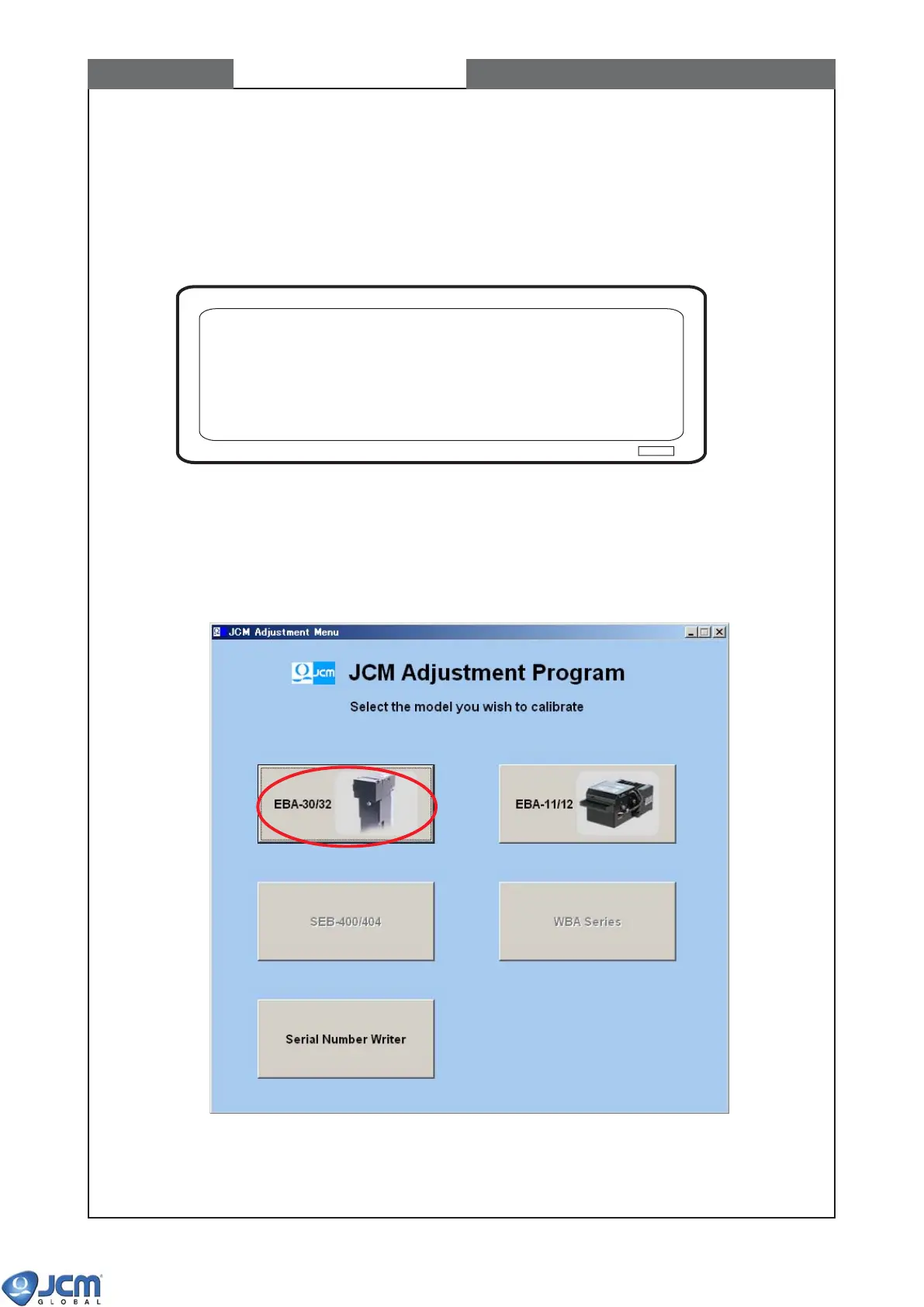
2) Double click AdjMenu.exe to start the calibration program. Then the following window will
appear (See Fig-26). Click the [EBA-30/32] button to start EBA-3X Adjustment Program.
Fig-26



 To Next Page