Support : support@jennov.com
- 23 -
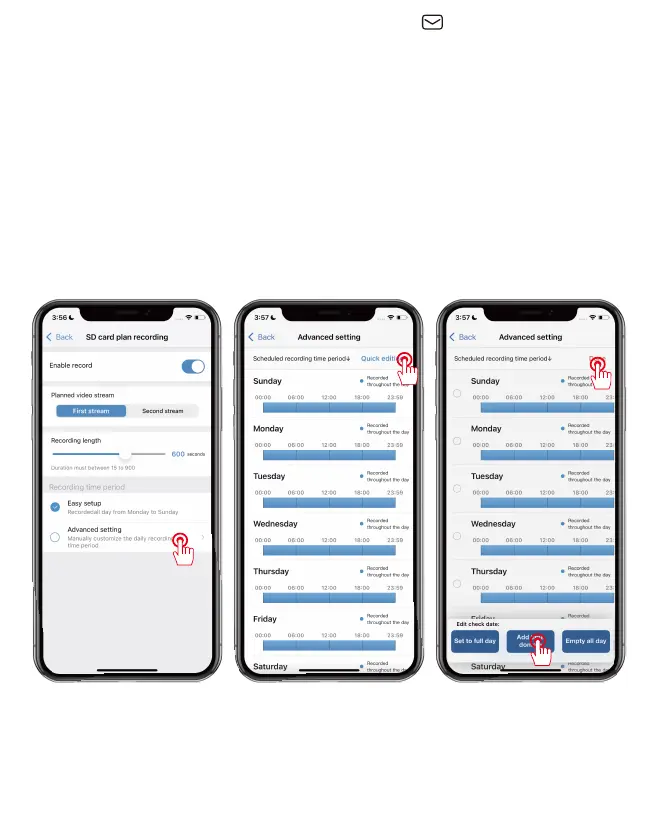
SD card scheduled recording
Manually modify the recording settings
4. Select "Advanced Setting". Manually customize the recording
time period.
5. Click "Quick Edit" to change the settings and select the time
period you need.
6. After completing the settings, click "Done" and save to take
effect.


 To Next Page
 Loading...