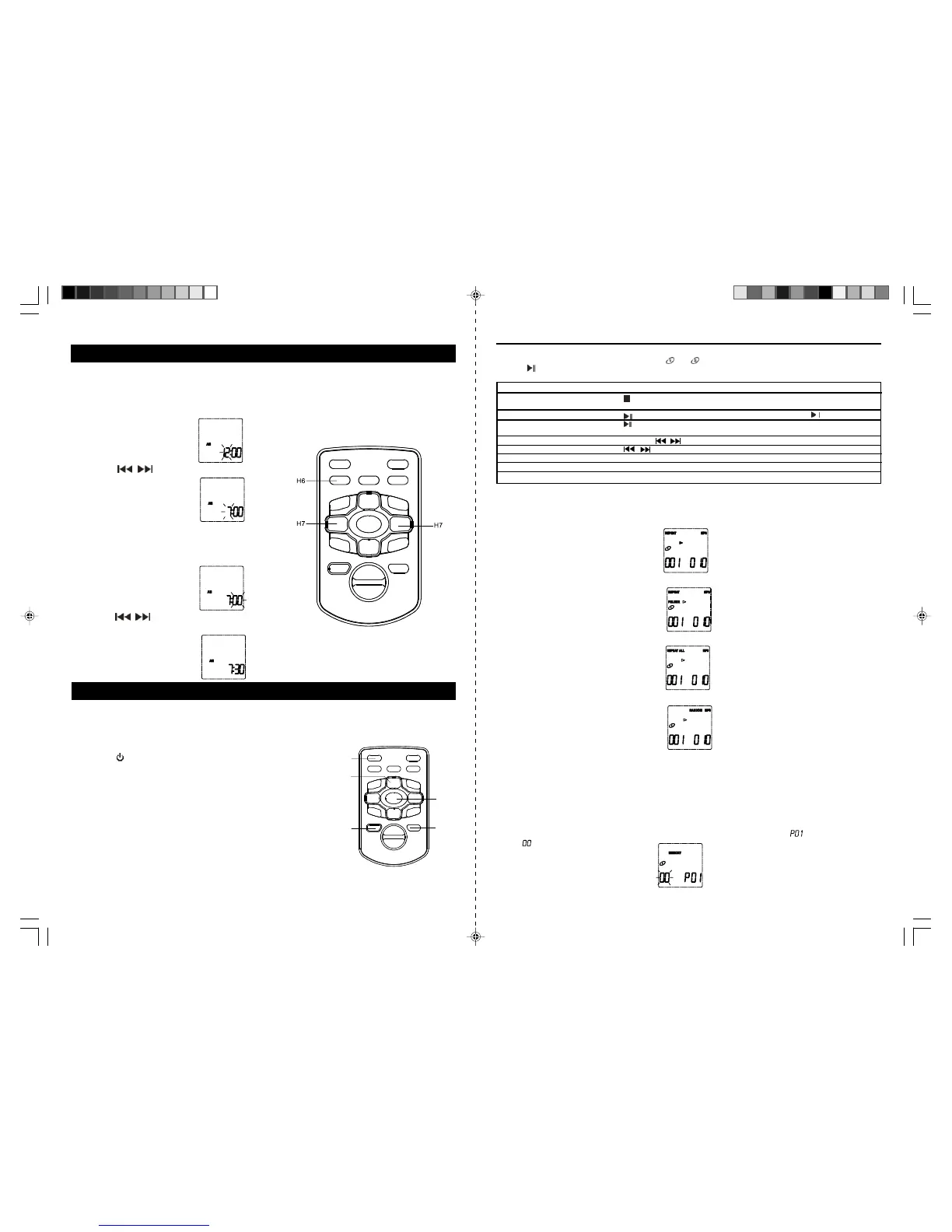
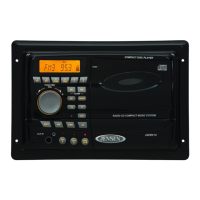
Note: The clock has to be set the firsttime you use the unit.
TO SET THECURRENT TIME
For example to set the clockat 7:30AM
1. In STANDBYMode, pressMEMORYButton (7/H6) once. Hour digit flashesto prompt forinput.
2. Press the
/ Button (11/H7) toadjust the hour.
Note: Make sure the houris set so that AM orPM is
correctly displayed.
3.Press MEMORY Button(7/H6) toconfirm theselection
and minute position flashes to prompt for input.
4.Press the
/ Button(11/H7) to adjust the minute.
5.Press MEMORY Button(7/H6) again tocomplete setting.
COMPACT DISCOPERATIONS
NOTE: This playerplays notonly commercial CDsbut alsoself-complied CD-R/RW/MP3-CD discs.
BASIC DISC(s) PLAY
1.Press the Button (10/H1) to turn onthe unit.
2.Press the OPEN/CLOSEButton (2/H10)to open boththe CD door.
3.Place theCD(s), with label sidefacing outward, inside theCD compart
ment. Press OPEN/CLOSE Button (2/H10) again to close the CD doors.
IMPORTANT: The CD doors are motorized doors. DO NOT PUSH WITH
HAND OR USE ANY OT HER MEANS TO OPEN OR CLOSE IT. THIS
COULD DAMAGE THE DOOR MECHANISM.
4.Press the FunctionButton (3/H3) to operatethe unitin CD mode.
5. Press CD1/CD2(4/H4) buttonto selectthe CD location.
6.The unit willscan theCD in selectedCD compartments, thetotal number
of tracks and total play time of the CD in the chosen CD location appear
in the display (18). (Only Folder number and track number will shown
for MP3-CD)
Note: If no CD isinserted in the chosen CD location,“NO DISC”appears.
7.The CD indicator (#D9) appears with either “
”or“ ”, indicating the current CD location.
8.Press
Button (9/H5) to start playing.
E-9 E-10
Other CD/MP3-CD function
1) Repeat(12/H15) - Use thiskey can select different Play Modebetween repeat one, repeatfolder (MP3-
CD only), repeat current CD and random play.
a) Repeat current track - PressRepeat button once, theREPEATindicator appears and currenttrack
repeated continuously.
b) Repeat Folder(MP3-CD only)- PressRepeat buttonuntil REPEATFOLDER indicator shownon display,the
selected folder will repeated continuously.
c) Repeat currentdisc - Press Repeat button unitilREPEATALL indicator shownon display, the current CD
will repeat continuously.
d) Random play- PressRepeat buttonuntil RANDOM indicator appears on display and thecurrent disc will
play randomly.
DISC ERROR
Note: If thedisc isdirty, damaged or unreadable,the ‘NODISC’ will appear inthe display.If thisoccurs, clean
the disc, insert the disc correctly, or try another disc.
PROGRAMMINGCD TRACKS
With this function you can program up to 20 titles of selected disc in the orderyou desire.This function can
only bedone in stop mode.
CLOCK SETTING
1. Press theMEMORYButton to startprogramming tracks,“MEMORY”indicator, ‘ ‘ appear inthe display
and
blinks.
JMC-670 INSTRUCTION MANUAL
H1
H5
H4
H3
H10
JMC-670 INSTRUCTION MANUAL
:
:
:
:
M:SSERP:OT ulti-Function Display:
Stop play
yalplatotdnaskcartforebmunlatoT)11H/8(
time are shown
Pause play
rotacidnIkcabyalPecno)5H/9( (D8) blinks
dnarebmunkcartgniyalptnerruCniaga)5H/9(esuapretfayalpemuseR
elapsed play time are shown
Scan forward and backward And hold / (11/H7) Play time changed rapidly
degnahcrebmunkcartgniyalP)7H/11(/skcartpikS
Control the volume ± Volume Control (15/H9) Volume Level is shown
Stop output from speakers MUTE Button (H16) once “MUTE” (#D4) lights
Resume speaker output MUTE Button (H16) again “MUTE” (#D4) off
HX-1056M3 IB JENS 001 REV0.P65 7/20/2005, 2:53 PM6



 To Next Page