JRV212T
11
AM/FM/RBDS CONTROLS
Enter FM/AM Mode
• Press the AUDIO button (4) on the front control panel to access Audio mode (if needed).
• Touch the “AM/FM” button on the touch screen to access AM/FM mode.
Information Bar
The top portion of the touch screen is the information bar. Information such as the current band and
station, ST icon, and system clock is displayed on the information bar.
Select a Band
Touch the “BAND” button at the bottom of the screen to change between FM1, FM2, FM3, AM1 and
AM2 bands.
Tuning
• Touch the on-screen “TUNE+” or “TUNE-” button on the touch screen to tune up or down in
one step increments.
• Touch the “SEEK ” or “SEEK-” button to seek the next strong station.
Preset Stations
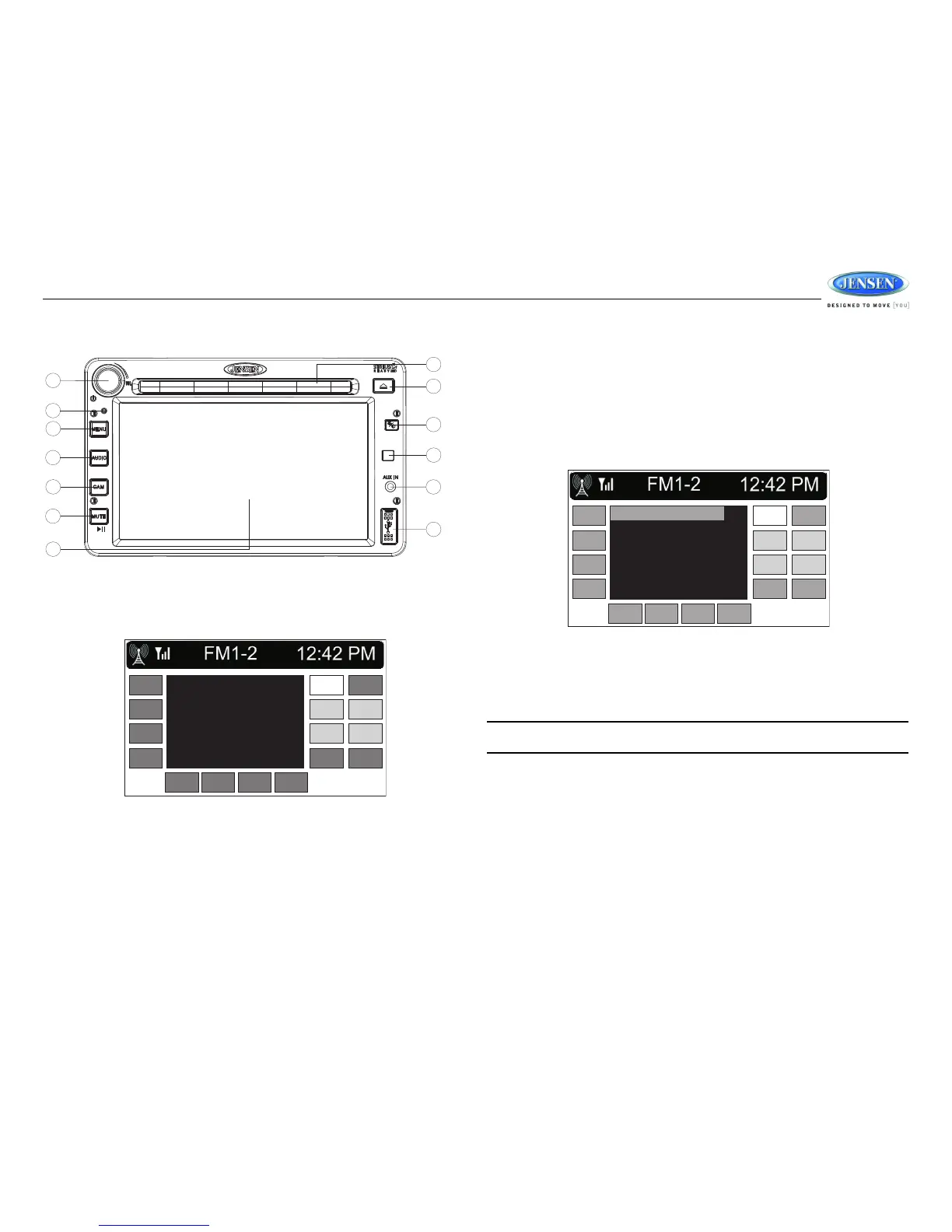
Touch the on-screen “PRESET” button to view the list of preset stations. Six numbered preset
stations for the current band are listed on the touch screen and can be selected when touched. The
selected station is displayed with a highlighted frame.
To store a station:
1. Tune radio to desired station (large display mode is shown when tuning).
2. Touch the “PRESET” button to view to the interface showing the preset list.
3. Touch and hold a preset location on the screen until the station is stored and appears in the
preset list.
NOTE: Only six presets are displayed at one time. Change to another band to view the preset
stations stored for that band.


 To Next Page
 Loading...