VM9314
Press the I
+II
button (17) on the remote control or the I
+II
button on screen to
move to the previous chapter.
Goto Search
(Remote
Control
Required)
During DVD or VCD playback, perform the following steps to use the GOTO
feature to access a specific location on a disc:
1.
Press the GOTO button
(21)
on remote control to access the "Search"
screen.
2.
Press the
~
or
+II
buttons (14.22) on the remote control to select a
category (highlighted in yellow).
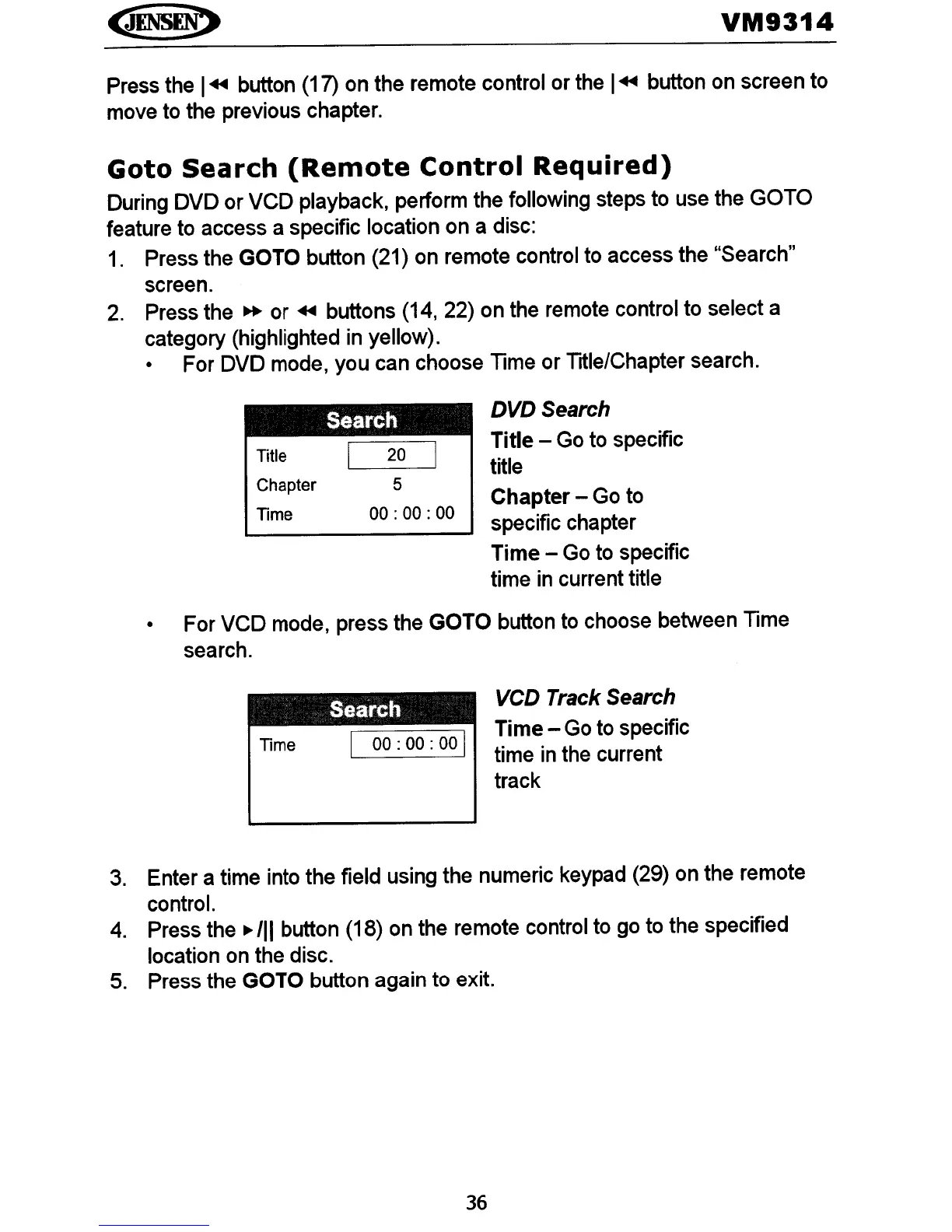
• For DVD mode, you can choose Time or Title/Chapter search.
Title
Chapter
Time
Search
20
5
00:
00:
00
DVDSearch
Title - Go to specific
title
Chapter - Go to
specific chapter
Time - Go to specific
time
in
current title
• For VCD mode, press the GOTO button to choose between Time
search.
Time
Search
I
00:
00:
00 I
VCD Track Search
Time - Go to specific
time
in
the current
track
3.
Enter a time into the field using the numeric keypad (29) on the remote
control.
4.
Press the
./11
button (18) on the remote control to go to the specified
location on the disc.
5.
Press the GOTO button again to exit.
36















 To Next Page