VM9314
Channel/Category
Guide
Mode
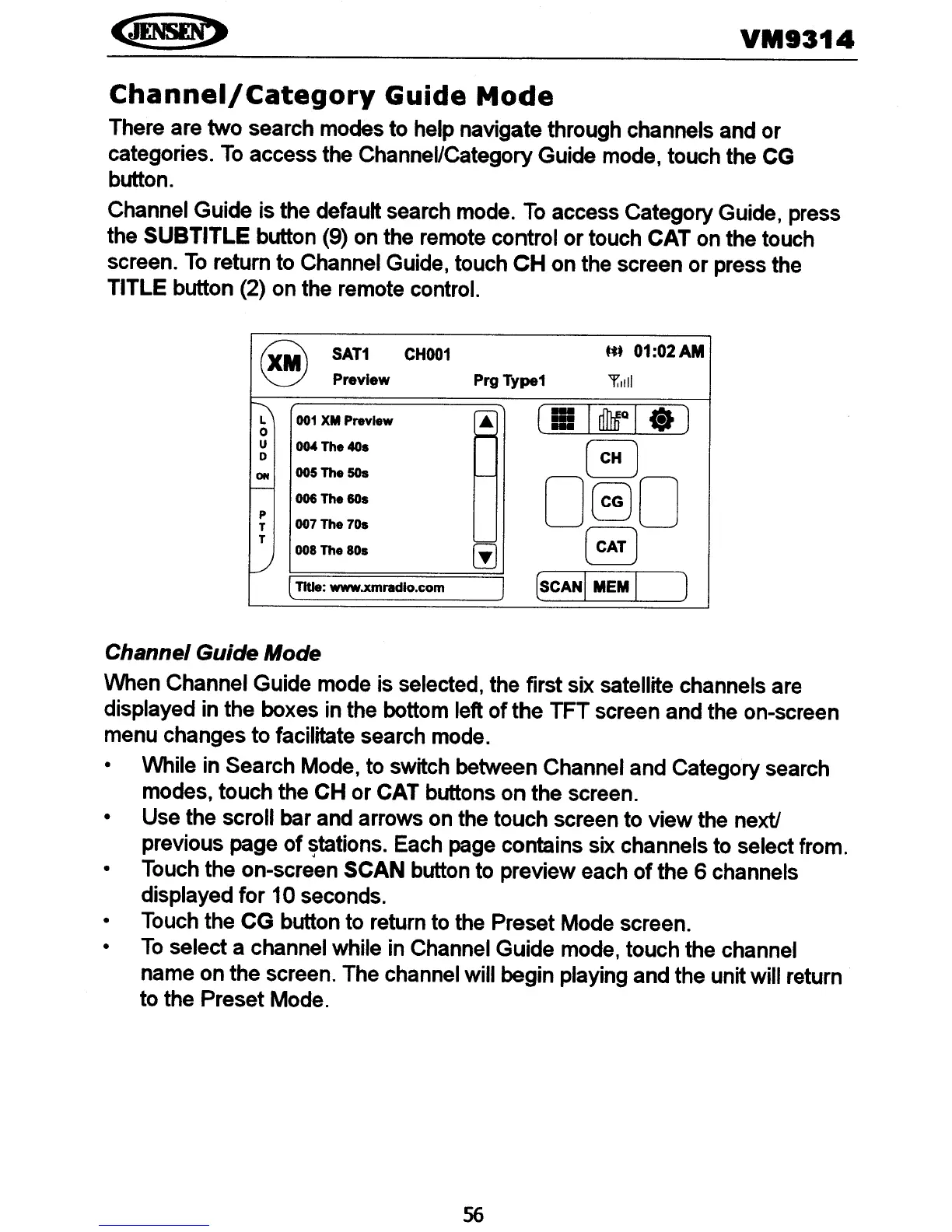
There are two search modes to help navigate through channels and or
categories.
To
access the Channel/Category Guide mode, touch the CG
button.
Channel Guide is the defautt search mode.
To
access Category Guide, press
the SUBTITLE button (9) on the remote control
or
touch CAT on the touch
screen.
To
return to Channel Guide, touch
CH
on the screen
or
press the
TITLE button (2) on the remote control.
8
SAT1
CHOO1
t*.
01:02AM
Preview
Prg
Type1
'f"i11
~
~
(Ii
IdMale)
001
XM
Preview
..
0
>--
u
OM
The 40s
~
0
ON
ooSTheSOs
I---"
r--
080
006 The 80s
p
007 The 70s
T
(
CAT)
T
tiJ
008 The 80s
L--!
lTItle: www.xmradlo.com
J
(SCAN
IMEM
LJ
Channel Guide Mode
When Channel Guide mode is selected, the first six satellite channels are
displayed in the boxes in the bottom left
of
the TFT screen and the on-screen
menu changes to facilitate search mode.
• While in Search Mode, to switch between Channel and Category search
modes, touch the CH
or
CAT buttons
on
the screen.
• Use the scroll bar and arrows on the touch screen to view the next!
previous page
of
~tations.
Each page contains six channels to select from.
• Touch the on-screen SCAN button to preview each
of
the 6 channels
displayed
for
10 seconds.
• Touch the
CG
button to return to the Preset Mode screen.
•
To
select a channel while in Channel Guide mode, touch the channel
name on the screen. The channel will begin playing and the unitwill return
to the Preset Mode.
56















 To Next Page