VM9314
1.
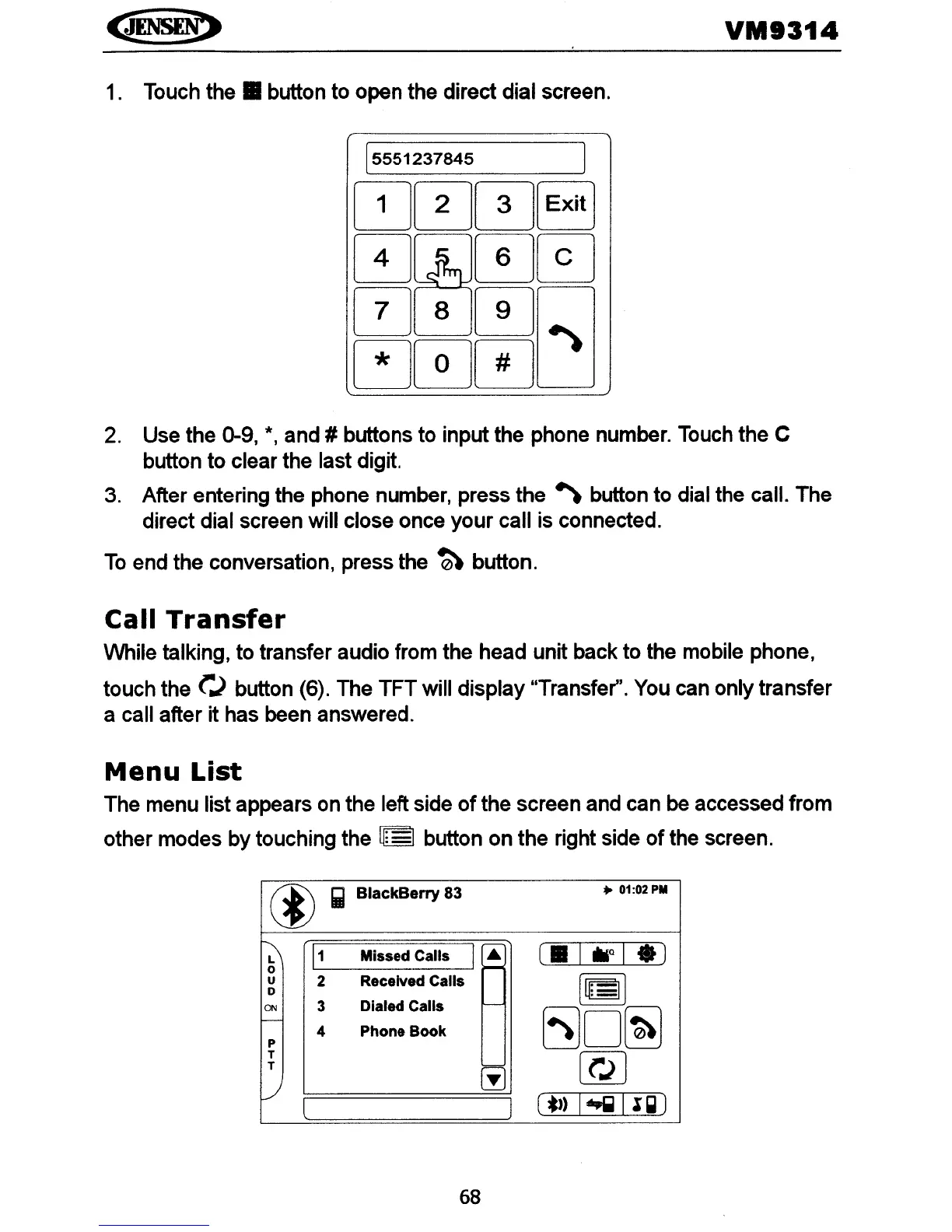
Touch
the.
button to open the direct dial screen.
2.
Use the 0-9,
*,
and # buttons to input the phone number. Touch the C
button to clear the last digit.
3.
After entering the phone number, press the
~
button to dial the call. The
direct dial screen will close once your call is connected.
To
end the conversation, press the
~
button.
Call
Transfer
While talking, to transfer audio from the head unit back to the mobile phone,
touch the
r.)
button (6). The
TFTwili
display "Transfer". You can only transfer
a call after it has been answered.
Menu
List
The menu list appears
on
the left side
of
the screen and can be accessed from
other modes by touching the
U:
I button on the right side
of
the screen.
®
Iii)
BlackBerry
83
• 01:02PM
~
1
1
Missed Calls
I~
~
0
u
2
Received Calls
~
0
ON
3
Dialed Calls
f--
I----
5JD~
4
Phone Book
P
T
[Q]
T
@
v
l
l
(*) I
~
Il~)
68















 To Next Page