101
VM9414
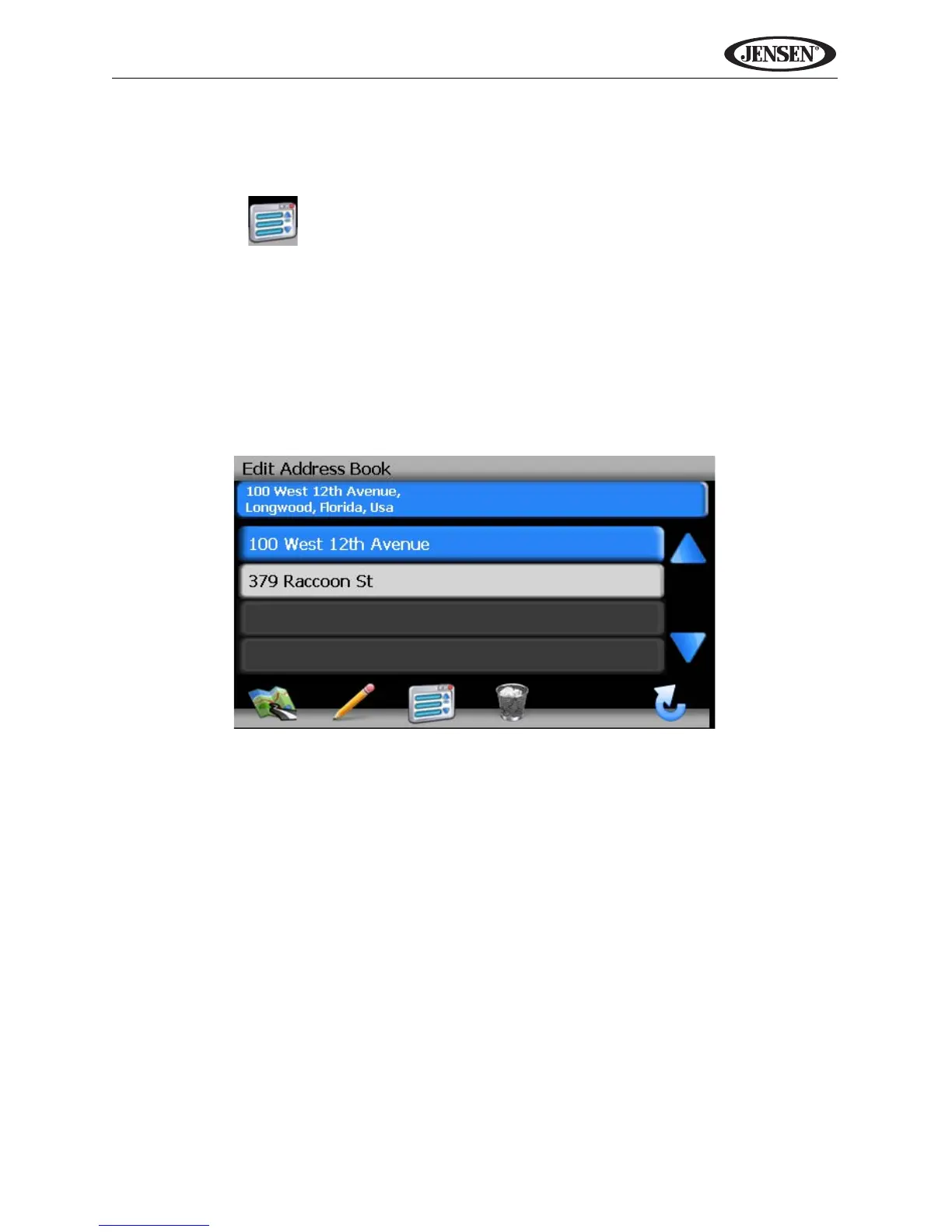
Edit Address Book
The “Address Book” feature allows you to store and edit address book entries.
To edit your address book, perform the following steps:
1. Press the button to access the “Main Menu” screen.
2. Press the following on-screen buttons in the order listed:
a. Go To...
b. Favorites
c. Edit Favorites
d. Address Book
e. Edit Address Book
6. The “Edit Address Book” screen appears.
• Press to highlight an Address Book entry.
• Press the pencil icon to rename the highlighted address book entry.
• Press the trash can icon to delete the highlighted address book entry.



 To Next Page