PLAYBACK OF AUDIO FILES
Compatible Audio Discs Types
This system will play the following types of discs:
• DVD - DVDs that contain audio and/or video.
•
Audio discs - Audio CD's that contains audio files.
•
MP3 discs - A disc that contains audio, video and image files (for example, a CD-R
with downloaded MP3 files).
NOTE: This unit is designed to play pre-recorded (original) CD/DVDs. Some
burned CD / DVDs may not play due to different recording formats.
DVD Operation
DVD Main Menu
NOTE: When properly installed, DVD video cannot be displayed on the
main TFT screen unless the parking brake is applied. If you attempt to play
a DVD while the vehicle is moving, the TFT screen displays:
Warning!!!
It is illegal to view video
while driving or operating
a motor vehicle. Set parking
brake to view video.
From the Main Menu Screen touch the DISC Icon or insert a disc into the disc slot,
label side up. Playback begins when a disc is inserted correctly.
Insert a disc
Upon inserting a disc, the unit will switch to [DISP] mode automatically.
Eject the disc
Press the [ ] key on the front panel or remote control to eject the disc.
Touch screen controls
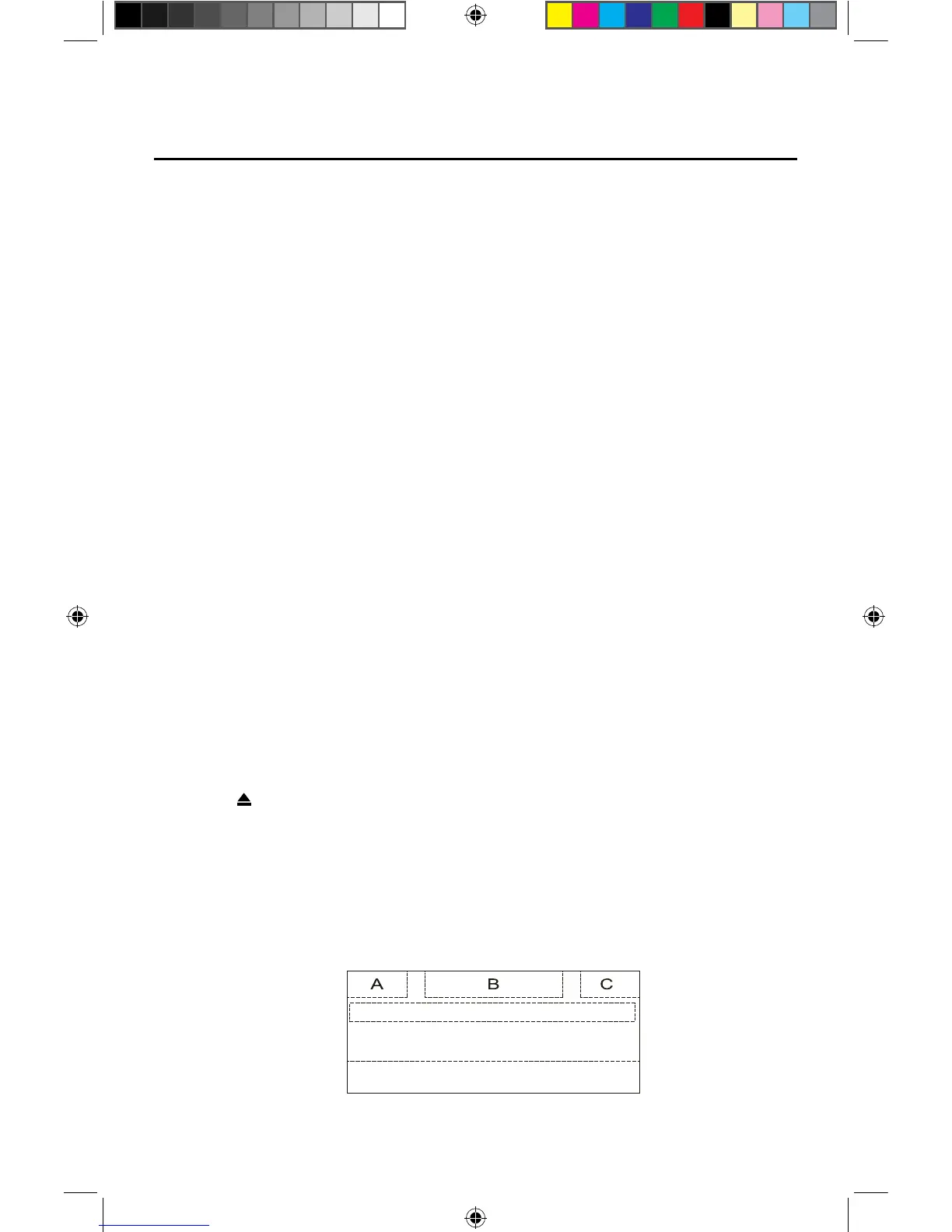
The touch key areas for DVD playback are outlined below:
A: Return to the main menu
B: Disc type
C: Time display
D: Play the video and display playback information
E: Display onscreen control menu



 To Next Page