iPod®/iPhone® Controls
Accessing iPod® Mode
The user can control an iPod®/iPhone® using the touch screen to access,
albums, songs, etc.
The unit will automatically switch to iPod® mode when an
iPod®
, iPod® touch or
iPhone® is plugged into the front panel USB connector. Also the
iPod® can be
accessed from the Main Menu Screen by touching the iPod® icon
(only available
when an iPod® or iPhone® is connected to the front panel USB connector)
iPod®/iPhone® Main Menu
To access the iPod
®
mode touch [iPod] on the main menu to enter iPod
®
menu.
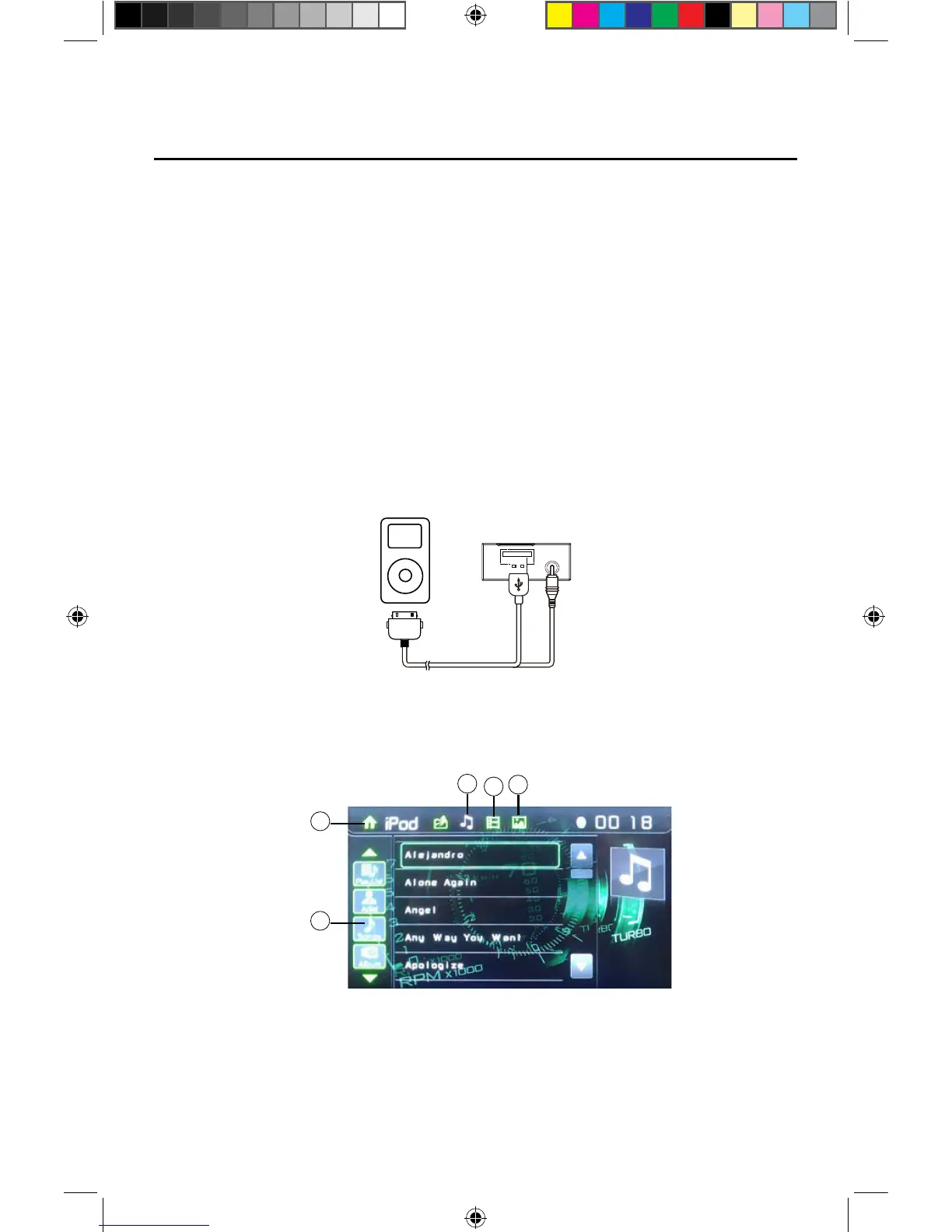
Access iPod menu from here. Touch p or q icons to browse menu.
1. Return to main menu / 2. File list Drag up/down to scroll / 3. Show Music files
4.
Show Video files / 5. Show Photo files
Figure 20. Connecting the iPod®/iPhone®
Figure 21. iPod®/iPhone® Menu
4
5
1
2
3
NOTE: For audio connectivity, the iPod®/iPhone® must be connected to the
VX3012 using the iPod®/iPhone® adapter cable that came with the
iPod/iPhone device (also available separately). Be sure your iPod®/iPhone® has
the latest Apple firmware installed to avoid connectivity issues.
Note: Video cannot be viewed using the standard Apple Lightning cable.



 To Next Page