27
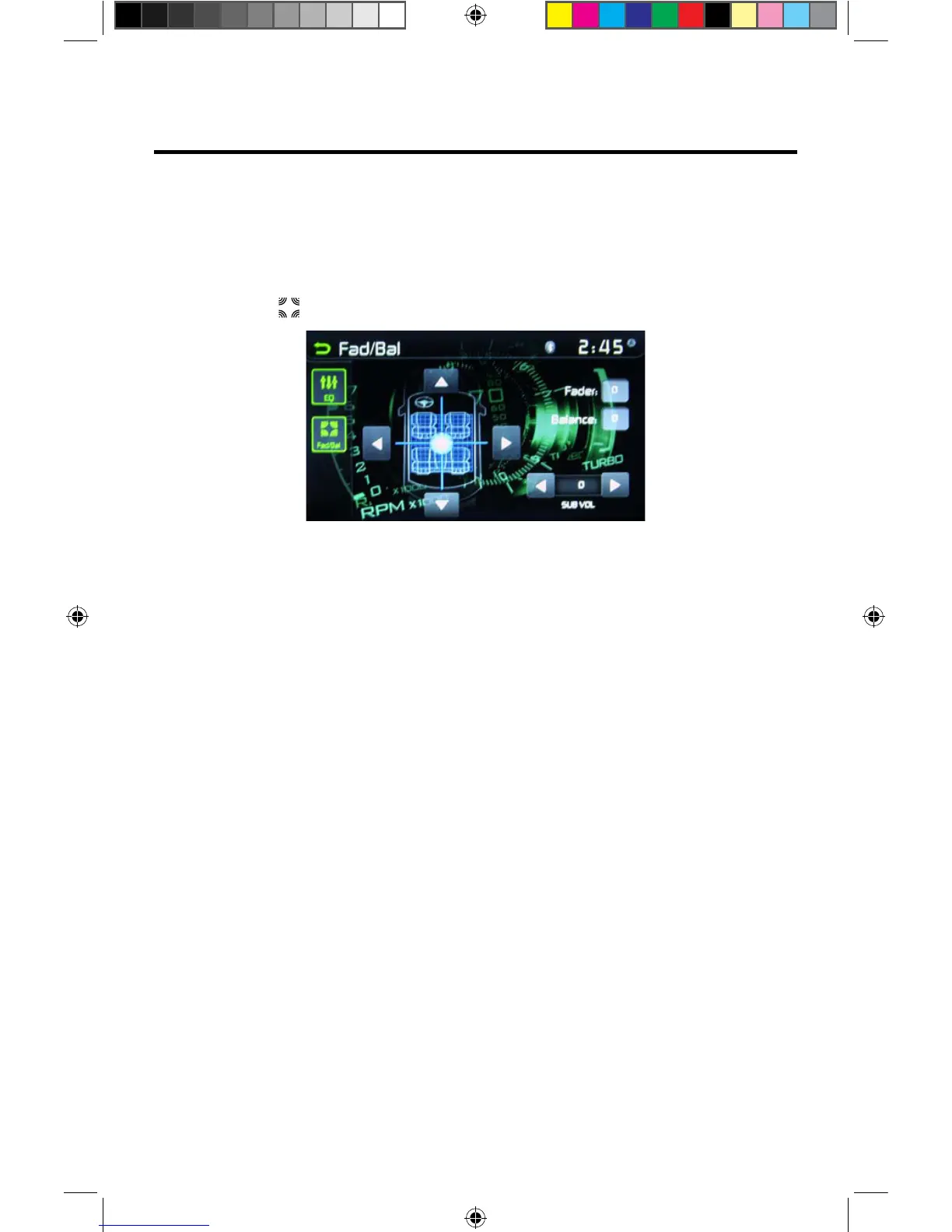
Adjusting the Fader and Balance
The user can adjust front/rear fader settings, L/R balance settings, and subwoofer
levels here.
1. Enter the EQ setup mode.
2. Touch the [ ] icon in the EQ interface menu.
Balance- This feature is used to balance the audio output levels between the left
and right side of the vehicle. Touch the t or u icons to change the balance control
settings -12 (Left) to +12 (Right). The setting can also be changed by touching
screen within the grid to move the blue sphere.
Fader- This feature is used to fade the audio output levels between the front
and rear of the vehicle. Touch the p or q icons to change the fade control
settings -12 (Rear) to +12 (Front). The setting can also be changed by touching
screen within the grid to move the blue sphere.
Sub (Subwoofer)- This feature is used to reduce or increase the subwoofer
sound level. Touch the slide bar t or u icons to adjust the subwoofer volume from
-12 to +12. This setting will vary depending on the input level setting of your
subwoofer amplifier.
To exit the balance-fader touch the return icon on the top left corner of the screen.
Figure 19. Fade-Balance Adjustment Screen
NOTE:
•
The EQ mode will change to ‘User’ automatically when you adjust the frequency
value in all modes besides ‘User’.
VX3012



 To Next Page