General Settings
1. Touch [ General ], if necessary.
2. Touch to highlight a setting to display/select an option.
General settings Options Description
Radio region
USA/Asia/Japan/Europe/Eur LW/
Oirt
Select one that matches your location.
Radio range
Local
Select Local to receive only stations with extremely
strong signal.
Distance
Beep
On
Turn-ON the beep sound. Each time you press a button,
the unit beeps.
O Turn-OFF the beep sound.
Calibration Start Calibrate the touch screen.
Demo
On Turn-ON Retail Demo Mode.
O Turn-OFF Retail Demo Mode
4.
T
ouch
the " < " Back arrow
in the upper left corner of the display to exit.
Calibration
Calibrate the touch screen using the calibration setting function.
Recalibrating the
T
ouch
S
creen:
1. Press the [ Calibration ] option on the setup menu to enter.
2. Touch [ Yes ] to enter.
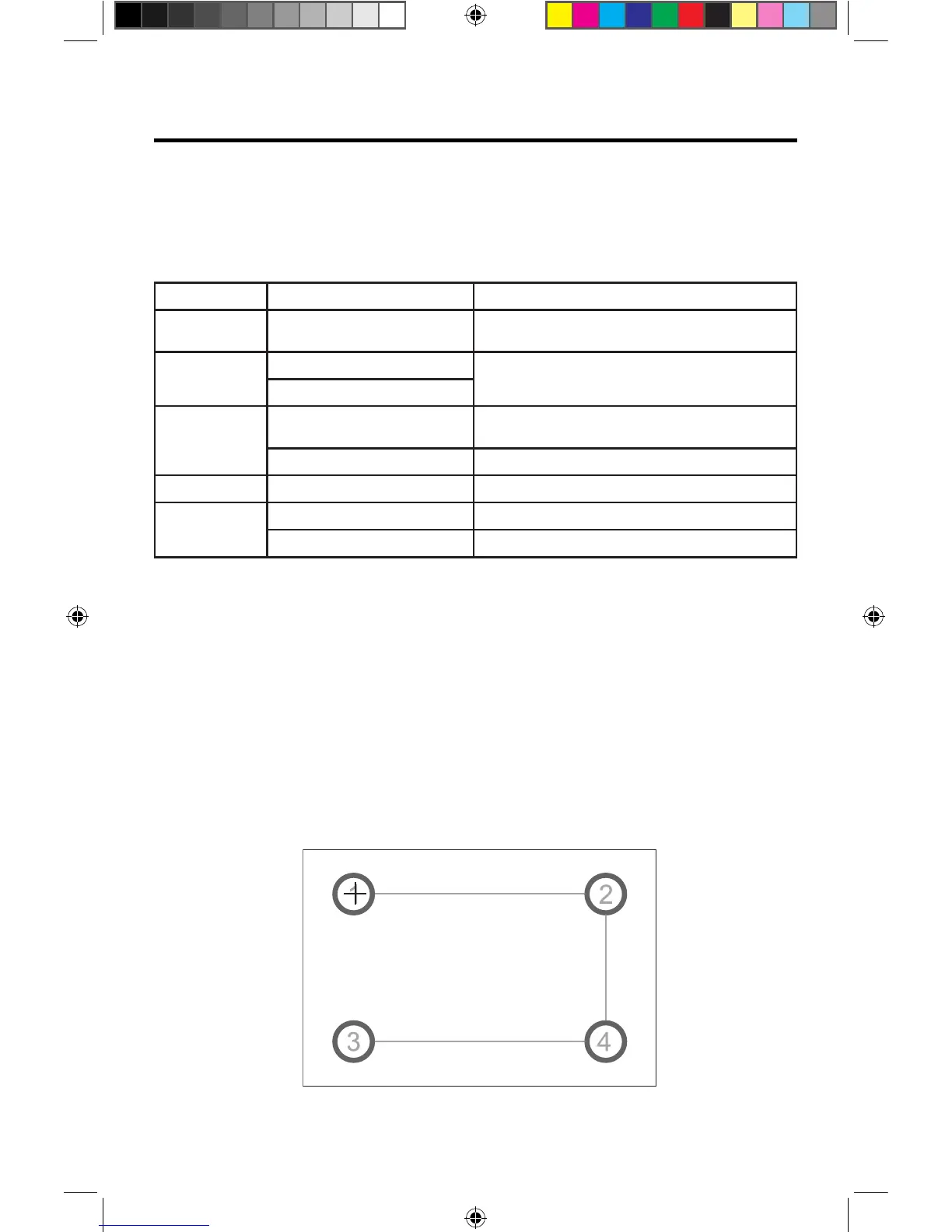
3. Press and hold the center of [ + ] for 5 seconds, the [ + ] will move automatically.
4.
Aim at center of [ + ], follow the path as shown in the figure. Once steps 1-4 are
complete the system will automatically exit calibrating mode.
Calibration Screen



 To Next Page