128
VX7010
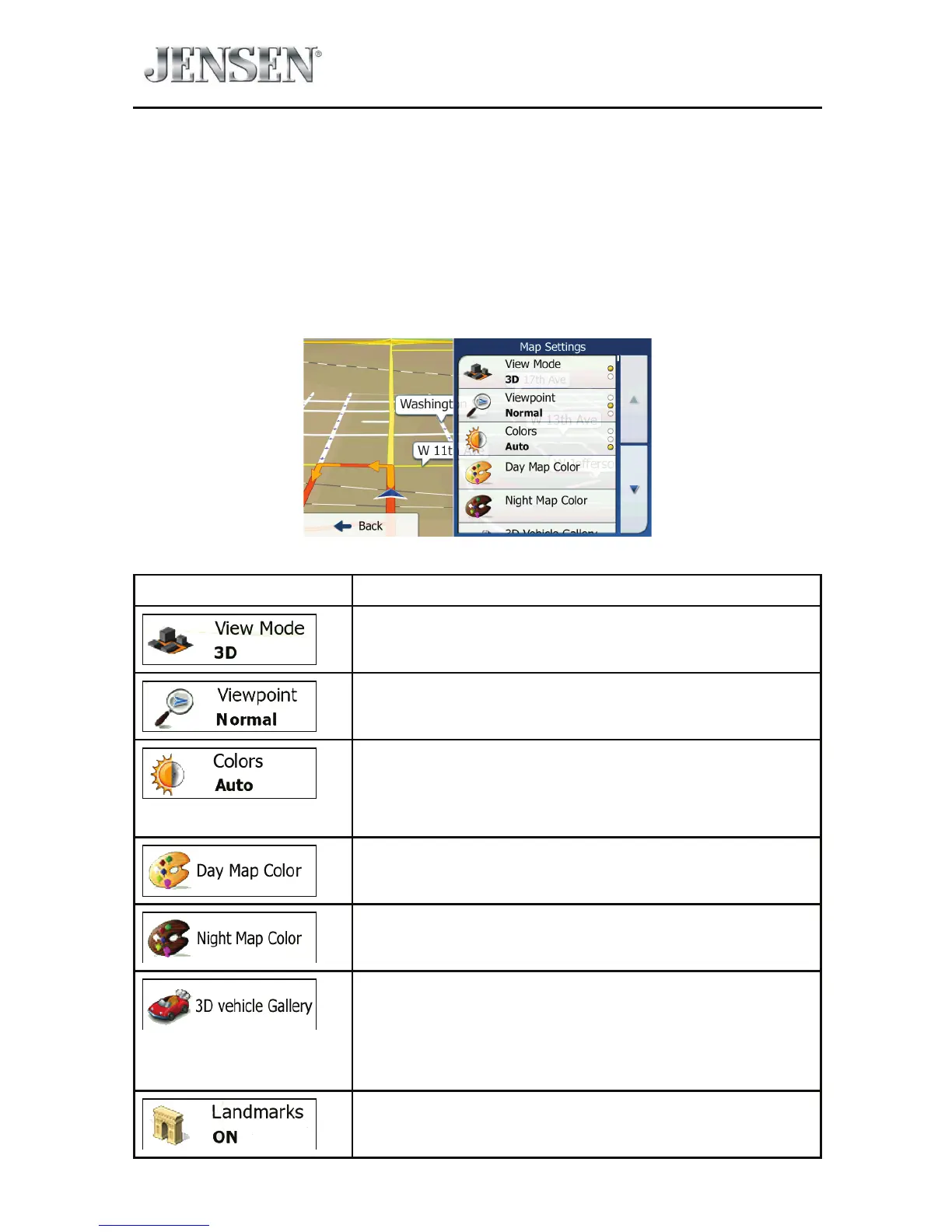
Map Settings
You can ne-tune the appearance of the Map screen. Adjust the map view to your
needs, choose suitable color themes from the list for both daytime and night use,
change the red arrow to a 3D car model, show or hide 3D buildings, turn track
logging on or o, and manage you Place visibility sets (which Places to show on
the map).
The map is always shown on the screen so that you can see the eect when you
change a setting.
Button Description
Switch the map view between a 3D perspective view
and a 2D top-down view.
Adjust the basic zoom and tilt levels to your needs.
Three levels are available.
Switch between daytime and night color modes
or let the software switch between the two modes
automatically a few minutes before sunrise and a few
minutes after sunset.
Select the color scheme used in daytime mode.
Select the color scheme used in night mode.
Replace the default position marker to one of the
3D vehicle models. You can select separate icons for
dierent vehicle types selected for route planning.
Separate icons can be used for car, pedestrian and the
other vehicles.
Show or suppress 3D landmarks, 3D artistic or block
representations of prominent or well-known objects.



 To Next Page