EN
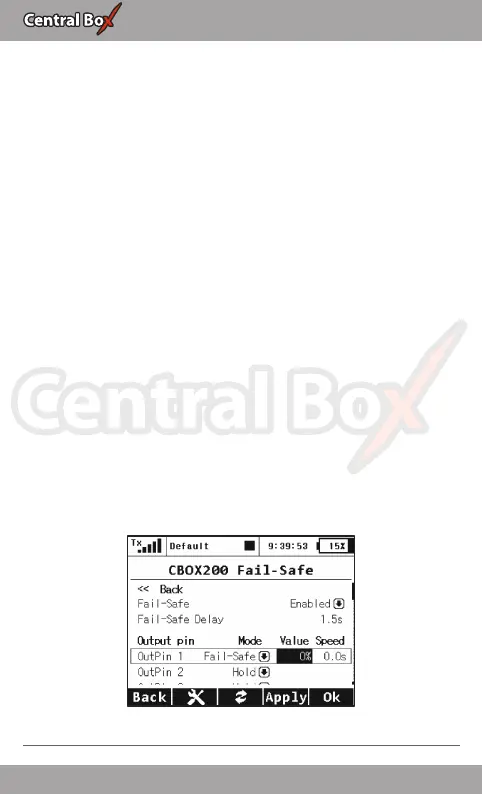
5.2 Fail-Safe
• Fail Safe – switches on/off the Fail Safe function. If the Fail Safe
function is deactivated, there is no signal generated in any Central
Box outputs at the signal loss. If you activate the Fail Safe function,
you can also select how the Central Box responds at signal loss for
each of the individual outputs (OUT off, hold fail safe)..,
• Signal Fault Delay – the length of time from when the Central
Box detects a signal loss to when the programmed Fail Safe output
is performed. During this time the last servo input is held. After the
selected time has elapsed, the Central Box outputs behave
according to setting for each specific output.
• Mode - fail-safe mode for specific output of the Central Box
◦ Hold: repeats the last valid deflection command before
signal loss
◦ Out OFF: does not generate any signal for a servo in case of
signal loss
◦ Fail-Safe: generates pre-set deflection (Value) at the failure
with slowdown (Speed)
For easier setup the Fail-Safe deflection can be immediately applied
to the Central Box output if the cursor is on the menu item Value
and you press the function key „F4 (Apply)”.
Fig. 16: Device Explorer-Fail Safe
22 EN


 To Next Page