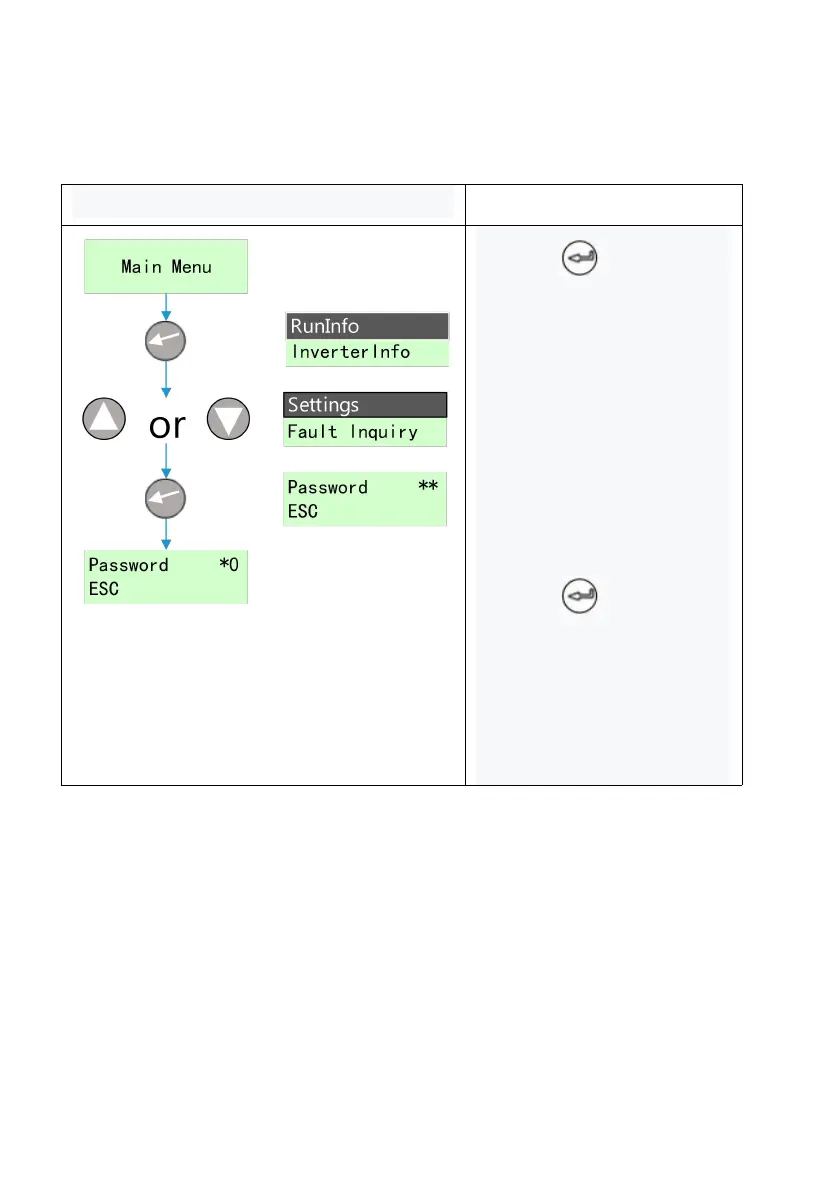
1. Press on the main
interface to enter the main
menu, and the cursor falls
on the operation information
item;
2. Press the up key or down
key to find the parameter
setting item;
3. Press to enter
parameter setting. Enter the
correct two-digit password.
* The initial default
password is 00.



 To Next Page