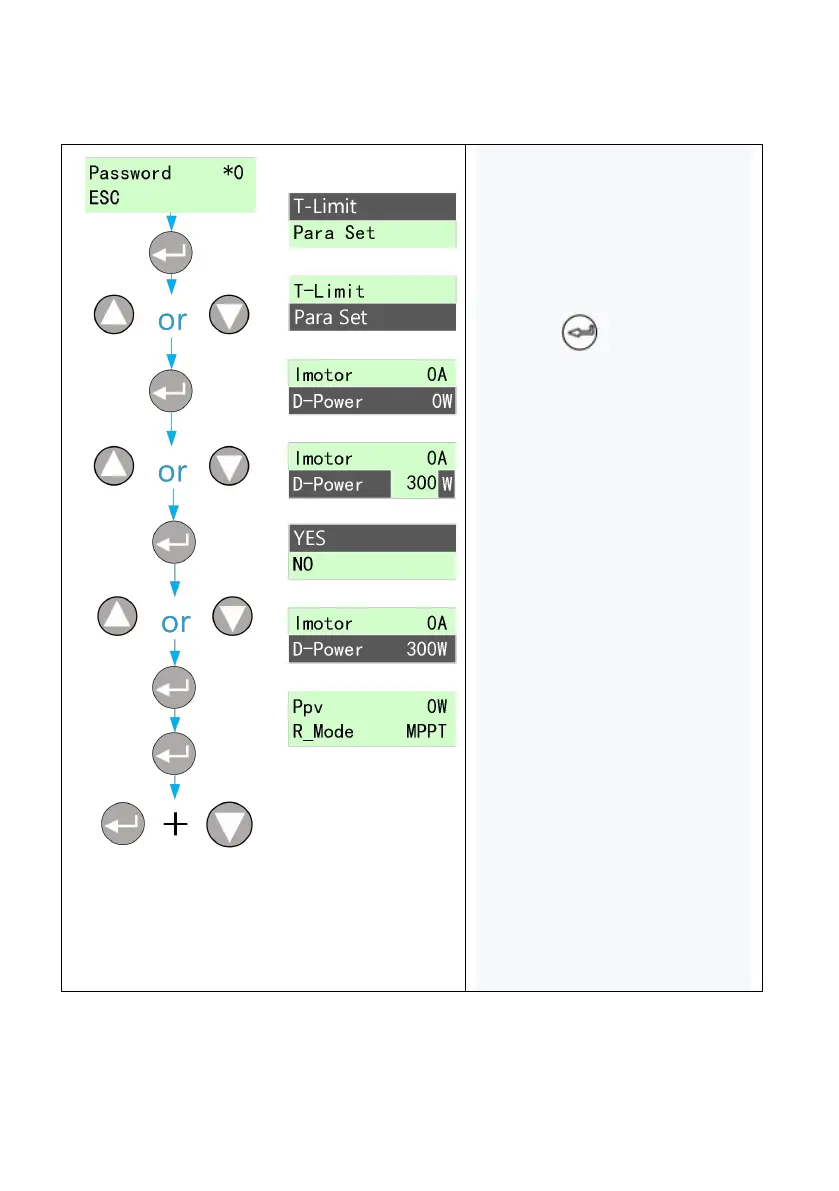
1. Enter the correct password
to enter the setting menu, and
the cursor falls on the timed
downtime item;
2. Press to select the
setting item of D-power;
3. After entering the D-power
setting, set the D-power
according to the confirmation;
4. Press the up key or down
key to switch the power size of
drying and modify the step size
to 100W;
5. Select the power to be set
and confirm again whether to
replace the power after
confirmation;
6. Select "Yes" and set the dry
power, as shown in the left
picture. Set the D-power from
0 to 300W;



 To Next Page