190
7-38
7-40
7-39
7-41
A
8
8
8
Operation
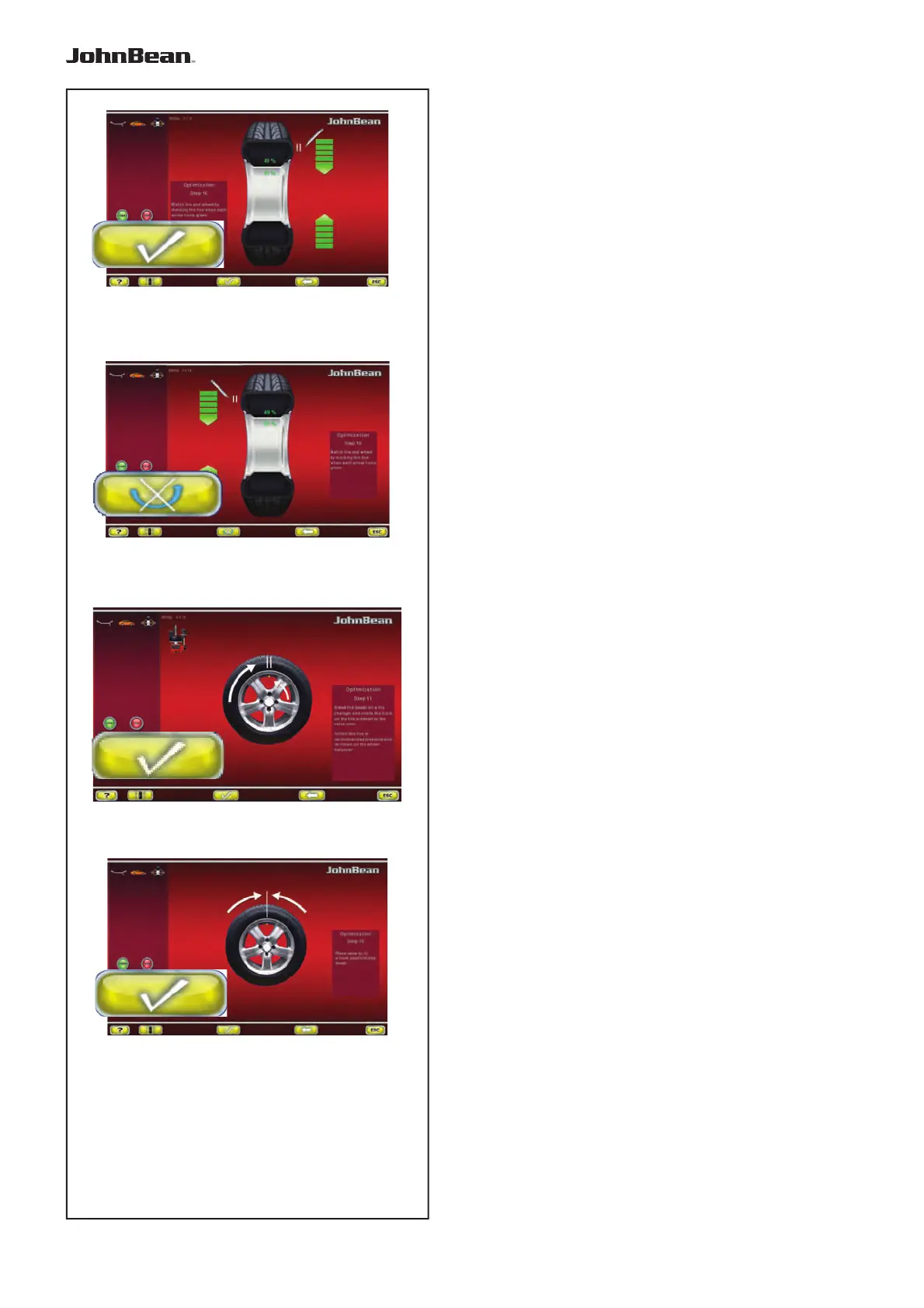
Fig. 7-38 OPTIMISATION “10”, outside
— Rotate the wheel into marking position following the
arrows.
— In this position provide a double mark on the tyre
outer side exactly perpendicular to and above the
main shaft.
— Confi rm by pressing key 8.
The OPTIMISATION “11” screen (Fig. 7-40) is
displayed.
Fig. 7-39 OPTIMISATION “10”, inside
If the tyre cannot be turned over on the rim (e.g.:
Asymmetrical and Directional),
— press the key (A, Fig. 7-39), then
— continue as shown on screen OPTIMISATION
“10” outside (Fig. 7-38).
If the wheel can be turned over on the rim;
— Rotate the wheel into marking position following the
arrows.
— In this position provide a double mark on the inside
of the tyre, exactly perpendicular to and above the
main shaft.
— Turn over the tyre over on the rim (tyre changer).
— Confi rm by pressing key 8.
The OPTIMISATION “11” screen (Fig. 7-40) is
displayed.
Fig. 7-40 OPTIMISATION “11”
— Readjust the tyre on the rim such that the double
mark coincides with the valve (use tyre changer).
— Confi rm by pressing key 8.
The OPTIMISATION “12” screen (Fig. 7-41) is
displayed.
..
_
..........



 To Next Page