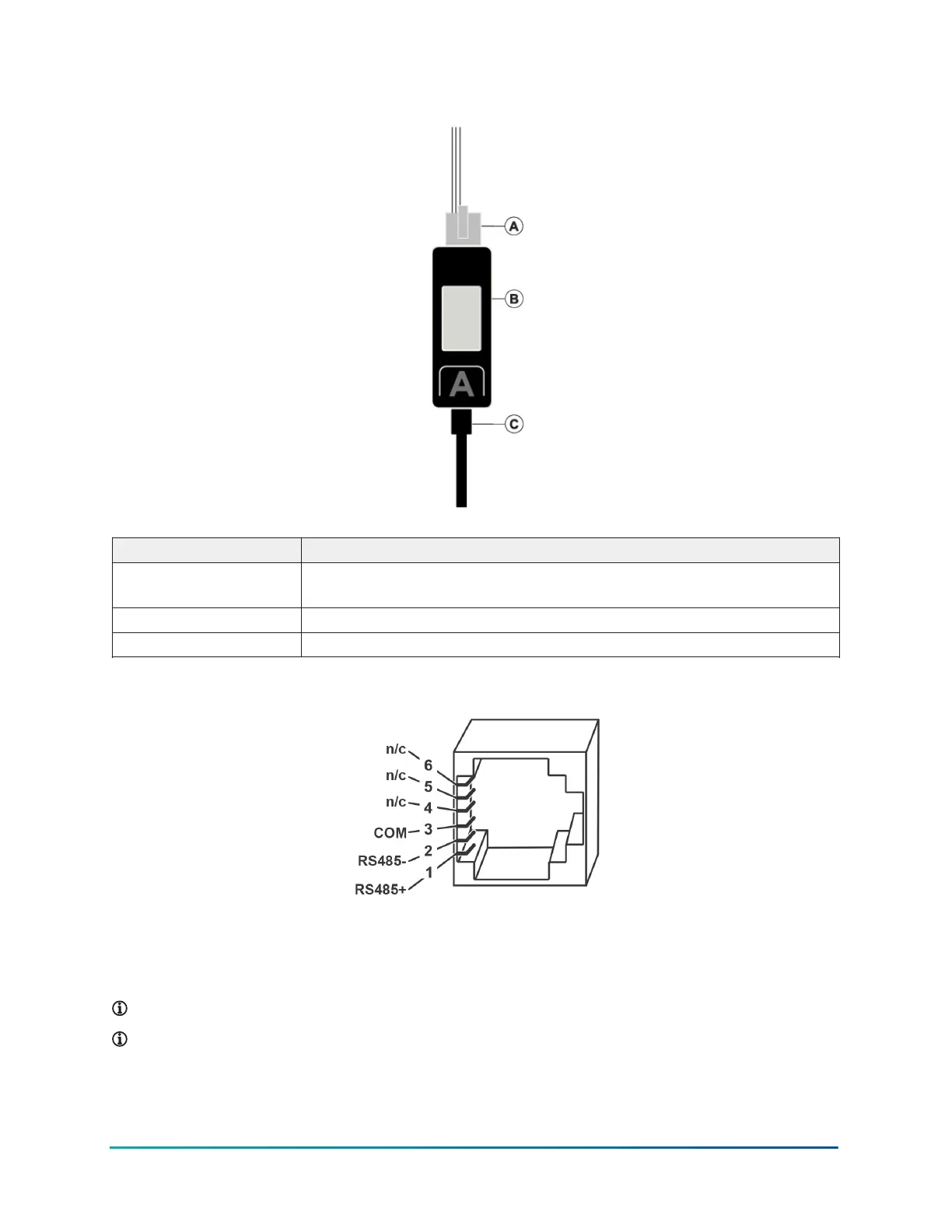
Figure 3: Connecting the CWCVT through a USB cable
Callout Description
A RJ12 cable, connect to MS/TP device. See Figure 4 for the RJ12 pinout
diagram.
B CWCVT
C USB-C cable, connect to 5 V, 500 mA, USB power source
Figure 4: RJ12 pinout
Configuration Settings and Diagnostics
You can view the CWCVT's configuration settings and diagnostic information from either the CWa
or from a web browser such as Google
®
Chrome or Microsoft Edge
®
.
Note: This is an advanced procedure and is not required to be used by the typical user.
Note: Make changes to these settings only if you fully understand how they affect the
operation of the CWCVT and the MS/TP network you are attaching to.
11CWCVT Wireless MS/TP Converter User Guide



 To Next Page