Network Room Module Technical Bulletin 26
Mounting the NRM (80 x 80 mm) on a Wall Surface Using the Plastic
Base for Surface Mounting
To mount the NRM on a wall surface using the plastic base for surface
mounting (see Figure 21 for dimensions):
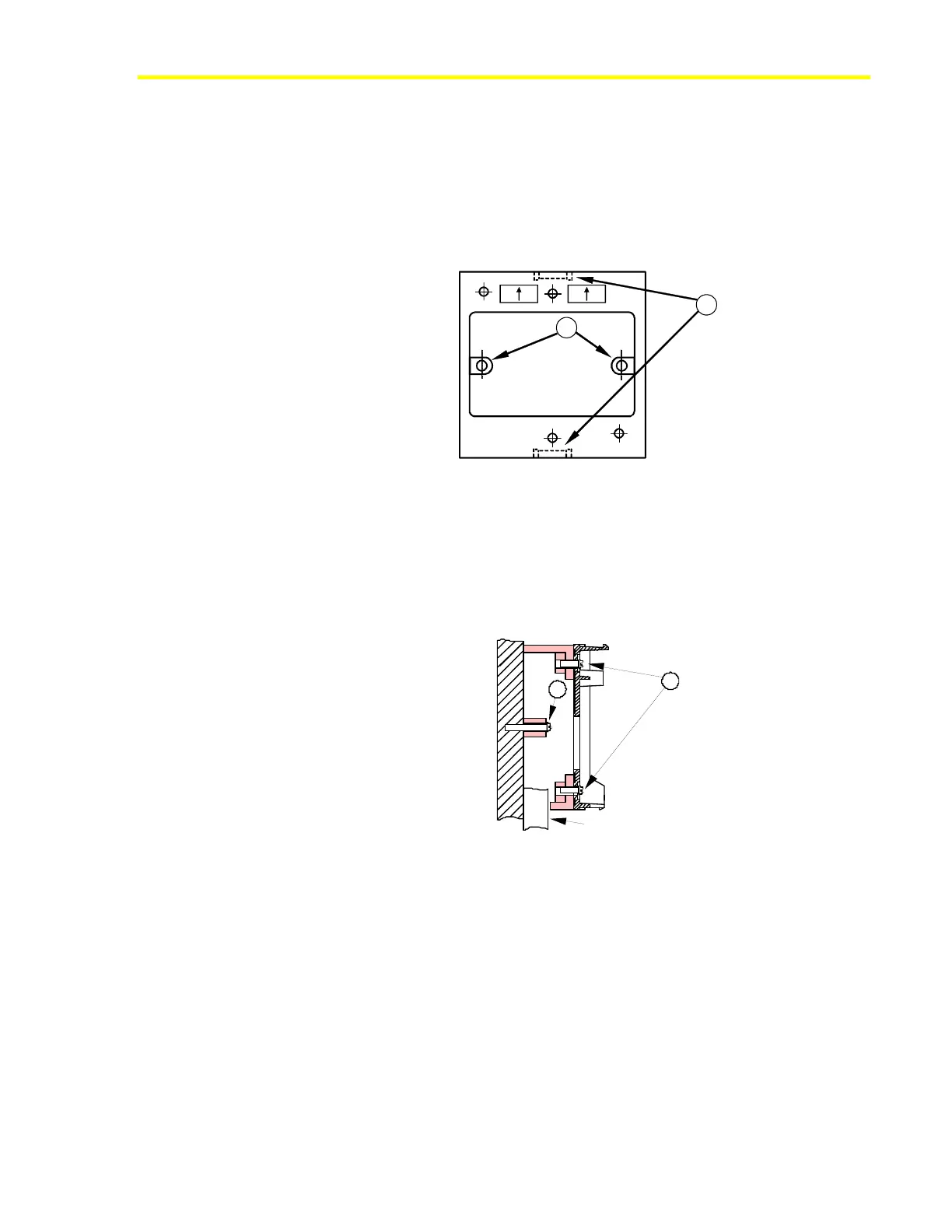
1. Remove one of the conduit notches (A) with a suitable cutting tool
(Figure 19).
OB EN U P
A
B
Figure 19: Notches and Drill Holes of Plastic Base
2. Mark the position of the holes (B) on the wall and drill holes 5 mm
(.20 in.) in diameter (Figure 20). Insert plastic plugs (wall anchors)
into holes.
3. Position and fix the mounting base to the wall using the two long
screws (C) provided in the kit (Figure 20).
Conduit
D
C
Figure 20: Side View of Plastic Base with Module Base Mounted
4. Fix the base of the NRM to the mounting base using the two short
screws (D) provided in the kit.













 To Next Page