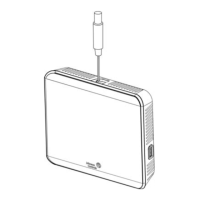
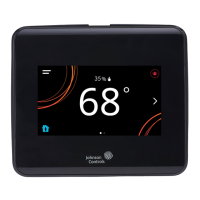
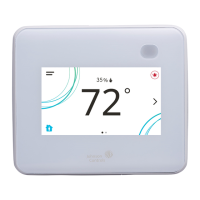
TEC3000 Series Single- or Two-Stage Economizer Thermostat
Controllers Installation Instructions
1
Refer to the QuickLIT website for the most up-to-date version of this document.
Applications
The TEC3000 Series Single- or Two-Stage Economizer Thermostat Controllers are stand-alone and
field-selectable BACnet® MS/TP or N2 networked devices that provide control of the following:
• unitary rooftop units (RTUs)
• unitary RTUs with economizers
• unitary RTUs with heat pumps
• unitary RTUs with economizers and heat pumps
The networked models feature a field-selectable Building Automation System (BAS) BACnet MS/TP or N2
communication capability that enables remote monitoring and programming for efficient space temperature control.
All models include a USB port configuration that reduces installation time by allowing simple backup and restore
features from a USB drive, which enables rapid cloning of configuration between like units.
Some models have occupancy sensing capability built into the device. These thermostat controllers maximize up to
30% energy savings in high-energy usage commercial buildings, such as schools and hotels, during occupied
times by using additional standby setpoints.
All models feature an intuitive onboard touchscreen UI with backlit display that makes setup and operation quick
and easy. Only the single-speed fan configuration is supported for fan coil equipment types.
IMPORTANT: The TEC3000 Series Thermostat Controller is intended to provide an input to equipment under
normal operating conditions. Where failure or malfunction of the thermostat controller could lead to personal
injury or property damage to the controlled equipment or other property, additional precautions must be
designed into the control system. Incorporate and maintain other devices, such as supervisory or alarm systems
or safety or limit controls, intended to warn of or protect against failure or malfunction of the thermostat
controller.
IMPORTANT: Le TEC3000 Series Thermostat Controller est destiné à transmettre des données entrantes à un
équipement dans des conditions normales de fonctionnement. Lorsqu'une défaillance ou un dysfonctionnement
du thermostat controller risque de provoquer des blessures ou d'endommager l'équipement contrôlé ou un autre
équipement, la conception du système de contrôle doit intégrer des dispositifs de protection supplémentaires.
Veiller dans ce cas à intégrer de façon permanente d'autres dispositifs, tels que des systèmes de supervision ou
d'alarme, ou des dispositifs de sécurité ou de limitation, ayant une fonction d'avertissement ou de protection en
cas de défaillance ou de dysfonctionnement du thermostat controller.
TEC3000 Series Single- or Two-Stage Economizer
Thermostat Controllers
Installation Instructions
TEC3330-xx-xxx, TEC3331-xx-xxx,
TEC3630-xx-xxx, TEC3631-xx-xxx
Part No. 24-10789-5, Rev.
F
Issued July 2018
(barcode for factory use only)
*24107895F*
24-10789-5, Rev. F



 To Next Page
 General