INSTALLATION
2-14
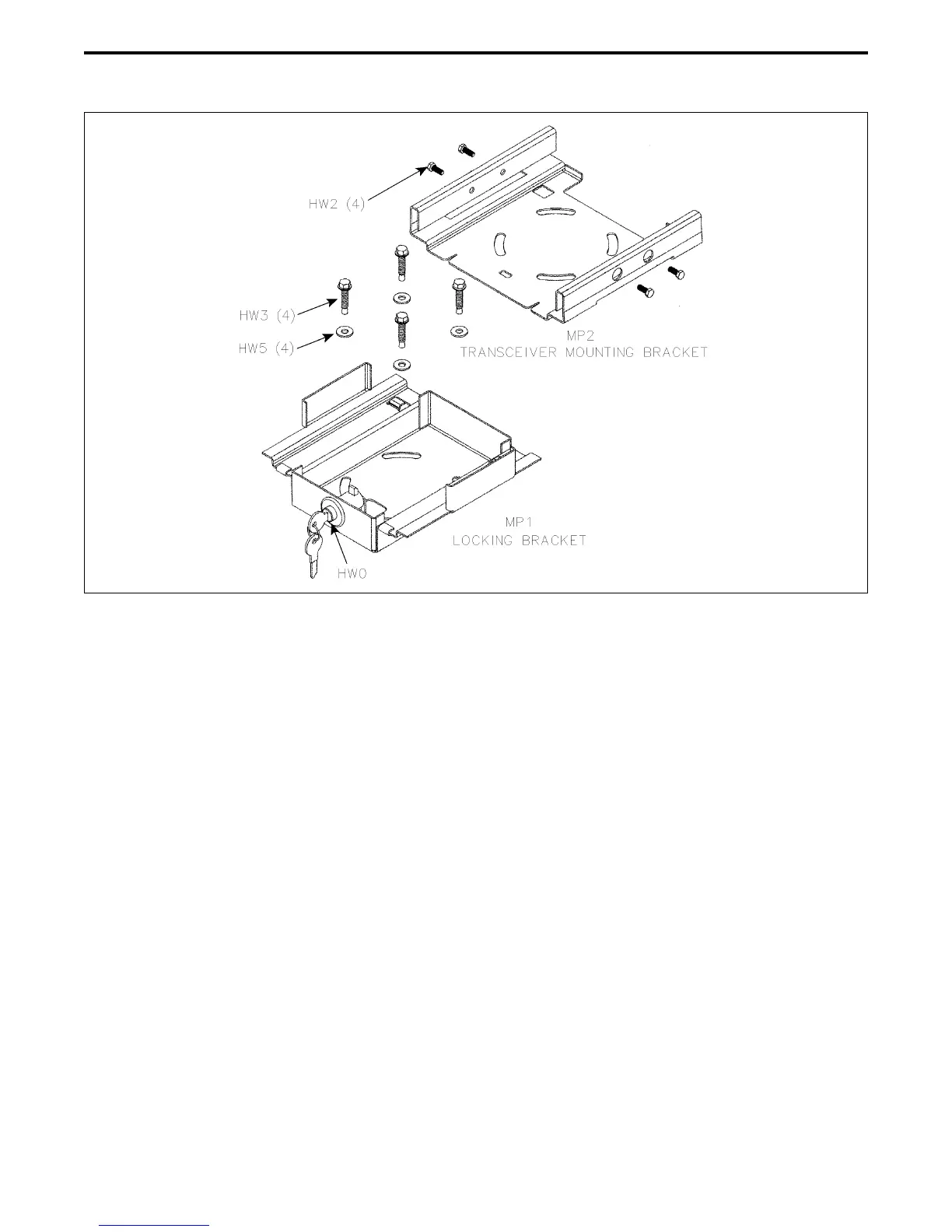
Figure 2-9 Locking Tray Installation Diagram
2.10 TRANSCEIVER MOUNTING TRAY
INSTALLATION
2.10.1 DESCRIPTION
Optional Transceiver Locking Tray, Part No. 585-
7000-185, is a lockable mounting bracket for 5300 and
other transceivers that use the standard chassis (it is
not intended for 100W models with the extended
chassis). This bracket provides theft protection and
also allows the transceiver to be quickly removed from
the vehicle with a key.
2.10.2 INSTALLATION
Refer to Figure 2-9 and proceed as follows:
1. Install the transceiver in bracket MP2 using the four
10-32 x 1/2” screws (HW2) included. If desired, this
mounting bracket can be used to mount the trans-
ceiver directly to the vehicle.
2. Install lock bracket MP1 using the four self-drilling
screws (HW3) and washers (HW5) included. Make
sure that there is nothing under the mounting loca-
tion that will be damaged.
2.10.3 LOCKING/UNLOCKING TRANSCEIVER
To insert the transceiver with attached mounting
bracket into the locking bracket, set it over the locking
bracket and push it rearward slightly if necessary so
that it seats. Then pull it forward until it latches. The
lock operates in a manner similar to most glove
compartment locks. To release the transceiver, press
the button and at the same time push the transceiver
rearward. The key locks the button so that it cannot be
pressed.


 To Next Page