English – 25
Maintenance
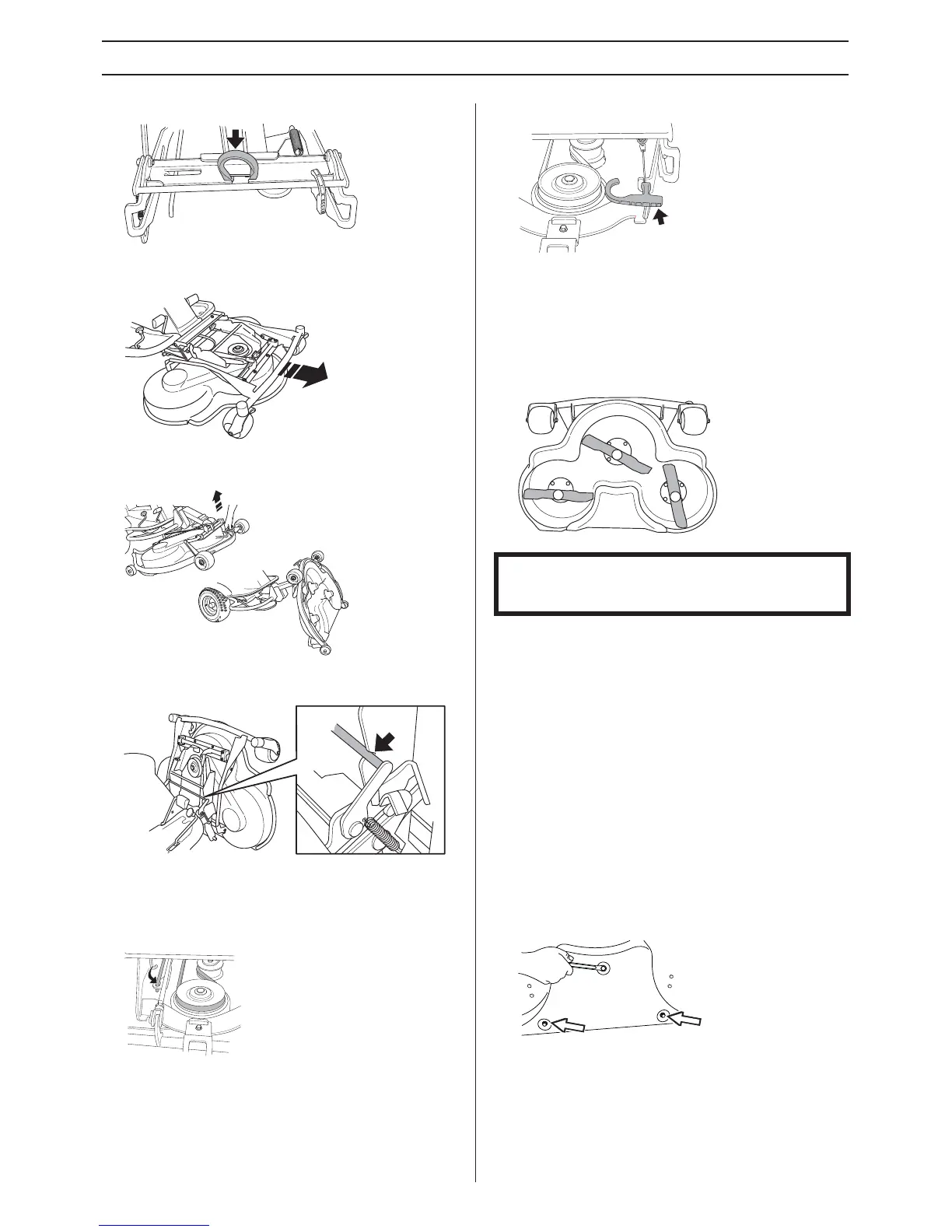
5 Remove the drive belt and place it in the belt holder.
6 Grip the front edge of the unit and pull forwards until it
stops
.
7 Grasp the front edge of the cutting unit, pull out and raise
into the ser
vice position.
8 Lift the unit until it stops and a clicking sound is heard. The
unit locks automatically in the vertical position.
Restoring from service position
1 Grip the front edge of the unit and loosen the lock, fold
down and slide in the unit. Replace the cutting height stay
and the belt.
2 Tension the belt with the belt adjuster.
Fit the front cover.
Checking the blades
To achieve the best mowing results it is important that the
blades are undamaged and well-sharpened.
Check that the blades’ attachment screws are tight.
The blades should be balanced after sharpening.
Damaged blades should be replaced when hitting obstacles
that result in a breakdo
wn. Let the servicing dealer judge
whether the blade can be repaired/ground or must be
discarded.
Removing the Mulching plug
To change a Combi unit from Mulching function to cutting unit
with rear ejection, remove the Mulching plug located under
the unit with three screws.
JC 103, JC 112
1 Put the unit in the service position, see Placing in the
service position.
2 Remove the three screws holding the Mulching plug, and
remo
ve the plug.
3 Tip: Fit three full-thread screws M8x15 mm in the screw
holes to protect the threads
.
4 Replace the unit in normal position.
IMPORTANT INFORMATION Replacing or sharpening the
blades should be conducted by an authorised service
workshop.




 To Next Page