EasyManua.ls Logo

Jorvik Jet-E1 - User Manual

Jorvik Jet-E1
48 pages
Print Icon
To Next Page IconTo Next Page
Loading...
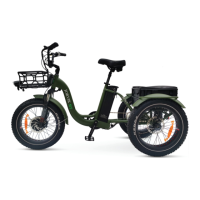
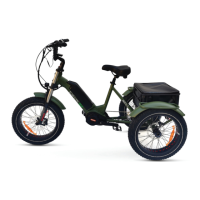
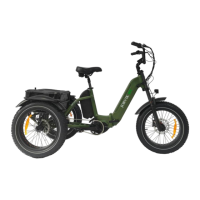
Jorvik JMT Mid Drive Electric Mountain Trike

Questions and Answers

  • M
    Michelle LucasAug 30, 2025
    What to do if cranks spinning or jumping on Jorvik Jet-E1 Bicycle?
    • T
      Tony PerkinsAug 30, 2025
      If the cranks are spinning or jumping on your Jorvik Bicycle, it's likely due to gears being out of adjustment or a slack chain. Check that the chain has the right tension (slight vertical movement) and adjust as needed by sliding the hub forward or backward.
  • J
    Jeffery HarrisAug 28, 2025
    What to do if the chain moves and a grinding noise appears on Jorvik Bicycle?
    • C
      chavezleslieAug 28, 2025
      If a grinding noise appears when the chain moves on your Jorvik Bicycle, it's likely due to a dirty chain. If possible, remove the chains and clean with a quality degreaser. Agitate any dirt on the chain with a brush or with a chain cleaning machine. Inspect the chain for any damage such as twisted links or cracked plates, and check for chain wear with a chain wear tool. Dry the chain, use a water disperser to remove any residual degreaser or water, then apply a small amount of chain lubricant, wiping off the excess with a clean rag.
  • D
    Daisy RichardsonAug 27, 2025
    What to do if error 21 appears on screen of Jorvik Jet-E1 Bicycle?
    • J
      Jessica WilliamsAug 27, 2025
      If error 21 appears on the screen of your Jorvik Bicycle, it indicates a speed sensor issue. Check that the magnet is correctly positioned on the rear drive side wheel. Also, inspect the sensor (attached to the frame above the right brake caliper) and its cable for any loose connections.
  • S
    Shawn McguireAug 27, 2025
    What to do if wheels do not spin freely on Jorvik Bicycle?
    • D
      David LeAug 27, 2025
      If the wheels of your Jorvik Bicycle aren't spinning freely, it could be due to the front wheel not being correctly seated in the dropouts or the brakes dragging. Check that the wheel is straight in the dropout. Undo the Quick Release while the front wheel is on the ground, lift the fork slightly (just enough to take the weight off the axle), and let it drop gently fully down on the wheel axle. Look from the front and tighten the Quick Release correctly.
  • M
    Mark SmithAug 25, 2025
    Why assist system is showing as working but not engaging on Jorvik Jet-E1?
    • S
      Stacey KaneAug 26, 2025
      If the assist system on your Jorvik Bicycle appears to be working but isn't engaging, it might be a brake sensor issue. With the system on and lights off, check if the rear brake light is on. If it is, the brake sensors in the brake levers need adjusting, which can be done with an 8mm spanner and a 2.5mm hex key.
  • B
    barbarapowellAug 25, 2025
    What to do if screen plugged in but won’t turn on Jorvik Jet-E1?
    • A
      Adam KimAug 25, 2025
      If the screen on your Jorvik Bicycle won't turn on, there may be a loose connection or the battery isn't turned on. First, check that the battery is turned on and seated correctly. Also, inspect the connection under the bottom bracket, as these can come loose when the bicycle is folded or the cable is pulled.

Jorvik Jet-E1 Specifications

General IconGeneral
BrandJorvik
ModelJet-E1
CategoryBicycle
LanguageEnglish

Related product manuals