|
11ENGLISH
. Power Off
The “START/STOP“ button can be pressed to turn off the unit in any mode. The unit can turn
off the power itself about 3 minutes no operation in any mode.
Safety Precaution: If pressure in arm cuff becomes too extreme while testing, press
the “START/STOP“ button to turn power off. The cuff pressure will rapidly dissipate
once the unit is off.
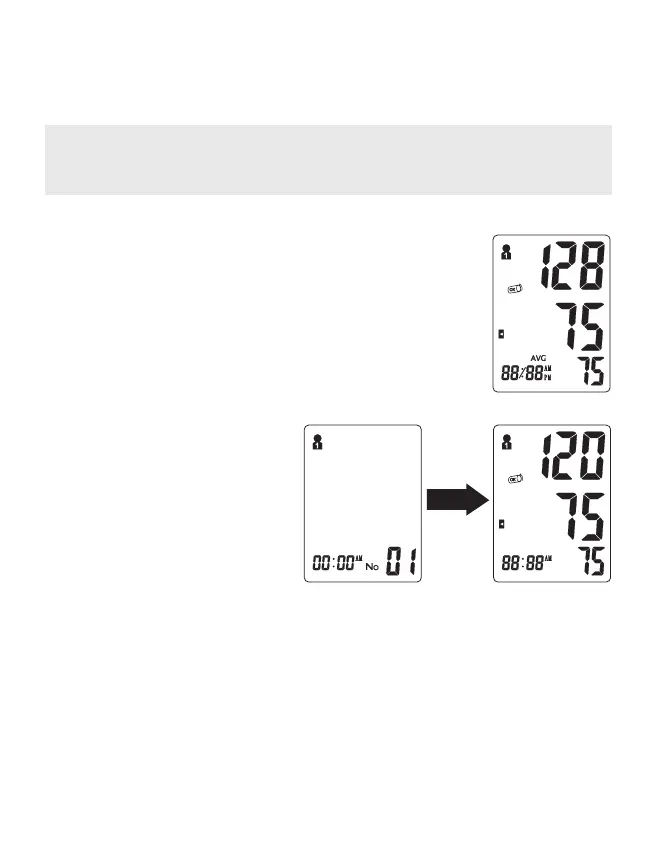
. Last Tests Average
With power off press the “MEM” button to activate screen display.
After the unit performs a self-diagnosis ,the screen will display the
average test results from the last 3 readings of the last group used.
The “AVG” symbol will appear along with the corresponding WHO
Blood Pressure Indicator. The Memory Check mode can be accessed
by pressing “MEM” button. To check the average results in another
user, select the desired Group (User 1 or User 2). (See “Select Memory
Group” on Page 8.
mmHg
. Memory Check
With power off, you may check past test
results by using the “MEM” button. Upon
activating test results. you can press the
“MEM” button to scroll through all test
results stored in memory. The LCD will
display the last measurement memory
as NO.01 reading.
mmHg


 To Next Page