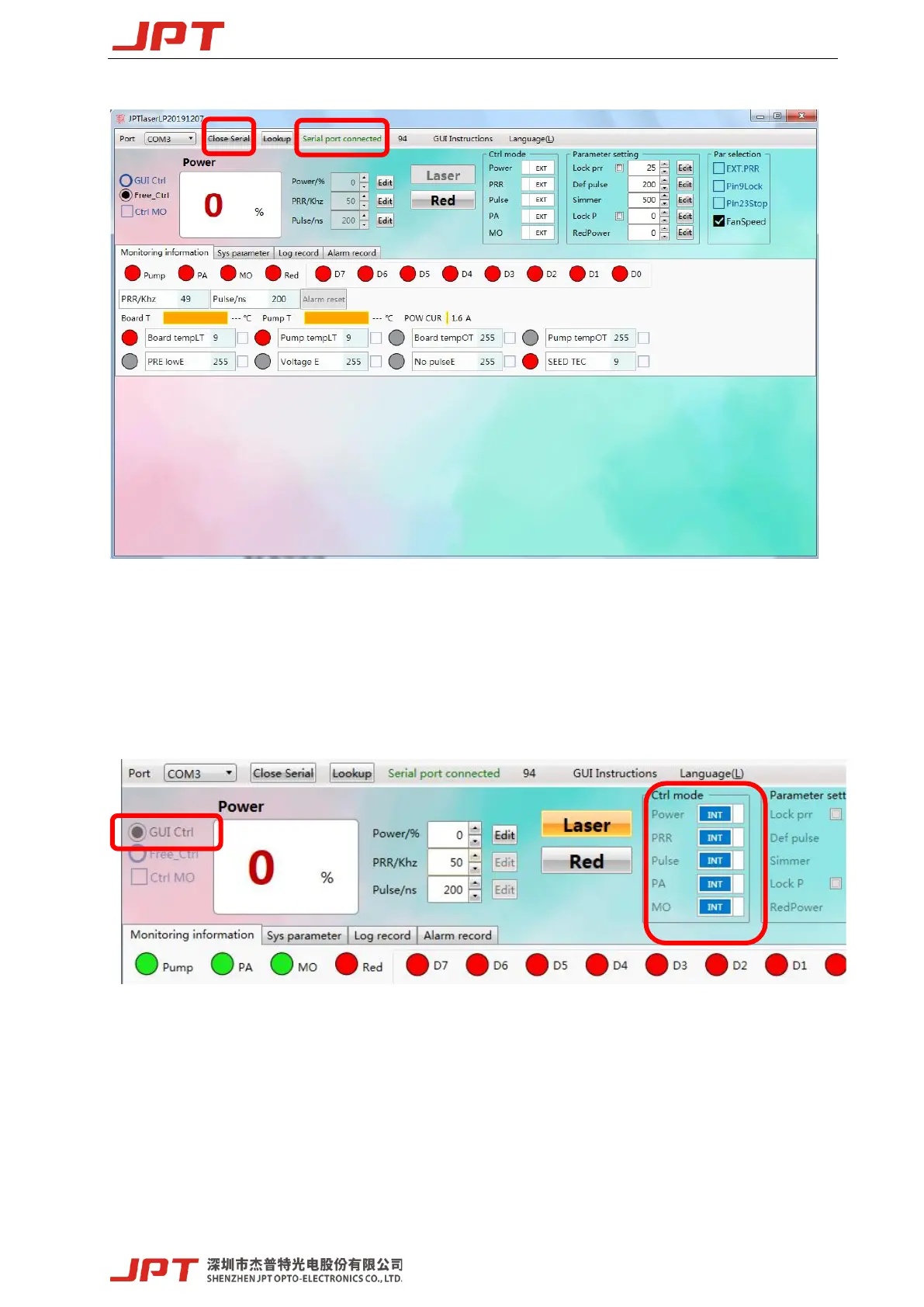
Figure 18 GUI connected state
3.1.2 GUI control function
1) GUI control the emission
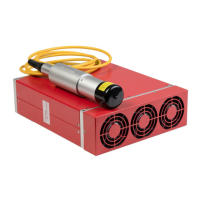
① Choose the GUI control Mode
Figure 19 GUI Full Ctrl mode
GUI Full Control mode(GUI Ctrl):When selecting the GUI full Control mode, all the parameters
of Internal/External Control mode (EG. power, frequency, pulse width, PA, MO) will change to
Internal Control mode. This mode will not be preserved after power off. It will change to “Free
Ctrl” mode after serial port closed, and all the parameters of Internal/External Control mode will




 To Next Page