EasyManua.ls Logo

JPT YDFLP-60-M7-L1-R - User Manual

JPT YDFLP-60-M7-L1-R
26 pages
Print Icon
To Next Page IconTo Next Page
Loading...
YDFLP-60-M7-L1-R user manual
File Number: EFLP001-B
Shenzhen JPT Opto -Electronics Co. Ltd.
Version :B Date:2018. 4
1
Safety
Please read this user manual carefully before operating the YDFLP fiber laser. It provides
essential information regarding safety, product operation, and other necessary reference
information. For the purpose of safety operation and maximizing the performance of the fiber
laser, please strictly follow the safety notifications as below:
Make sure the +48 VDC power supply is connected in the correct way. Inappropriate
connection might spoil the product.
You can’t open the cover of this product without the permission of JPT. It might cause
safety issues and invalidate the warranty.
Please wear laser goggle, as shown in Fig.1, all the time during the operation. This laser
module carry a Class 4 Laser rating it emits invisible laser radiation with a rated average output
power of over 10W and rated peak power of over 7kW. Contact with direct or scattered laser
radiation will cause permanent damage to the eyes, burn human tissue and start fires.
Attention: Even at 0% power setting, the average output power is still about 90mW.
Table 1 Safety Labels
Symbols
Information
Laser Warning Triangle -La
bel of laser emission (Att
ached near the output fib
er)
CAUTIONS IN USEAttach
ed on the
cover plate
Question and Answer IconNeed help?

Do you have a question about the JPT YDFLP-60-M7-L1-R and is the answer not in the manual?

Summary

Safety

General Safety Precautions

Essential safety guidelines for operating the laser, including power and protective measures.

Safety Labels

Identification and explanation of safety symbols and warning labels used on the product.

Product Tour

Product Description

Overview of the YDFLP pulsed fiber laser, its MOPA configuration, and key features.

Packaging List

Itemized list of components included in the product package.

Operation Conditions and Safety Instructions

Guidelines for maintaining performance and ensuring safe operation under specific conditions.

Naming Convention

Explanation of the YDFLP product series naming scheme and its components.

Technical Specifications

Detailed technical parameters and specifications of the YDFLP-M7 fiber laser.

Installation

Dimensions

Mechanical dimensions of the fiber laser module and output isolator.

Installation Steps

Step-by-step instructions for the proper installation of the laser module.

Laser Connector

Power Supply Interface

Pinout details for the DB-7W2 power connector and its connections.

RS232 Connector

Description of the DB9 RS232 connector pin assignments.

Control Interface

Interface Setting

Configuration of the DB25 control interface, including signal settings.

Pulse Width Control

Instruction Structure

Details on the structure and format of pulse width control instructions.

Instruction Code

Specific codes used for setting the pulse width of the laser.

Pulse Energy Control

Clock Diagram

Visual representation of the timing for pulse energy control signals.

JPT GUI

GUI Installation

Procedures for installing the JPT Graphical User Interface software.

GUI Introduction

GUI Operation

Serial Comm Port Setup

Steps to connect and configure the serial communication port for the GUI.

GUI Emission Control

Using the GUI to control laser emission parameters like power and frequency.

Default Parameters Setting

Configuration of default settings and parameters within the GUI.

External Frequency Modes

Setting and managing different frequency modes via the GUI.

Laser System Controls

Fan Speed Control

Managing fan speed based on temperature monitoring within the laser system.

Power Latching and Emergency Stop

Configuration of power latching and emergency stop signals.

Laser State Monitoring

Operation Procedure

Preparatory Examination

Essential checks and examinations before operating the laser system.

Operation Steps

Step-by-step guide for the correct operation of the laser system.

Laser Operation Precautions

Maintenance and Warranty

Standard Warranty

Details of the standard warranty policy for JPT products.

Warranty Limitations

Conditions and exclusions that limit the warranty coverage.

Service and Maintenance

GUI Control

Overview

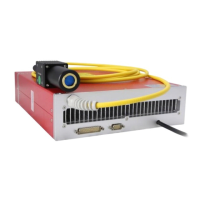
This document describes the JPT YDFLP-60-M7-L1-R pulsed fiber laser, a MOPA (Master Oscillator Power Amplifier) configuration laser designed for various industrial applications.

Function Description:

The YDFLP-60-M7-L1-R is a pulsed fiber laser that utilizes a semiconductor laser diode as the master oscillator and fiber amplifiers to boost the output power. A key feature of this MOPA pulsed fiber laser is the independent adjustability of its pulse width and pulse repetition frequency. This allows the peak power of the laser to be maintained at a consistent level across different pulse repetition frequencies, making it highly versatile for diverse industrial tasks. The MOPA fiber lasers achieve high slope efficiency through fiber couplers, offering an advantage over conventional solid-state lasers. The design is compact and portable, employing three cooling fans for efficient heat dissipation within the chamber. The all-fiber laser cavity contributes to a higher beam quality of the laser output. The laser is powered by a 48V/10A DC supply and uses a standard DB25 interface for control, ensuring good compatibility with existing systems.

Important Technical Specifications:

  • Product Model: YDFLP-60-M7-L1-R
  • Laser Type: MOPA
  • Average Output Power: >60 W
  • M²: <1.8
  • Output Fiber Length: 3 m
  • Pulse Energy: 1.5 mJ
  • Full Power Frequency Range: 40-4000 kHz
  • Adjustable Frequency Range: 1-4000 kHz
  • Pulse Width Range: 1-500 ns
  • Output Power Stability: <5 %
  • Cooling Method: Air Cooling
  • Supply Voltage: 48 V
  • Current Consumption: <7 A
  • Environmental Supply Current: >7 A
  • Power Consumption (20 °C): <300 W
  • Central Wavelength: 1064 nm
  • FWHM (nm) @3dB: <10 nm
  • Polarization: Random
  • Anti-Reflection Protection: Yes
  • Output Beam Diameter: 6.5±0.5 mm
  • Power Range: 0~100 %
  • Operation Temperature Range: 0~40 °C
  • Storage Temperature Range: -10~60 °C
  • Dimension: 32526075 cm
  • Waveforms: The YDFLP-60-M7-L1-R supports 16 waveforms: continuous, 2ns, 4ns, 6ns, 8ns, 12ns, 20ns, 30ns, 45ns, 60ns, 80ns, 100ns, 150ns, 200ns, 250ns, 350ns, 500ns.
  • Threshold Frequency: For laser safety and long lifetime, when set ≥80ns and ≥400kHz, the frequency will be limited at 400kHz. The cut-off frequency value determines the full power output range; below this value, the laser reduces output power to protect itself.

Usage Features:

  • Safety Precautions:
    • Requires a +48 VDC power supply connected correctly to prevent damage.
    • Unauthorized opening of the product cover is prohibited and voids the warranty.
    • Class 4 Laser product: Emits invisible laser radiation with an average output power over 10W and peak power over 7kW.
    • Mandatory: Wear laser goggles (as shown in Fig. 1) at all times during operation to prevent permanent eye damage, burns to human tissue, and fires from direct or scattered laser radiation.
    • Even at 0% power setting, the average output power is approximately 90mW.
  • Installation:
    • Fix the laser module onto the mounting panel, ensuring sufficient air gap (10-cm-wide) around it for proper airflow. Airflow direction must match the laser system's direction.
    • Connect the 48V DC power supply cable, observing correct polarity (DC positive for "+", DC negative for "-", GND for ground wire).
    • Ensure the external controller's interface matches the laser and securely connect the control cable.
  • Operation Conditions:
    • Operate with a 48V/10A DC power supply; incorrect connection will damage the laser.
    • Operating temperature: 0~40°C. Internal alarm triggers if temperature exceeds 40°C for protection.
    • Keep the fiber laser source, especially the fiber pigtail and output isolator, clean. Cover the isolator when not in use to prevent dust accumulation, which can cause heating, lens damage, and output power attenuation.
    • Ensure power is off before installing or uninstalling the fiber laser.
    • Never look directly at the fiber laser head.
  • Control Interface (DB25):
    • Connects to the control system (e.g., marking machines).
    • PIN definitions for power control, power save signal, GND, warning signal (temperature alarm), laser starting signals (PA), and frequency modulation (TTL).
    • Pulse width control is managed via PIN2 (Serial Input), PIN3 (Serial Clock), and PIN22 (Enable).
    • Pulse width instruction structure: Binary transmission, starting with 0xA5 (A5h) data transmission activated byte, followed by instruction code (e.g., 0x01 for setting pulse width).
    • The laser can only receive signals for specified pulse widths; if an out-of-range value is sent, it defaults to the last set pulse width.
  • JPT GUI Software:
    • Provides laser control, default parameter settings, operation tips, prompt feedback, control mode selection, and alarm monitoring.
    • Includes DB25 interface monitoring and internal parameter monitoring.
    • Parameter settings take immediate effect and are automatically saved after power down.
    • During emission, only power parameters can be adjusted; other settings are locked to prevent warnings.
    • Fan Speed Control: Fans activate when temperature exceeds Fan_L, reaching maximum speed at Fan_H. They run at maximum speed for 5s after power-on, then enter speed control.
    • Power Latching (PIN9): Enabled by checking, effective on rising edge.
    • Emergency Stop (PIN23): Enabled by checking, effective on low level.
  • Operation Procedure:
    • Power On: Turn on the fiber laser simultaneously with or after the marking machine. Wait approximately 1 minute. The laser will self-lock if the control card isn't powered on within 5s.
    • Laser Marking: Set power to 0%, draw a simple figure with marking software, then gradually increase power and adjust settings. Observe output with a frequency doubling piece of pottery and porcelain.

Maintenance Features:

  • Warranty: JPT provides a warranty for products with material and technology issues under normal use and according to specifications. JPT reserves the right to repair or replace defective products. Repair charges apply for out-of-warranty products or reparations.
  • Warranty Limitation:
    • Does not cover defects from improper maintenance, calibration, customer-supplied software/interfacing/supplies, unauthorized modification, improper use, operation outside specifications, abuse, negligence, accident, transit damage, or unauthorized maintenance/repair.
    • Customers must strictly follow the user manual; problems from faulty operation are not covered.
    • Components not produced by JPT (e.g., optical fibers) are not covered.
    • Claims must be made within thirty days of discovering a defect.
  • Service and Maintenance:
    • No operator-serviceable parts inside. All servicing must be performed by qualified JPT personnel.
    • Requests for repair/replacement under warranty must be directed to JPT or its representative.
    • Authorized returns must be in suitable containers. Damage during transit must be documented for claims.
  • GUI Control: The JPT laser can be fully controlled by connecting directly to a computer running the JPT GUI software.

JPT YDFLP-60-M7-L1-R Specifications

General IconGeneral
BrandJPT
ModelYDFLP-60-M7-L1-R
CategoryMeasuring Instruments
LanguageEnglish

Related product manuals