8
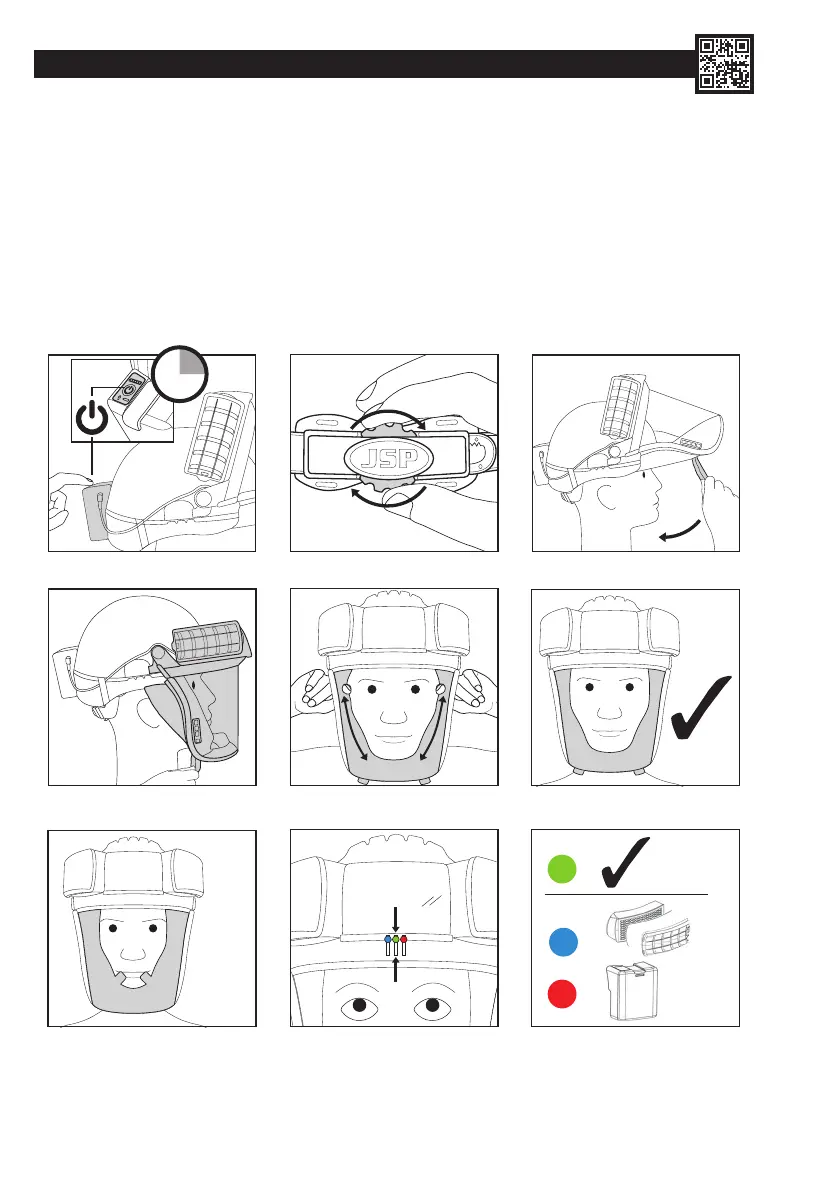
DONNING: (DO NOT enter the hazard zone until you have fully donned the product)
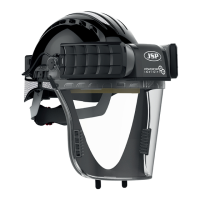
1. Turn PowerCap
®
Innity
®
on by pushing and holding the switch on the battery box. Wait for the drive unit buzzer to signal that it has
started. Sufcient airow must be checked as described in the Battery and Airow Check section.
2. Place the helmet on the head with the visor in the raised position, pressing the head rmly into the padding at the front of the helmet.
Tighten the helmet strap by turning the wheel ratchet at the rear of the helmet clock-wise. Adjust for a comfortable, secure t. It may be
necessary to adjust the position of the head strap in the helmet using JSP’s 3D adjustment system to achieve a comfortable, secure t.
An instructional video on how to use this system can be found on JSP’s YouTube channel bit.ly/Innity-Videos.
3. Locate the two tabs on the seal skirt with the index ngers uppermost and thumbs underneath.
4. Pull the face seal skirt and visor assembly down by tabs so the seal skirt is fully underneath the jaw.
5. Peel the excess sides of the skirt outwards with the index ngers to fully seal around the face. Ensure that the seal skirt tabs are outside
the skirt.
6. Check for the green indicator on the Head-Up Display (HUD). When correctly donned, no part of the face seal skirt should be in front of
the face. Check by looking in a mirror or seek assistance.
2
3
1
2
sec
5
4
6
=
=
=


 To Next Page
 Loading...