108
1
1
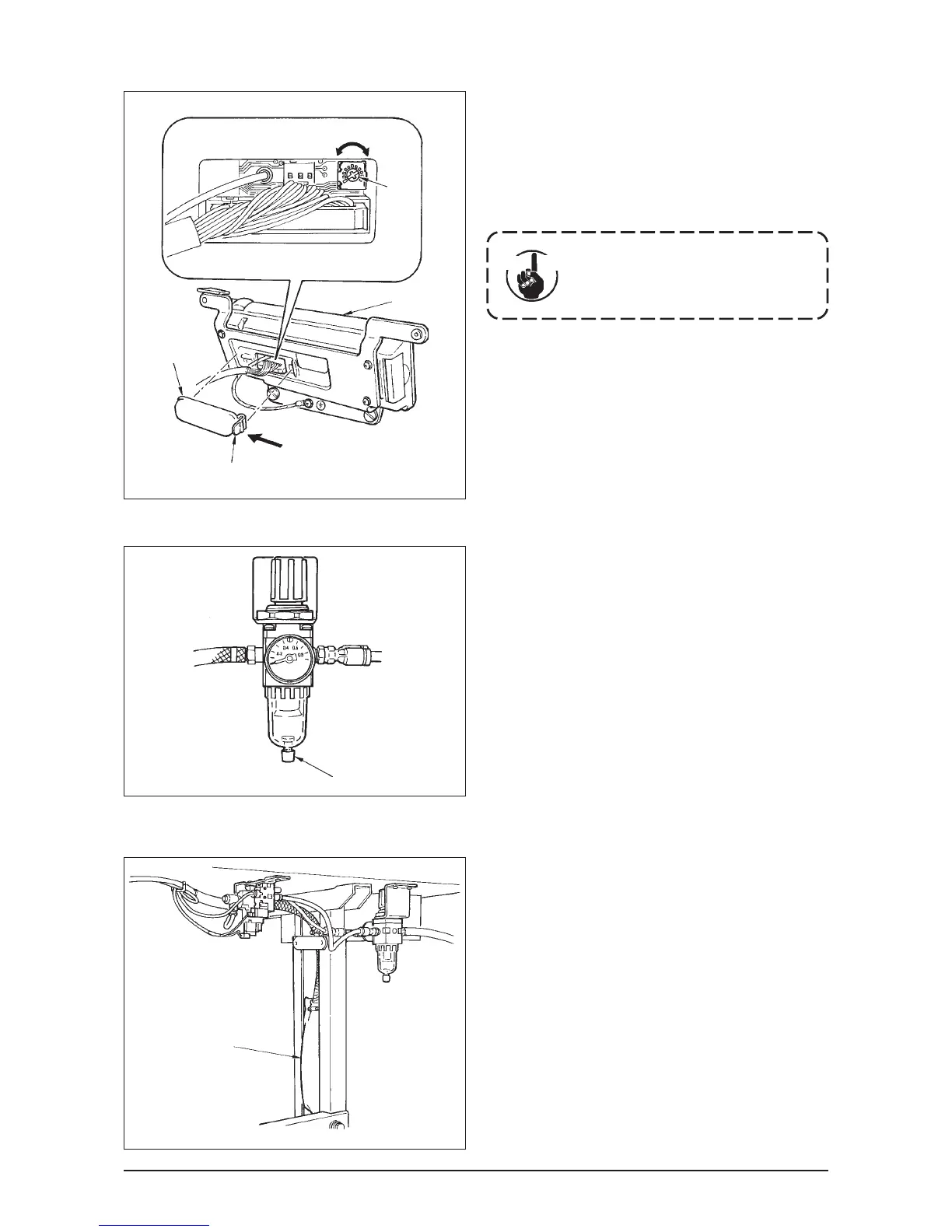
(4) Draining (Bird’s nest prevention (CB) type only)
When the regulator becomes filled with water, turn knob
1 for drain counterclockwise.
(5) Cleaning the dust bag (Bird’s nest prevention (CB) type only)
Periodically clean dust bag 1.
When the dust bag becomes excessively filled
with waste thread, there may be cases where
clamp failure occurs.
(
)
1
3
2
A
(3) Adjusting the contrast of the operation panel display
1) Press in the direction of arrow mark the click of section
A of cord outlet cover 2 assembled in the rear of
operation panel 1 and remove the cover.
2) Turn LCD screen display brightness adjustment
variable resistor 3 to adjust the brightness (contrast)
of LCD screen.
Light
Shade
To prevent the operation panel from
breakage, do not touch the circuit
board pattern and the connector
terminal.
Cau
tion












 To Next Page