46
* Separately set inputted zigzag width of condensation custom from that of normal sewing section. Set the width
within the range of maximum zigzag width limitation.
* By setting the width, the needle entry differs from actually inputted needle entry position.
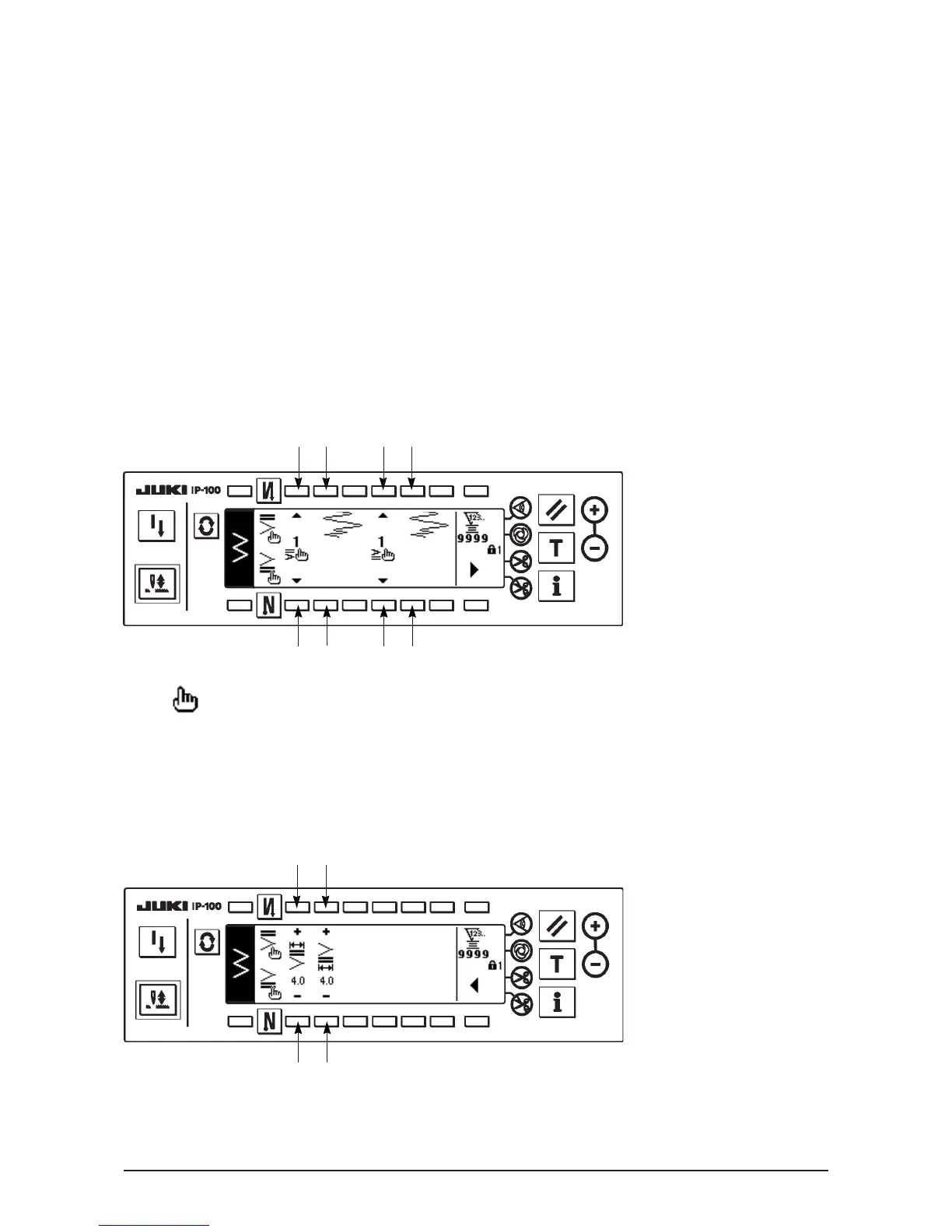
■The first screen of reverse feed stitching setting (condensation custom)
Press to move the screen to the edit screen.
* For the editing procedure, refer to "9.".
■The second screen of reverse feed stitching setting (condensation custom)
5 6
5 6
1 2 3 4
1 2 3 4
(3) Condensation custom
Condensation custom performs reverse feed stitching with the optional needle entry which has been inputted.
1) Select the shape of condensation with the first screen.
1: Select the shape of condensation at the sewing start.
3 : Select the shape of condensation at the sewing end.
2, 4 : Needle entry position is displayed.
2) Set the width of condensation custom pattern with the second screen.
5 : Set the width of condensation custom pattern at the sewing start.
6 : Set the width of condensation custom pattern at the sewing end.
Press to display the second screen.
▲
Press to display the first screen.
▲












 To Next Page