41
1 2
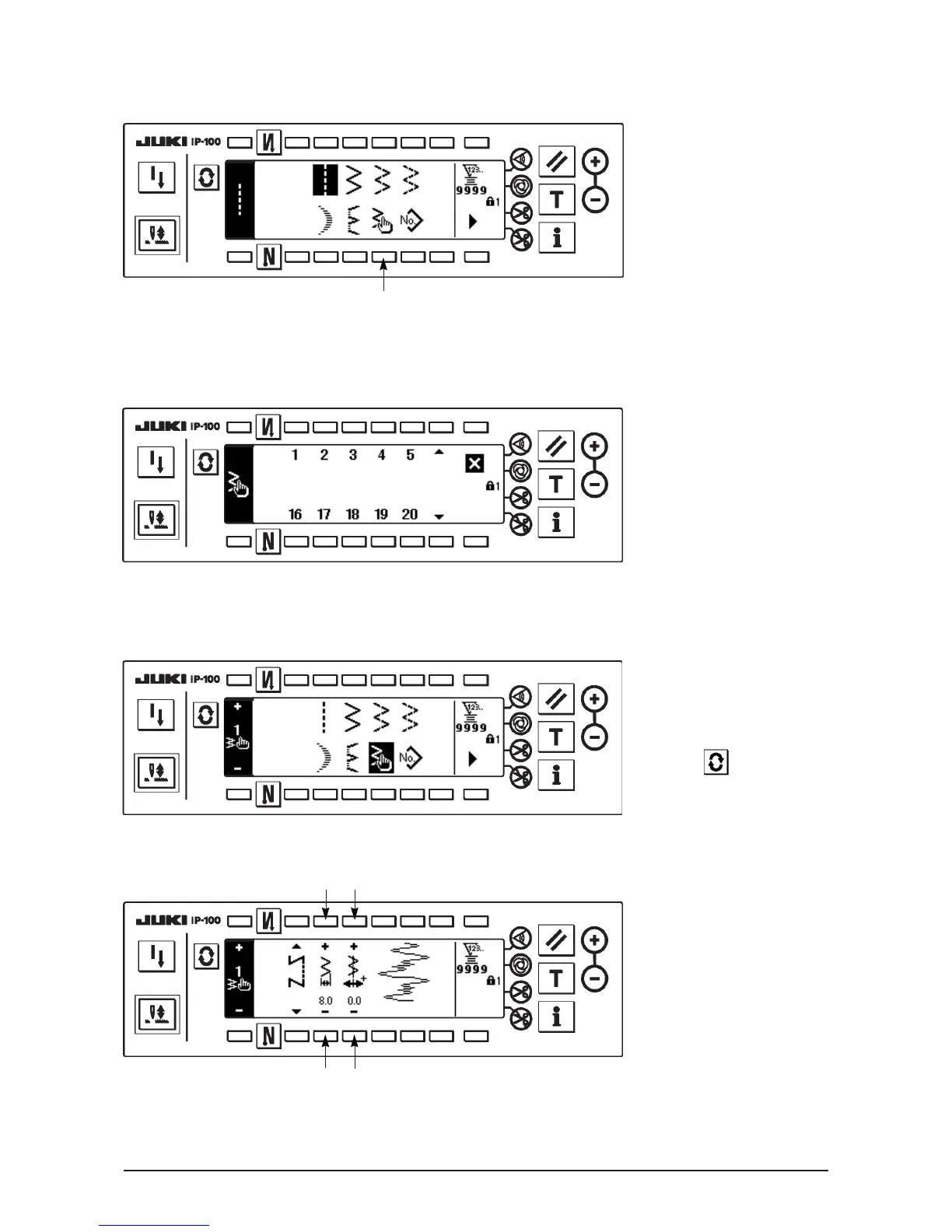
■Sewing shape list first screen
■Sewing shape setting screen
Setting of the zigzag width
Change the zigzag width
with +/– of switch 1.
Setting of the position of
stitch base line
Change the position of stitch
base line with +/– of switch
2.
(4) Custom pattern stitching
■Sewing shape list first screen
■Custom pattern selection pop-up screen
h
h
1
21
1) Select custom pattern 1 in
the sewing shape list first
screen.
2) Press the custom pattern
No. to be selected.
3) The selected shape
reverses and is indicated
on the left end of the
screen.
4) Press to display the
sewing shape setting
screen.












 To Next Page