53
○ How to delete
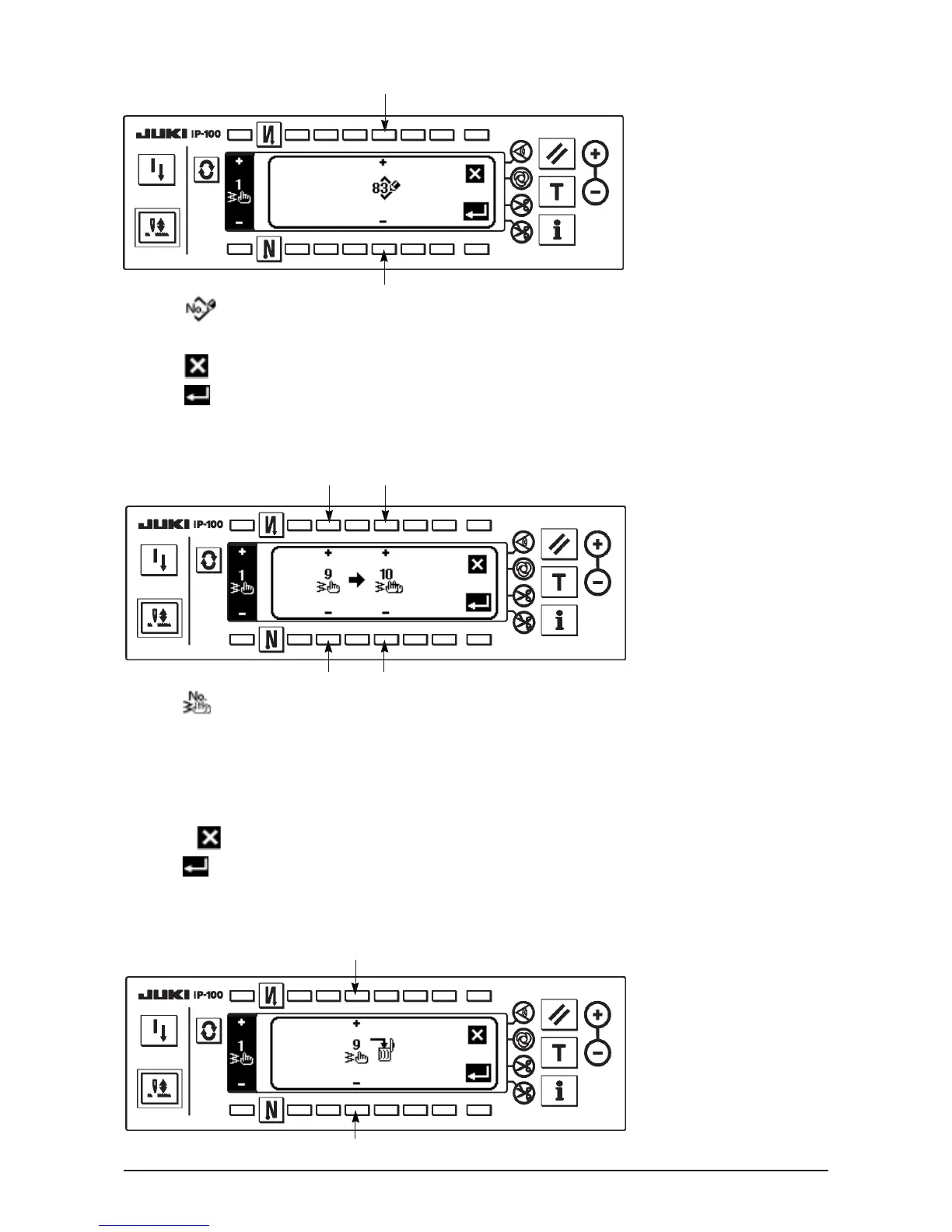
■Deletion pop-up screen
○ Registration of pattern
■Registration pop-up screen
1) Press 1 in the pop-up screen of registration, copy and deletion of custom pattern.
2) Select the pattern No. you desire to register with 4 in the registration pop-up screen.
When is pressed here, the screen returns to the former one without registering the pattern.
3) When is pressed, registration is performed.
After registration, the registered pattern is in the selective state.
○ How to copy
■Copy pop-up screen
1) Press 2 in the pop-up screen of registration, copy and deletion of custom pattern.
2) Copy pop-up screen is displayed.
5 : Select the custom pattern of copy source with “+” and “–”. (It is possible to select only No. which
has been registered.)
6 : Select the custom pattern of copy destination with “+” and “–”. (It is possible to select only No.
which has been not registered.)
When
is pressed here, the screen returns to the former one without performing copy.
3) When is pressed, copying is performed.
When copying is performed, the No. which is selected as copy destination is in the selective state.
4
4
5 6
5 6
7
7












 To Next Page