– 138 –
9-4-3. Custom pitch edit function
①
Selecting the custom pitch edit function
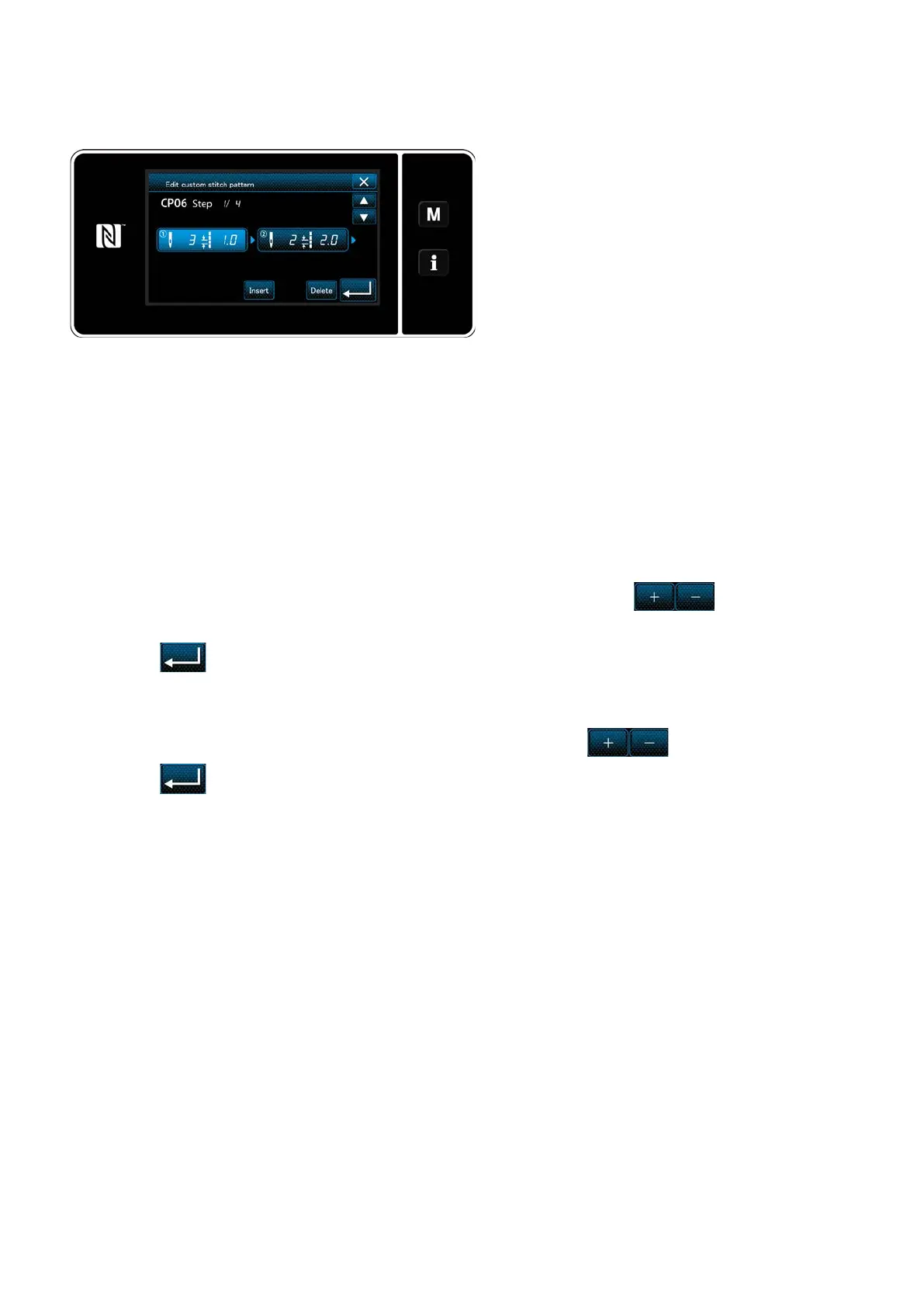
<Custom pitch edit screen>
②
Editing the custom pitch value
1) In the case of setting the number of stitches
The number of stitches can be input in the range from 1 to 100.
Change the number of stitches for step 1 using the numeric keypad and for the number of
stitches.
Press to conrm the setting.
2) In the case of setting the stitch length
The stitch length can be input in the range from -9.0 to 9.0 mm.
Change the stitch length for step 1 using the numeric keypad and for the stitch length.
Press to conrm the setting.
3) Change the settings for each step in the same manner as described above.
Display the "custom pitch edit screen" referring
to
"9-4-2. Creating a new custom pitch" p.
135
.
In this section, procedure for editing the custom pitch value is described.
Refer to
"9-4-2. Creating a new custom pitch" p. 135
for the explanation of screen.
Steps of procedure to be taken after the aforementioned step are same as those described in
"9-4-2. Creat-
ing a new custom pitch" p. 135
.


 To Next Page